Tretlager installs the official Windows version of Zwift on your Linux computer, signs you in and connects your smart trainer and heart rate strap over Bluetooth. No terminal, no Wine tinkering, no Companion app on your phone. One button starts the ride.
// Before you start
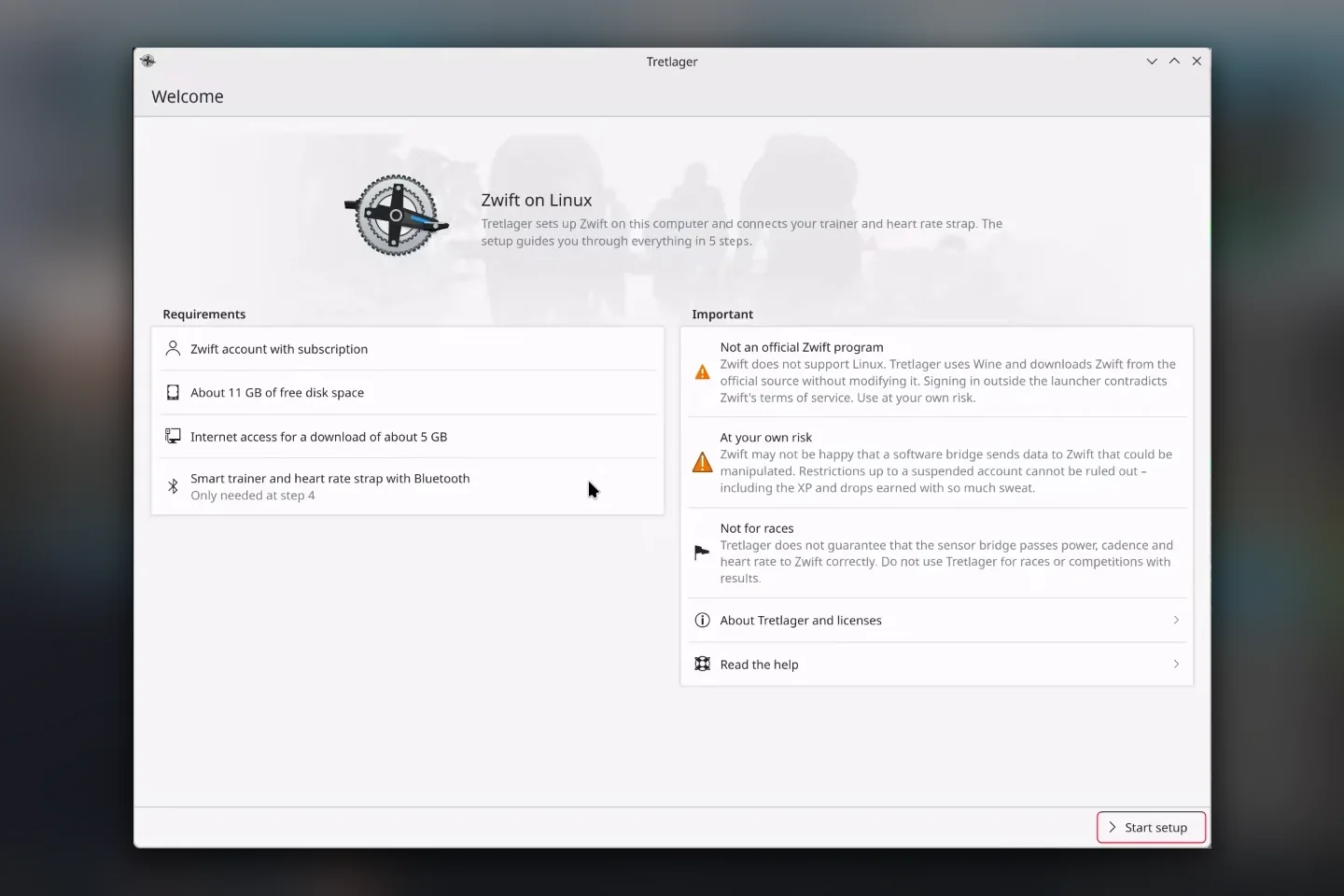
Tretlager is a private project, not an official Zwift app. Zwift does not support Linux and has nothing to do with Tretlager. The sign-in happens outside the Zwift launcher, which goes against Zwift’s terms of service. A software bridge passes sensor data on, so I can’t rule out restrictions up to a suspended account. Tretlager is not meant for races. It shows these points before the first start and only goes on once you accept them.
Zwift on Linux
Zwift runs on Windows, macOS, iOS, Android and Apple TV, but not on Linux. Yet Zwift doesn’t need much power. Plenty of basements, garages and garden sheds have an old computer that only runs Zwift. Windows 10 no longer gets updates, and many of those boxes can’t officially run Windows 11. Linux runs on them just fine.
There is also a matter of time: Zwift has already dropped support for Windows 8. Windows 10 will probably follow at some point, and then it’s either upgrading the hardware or switching to Linux. That’s where Tretlager comes in: the old computer can stay, only the system underneath changes.
There have been ways to run Zwift on Linux for years: setting up Wine by hand, Lutris scripts or the Docker container netbrain/zwift, which ships Zwift ready to go. I spent a long time trying my way through Wine configurations. In the end it failed at the sign-in, the sensors or the next update, and the sensors mostly only worked through the Companion app on the phone.
Tretlager builds on those attempts and turns them into an application with an assistant. It checks the system, sets up everything Zwift needs and brings its own sensor bridge. That way Zwift works without much Linux know-how.
An assistant instead of a wiki page
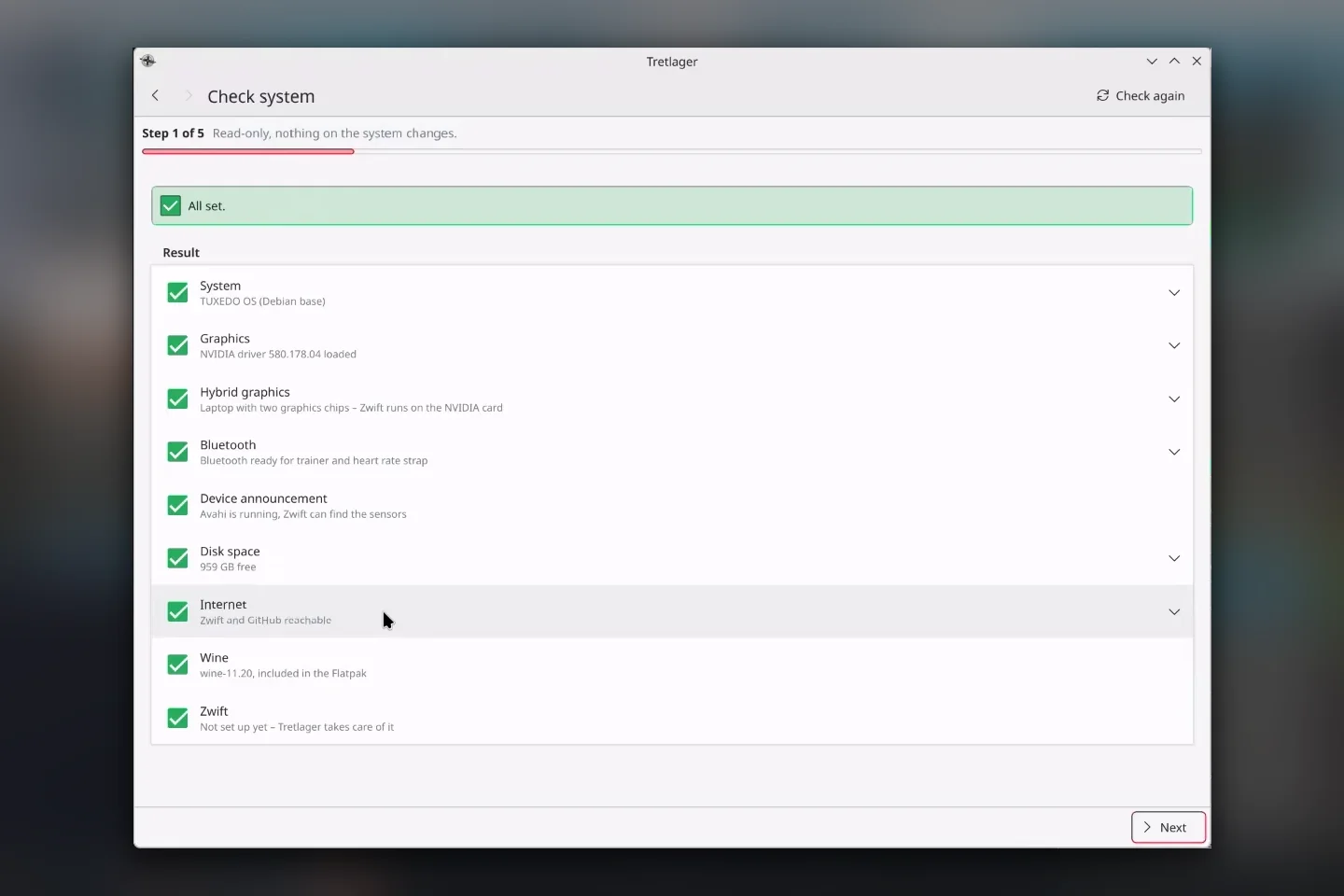
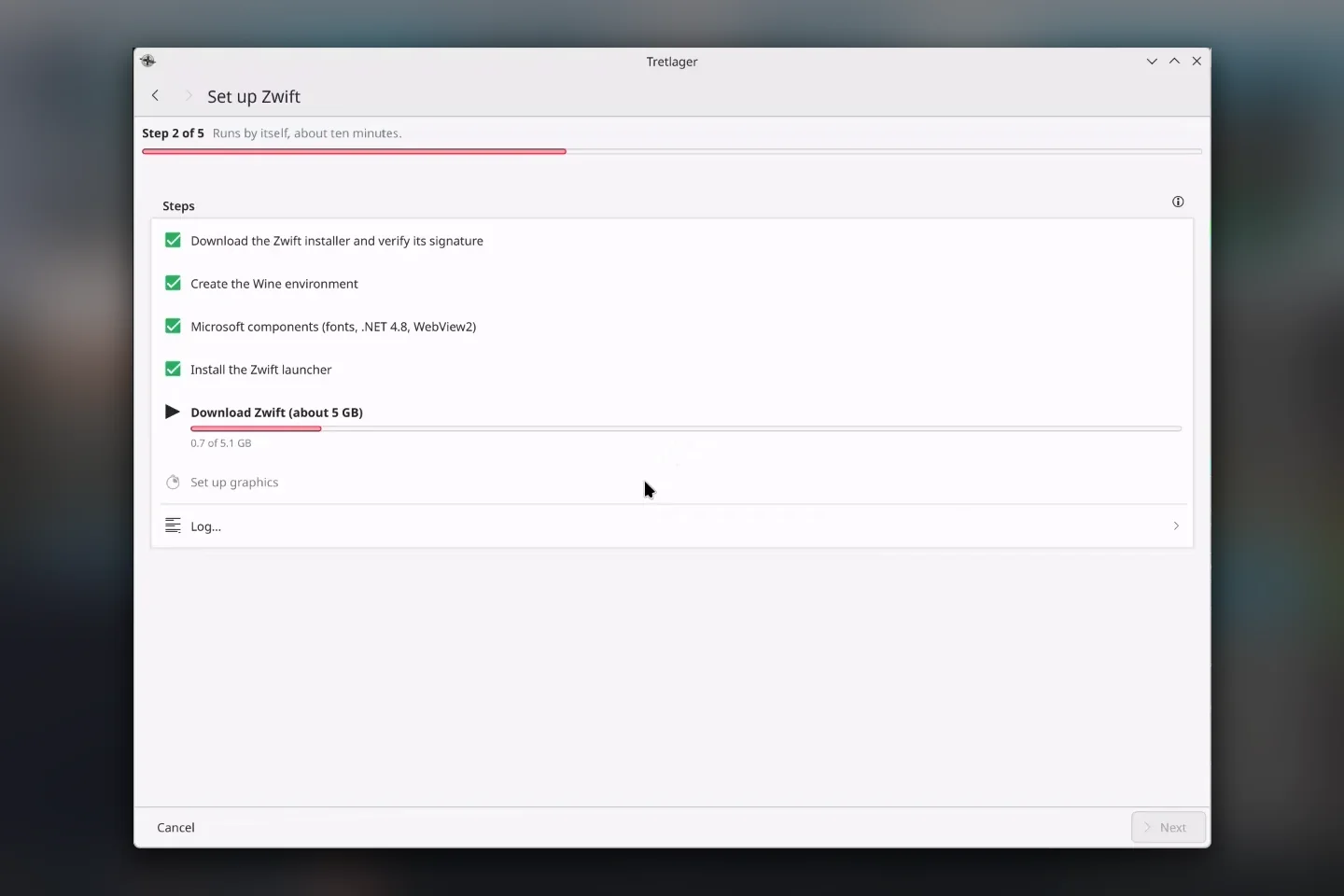
Zwift under Wine usually means a long list of commands, .NET installers and registry tweaks. Tretlager walks you through five steps instead. First it checks graphics, Bluetooth, disk space and network without changing anything, and tells you what is missing.
Installs Zwift by itself
Tretlager brings its own Wine, downloads the official installer straight from Zwift, verifies its signature and sets up fonts, .NET 4.8 and WebView2. Then the Zwift launcher fetches the game. On a normal connection that takes about 15 minutes.
Trainer and strap without a phone
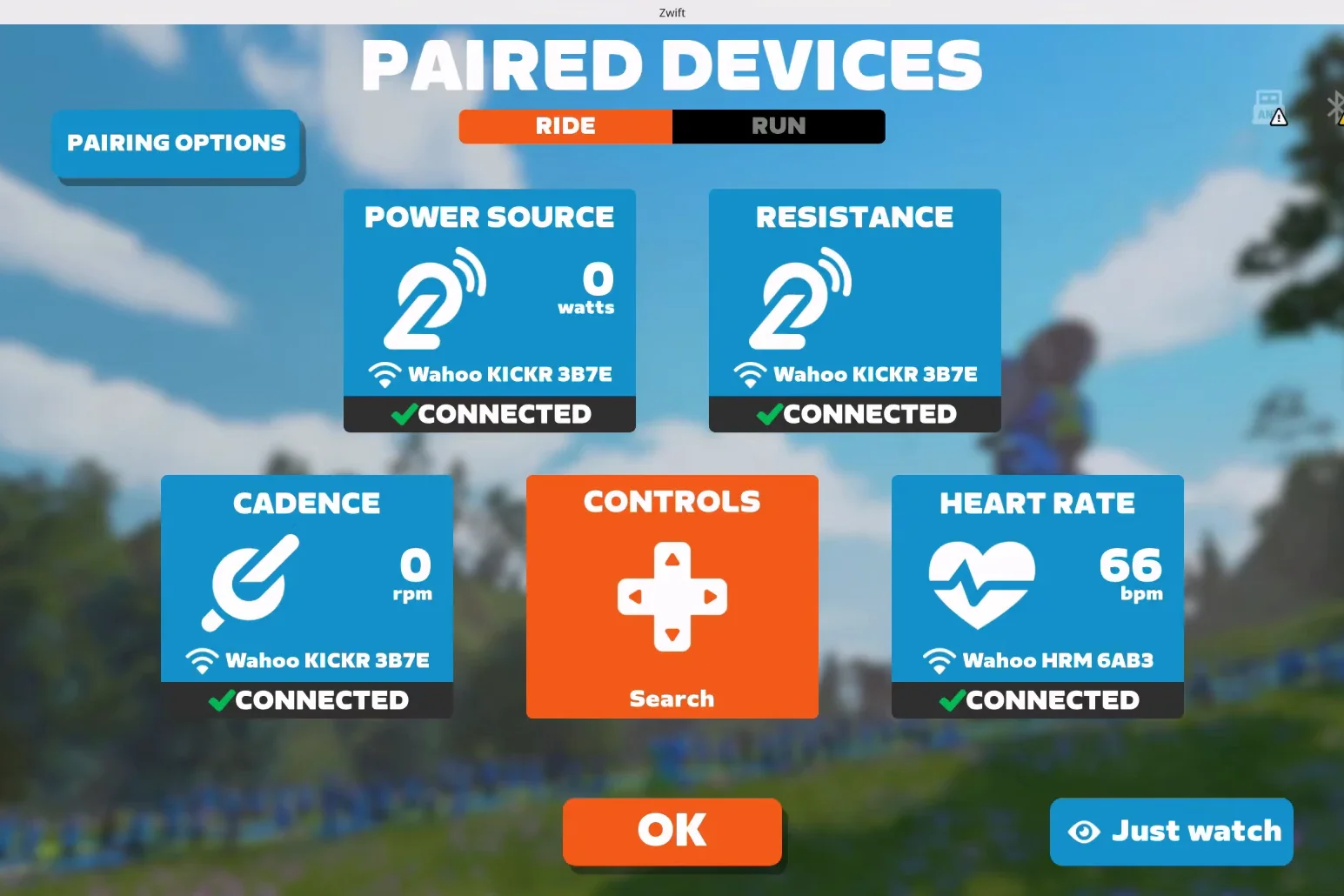
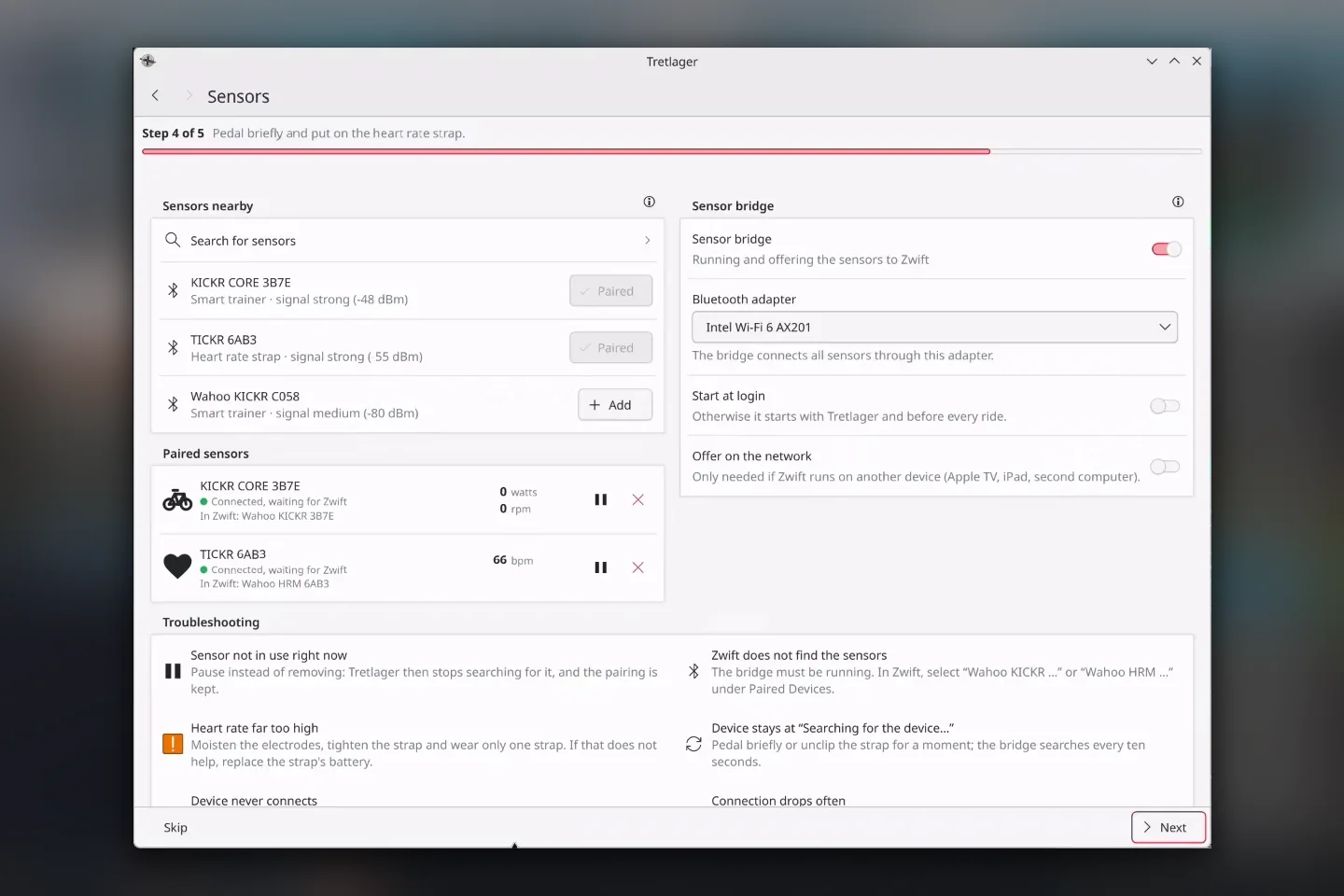
Wine can’t reach Bluetooth sensors. The Tretlager sensor bridge connects to your trainer and heart rate strap over Bluetooth LE and offers them to Zwift on the same computer, the way a Wahoo trainer with Direct Connect would. In Zwift you simply pick “Wahoo KICKR …” and “Wahoo HRM …”. ERG mode and climbs work.
One button to ride
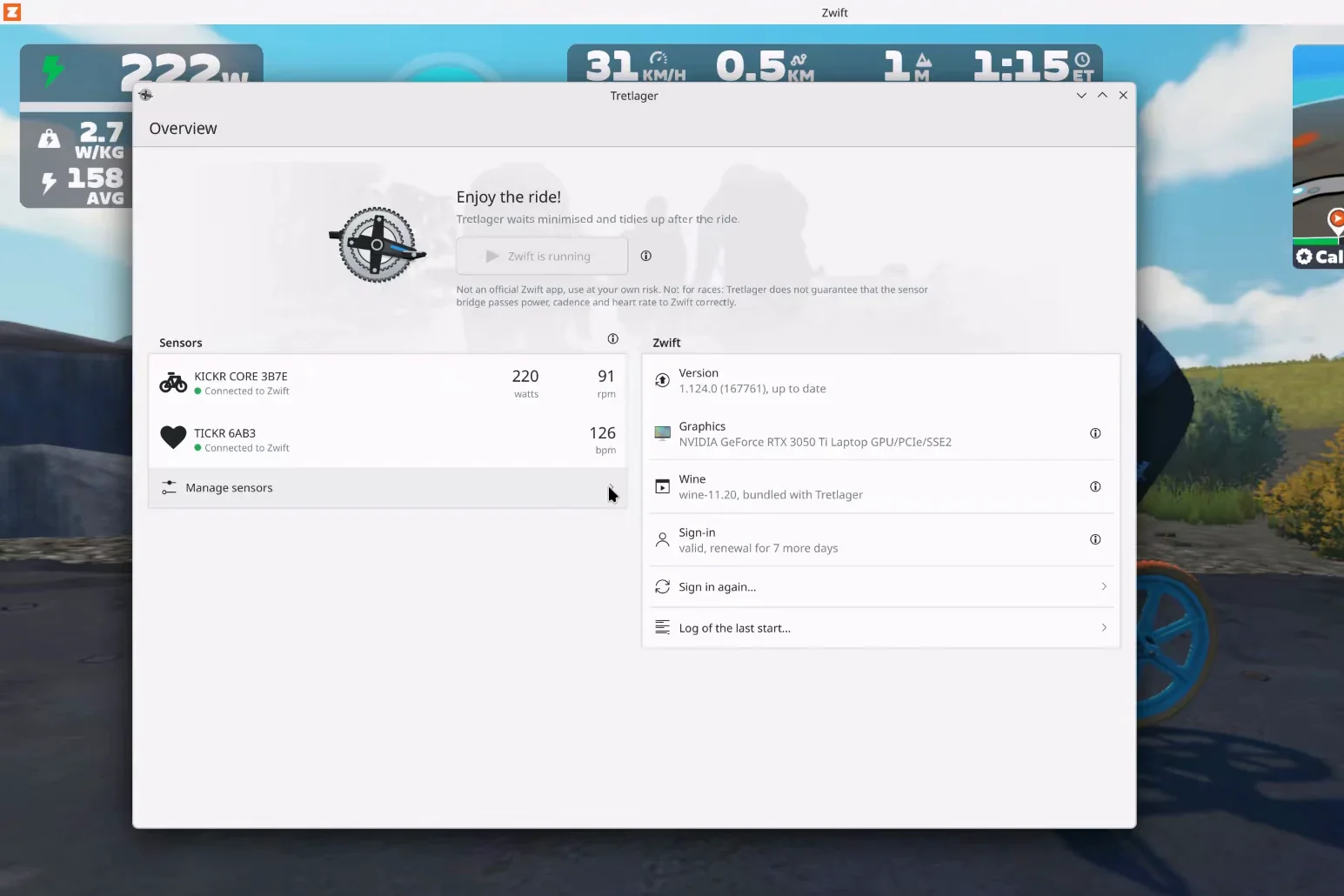
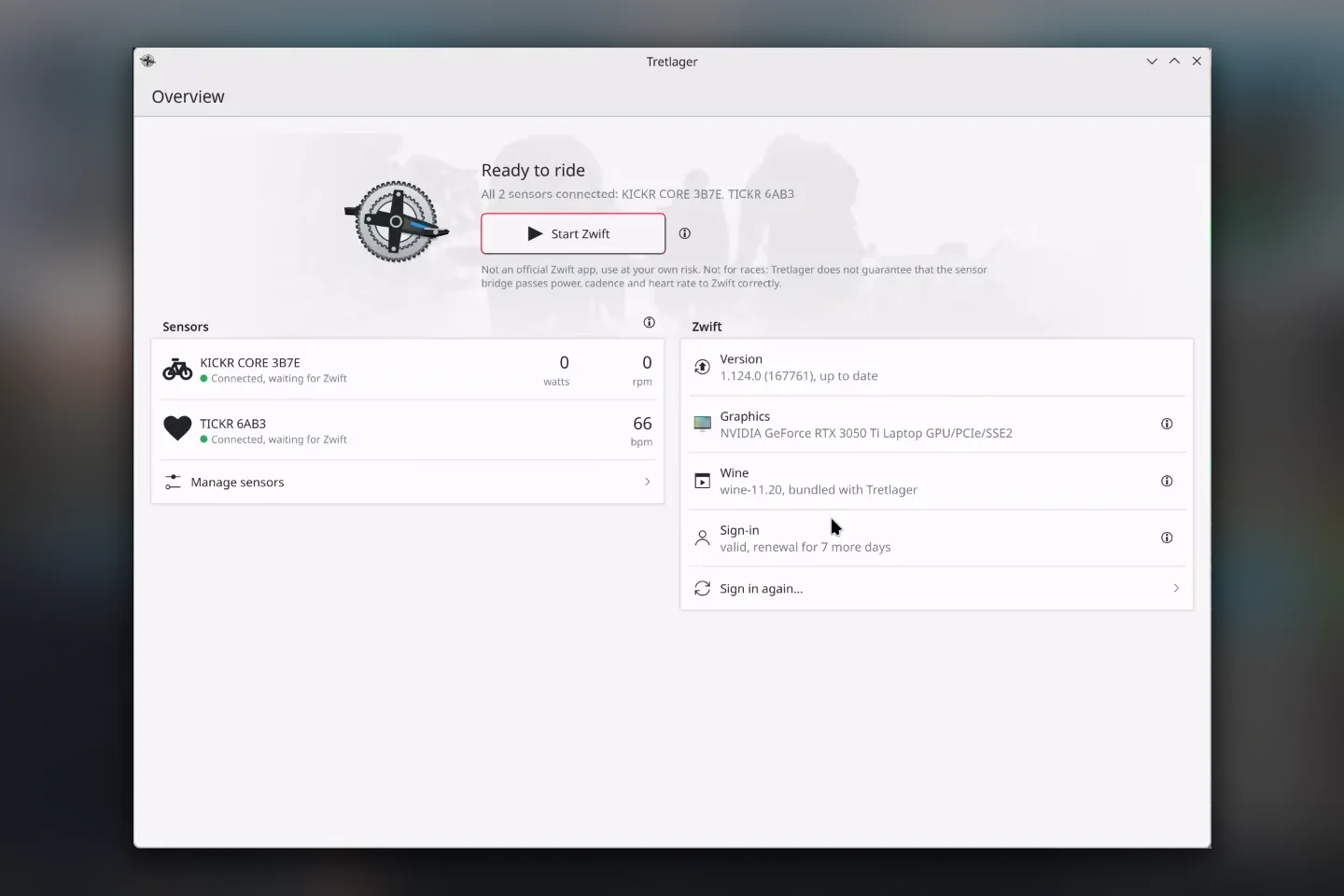
The overview shows sensors, Zwift version, graphics card, Wine and sign-in at a glance. “Start Zwift” uses the NVIDIA card on hybrid laptops. During the ride Tretlager waits in the background, shows live values and tidies up afterwards.
What else Tretlager does
Sign-in that works
The launcher’s sign-in page doesn’t work under Wine. Tretlager opens Zwift’s own sign-in page in a private window. You type your password into Zwift’s page, never into Tretlager.
Session in your keyring
The sign-in is kept in KWallet or GNOME Keyring. Signing out removes it.
Updates without trouble
Before every start Tretlager brings the Zwift environment in line and lets the launcher install updates. During a Zwift update the overview shows the progress.
Working Wine is kept
A new Wine version comes with a new Tretlager version. The last working one is kept, and a switch brings it back.
Warns in time
Tretlager speaks up when the laptop runs on battery or Bluetooth headphones on the bridge’s adapter crowd out the sensors.
Pick a USB adapter
If the built-in Bluetooth chip is unreliable or too far away, choose a USB adapter for the bridge.
Screen stays on
While Zwift starts and runs, Tretlager keeps the screen awake, also during a break without mouse or keyboard.
Bug reports
If something goes wrong, Tretlager saves a report as a ZIP file. Tokens, passwords and email addresses are removed from it.
Tested hardware
| Computers | TUXEDO InfinityBook Pro Gen7 (Core i7-12700H, RTX 3050 Ti) with TUXEDO OS and KDE Plasma 6.7; Dell XPS 15 9560 (Core i7-7700HQ, GTX 1050) with Arch Linux and GNOME 51 |
| Trainer | Wahoo KICKR V4: power, cadence, ERG mode and climbs |
| Heart rate straps | Wahoo TICKR; Garmin HRM-Pro Plus (ends its connection by itself every 7 to 15 minutes and reconnects) |
| Not supported | ANT+ |
Other trainers and straps using the Bluetooth standards FTMS, Cycling Power and Heart Rate should work, but I haven’t tested them. Details are in the hardware list.
Install
Your system needs Flatpak with Flathub, BlueZ with a Bluetooth LE adapter, the Avahi daemon and a keyring. Download the Flatpak bundle from GitHub and install it:
flatpak install --user tretlager-0.11.3-x86_64.flatpakIf the KDE 6.11 runtime is missing, Flatpak fetches it from Flathub, on NVIDIA systems also the matching driver extension. Bundles don’t update themselves; new versions are on the release page.
Questions and answers
Is Tretlager an official Zwift app?
No. Tretlager is a private project; Zwift has nothing to do with it and offers no support for it. Please report bugs on GitHub.
Does Tretlager change Zwift?
No. Zwift is the unmodified Windows game from Zwift’s servers. Tretlager doesn’t bypass any sign-in or licence check and sends no telemetry.
Can I race with it?
Please don’t. I can’t guarantee that the bridge always passes power, cadence and heart rate to Zwift correctly.
Do I need the Companion app?
No. The sensor bridge connects trainer and heart rate strap to the computer directly over Bluetooth LE.
Does it run on older computers?
Zwift renders with OpenGL and doesn’t need much power. I’ve tested Tretlager on two laptops, the older one is an XPS 15 from 2017. Reports about other hardware are very welcome.
Why not on Flathub?
Flathub doesn’t accept applications whose manifest was written with AI assistance. That’s why Tretlager comes as a Flatpak bundle on GitHub.
Tried it?
Whether it works for you or not: every report about your computer, trainer and strap helps. Just leave a comment below, no account needed. Bugs are welcome as GitHub issues too.
Tretlager is AI-assisted. The code, icons and translations were written with AI assistance, following my directions. I made the decisions, reviewed the results and tested everything on my own devices. Zwift is a trademark of Zwift, Inc.; Wahoo, KICKR and TICKR are trademarks of Wahoo Fitness; Garmin and HRM-Pro are trademarks of Garmin Ltd. Tretlager is not affiliated with any of these companies.
Leave a Reply