
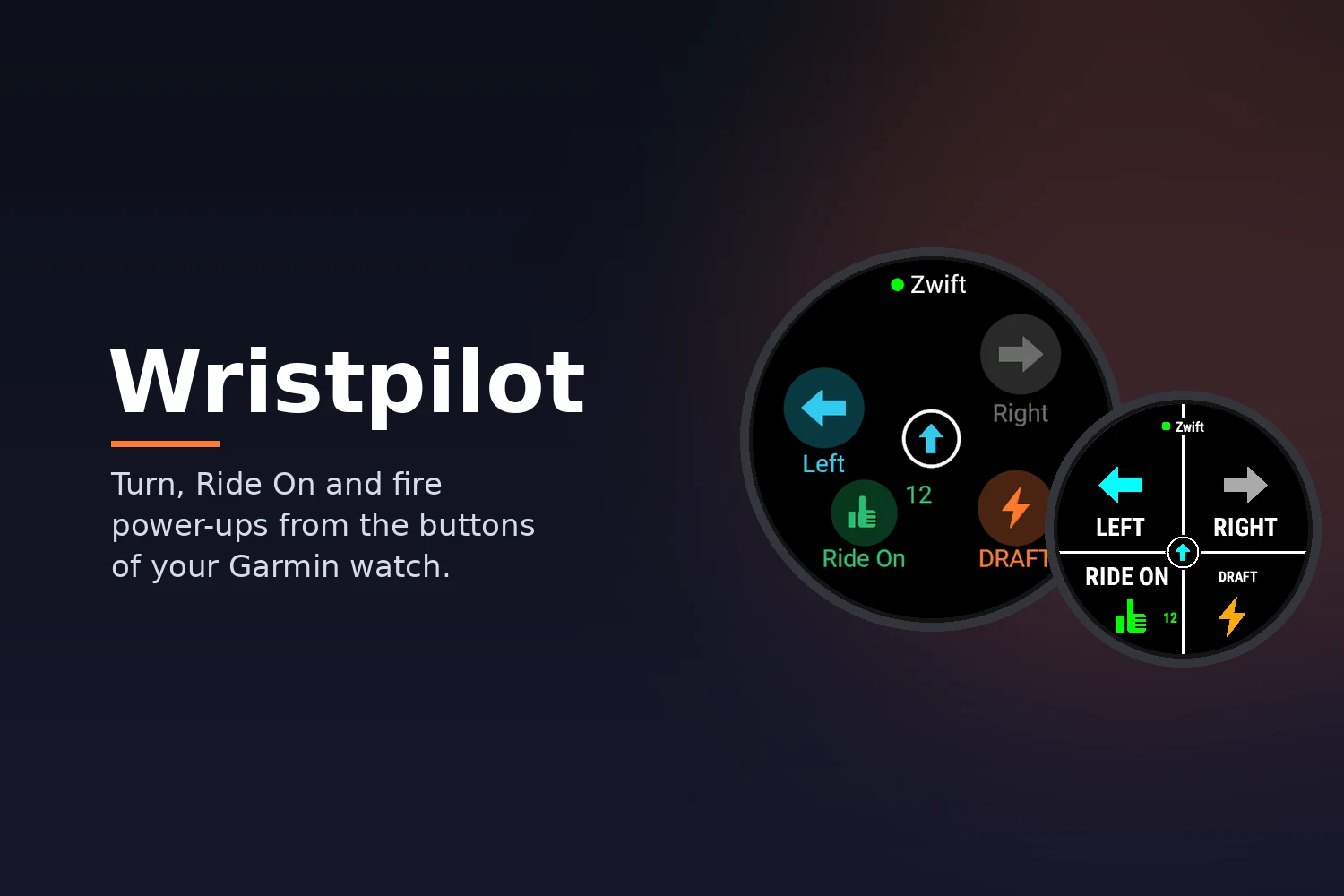
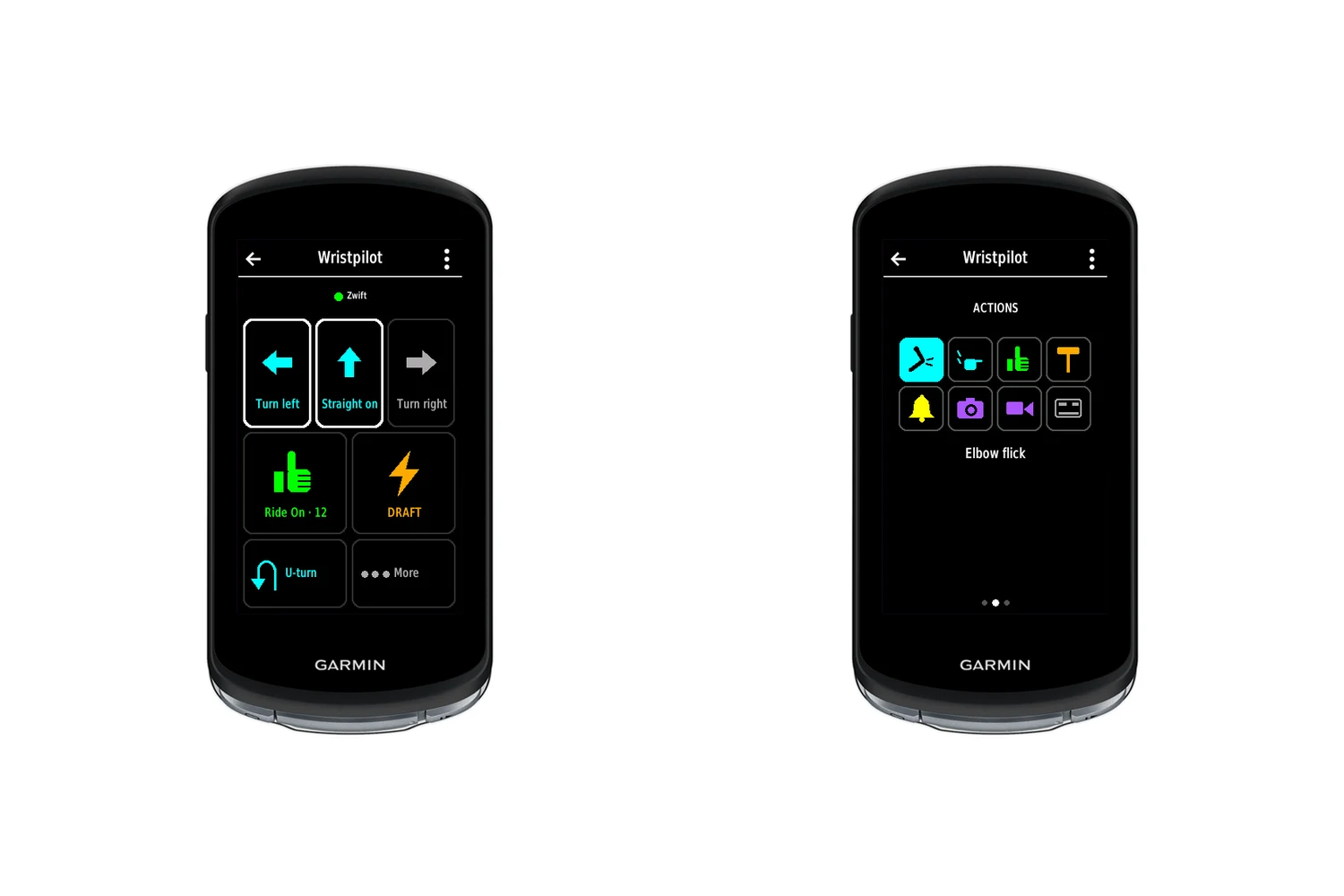
Wristpilot turns your Garmin watch or Edge bike computer into a remote for indoor rides in Zwift. Turn left or right at the next junction, go straight on, make a U-turn, give a Ride On or fire your power-up: the buttons of your watch take care of it. Your hands stay on the handlebar, and mouse and keyboard can stay on the desk.
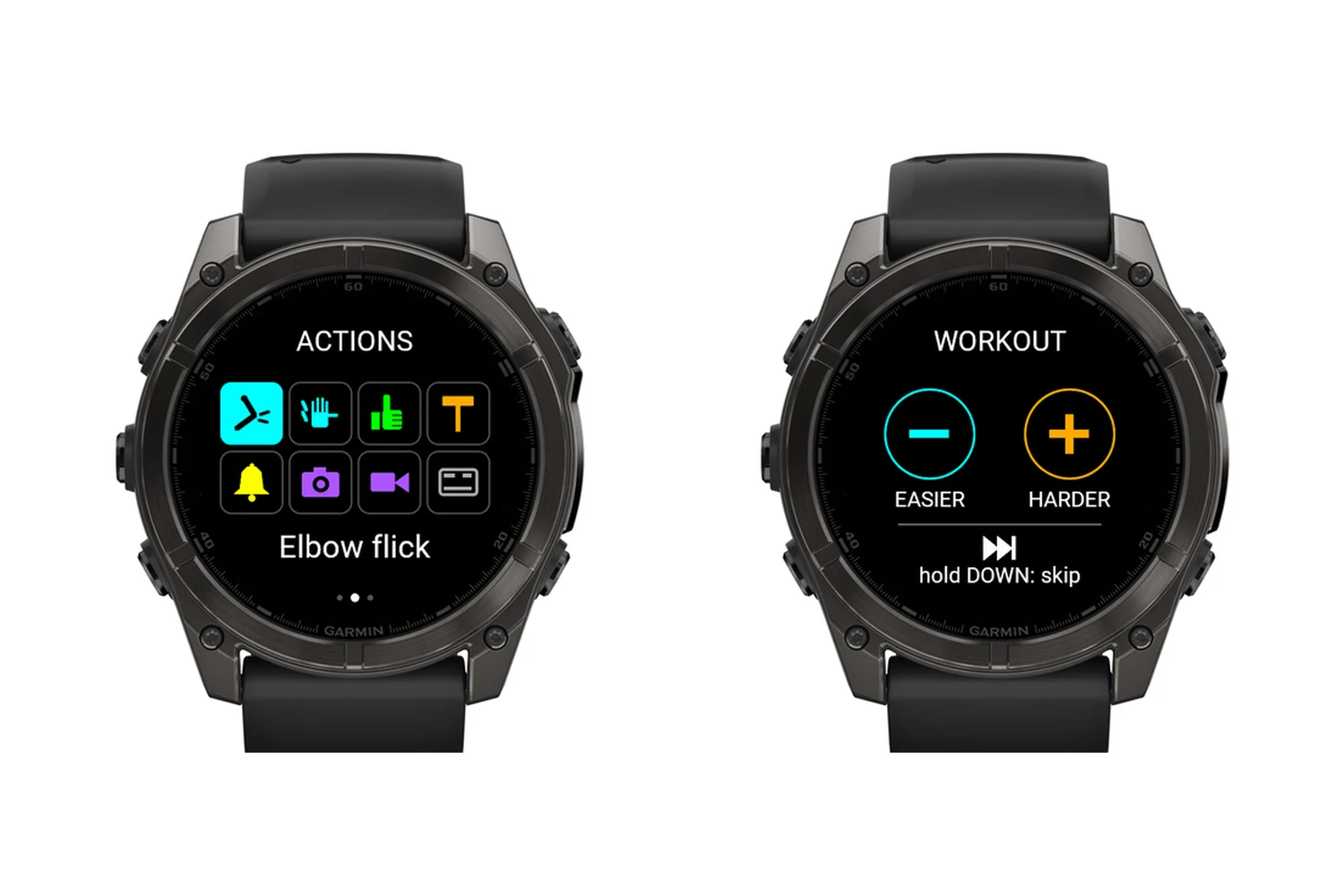
Emotes, the camera view and workout controls are one swipe away. Every command is confirmed on your wrist: a short vibration when it reached Zwift, a double vibration with the reason when it didn’t. It doesn’t work without a program on the computer, though. The watch talks over Bluetooth to the Wristpilot Bridge, which sends Zwift the matching keys.
// Note
Wristpilot is an independent project and is not affiliated with Zwift, Inc. or Garmin. Neither company endorses or sponsors Wristpilot, and support is only available on GitHub. Zwift is a trademark of Zwift, Inc.
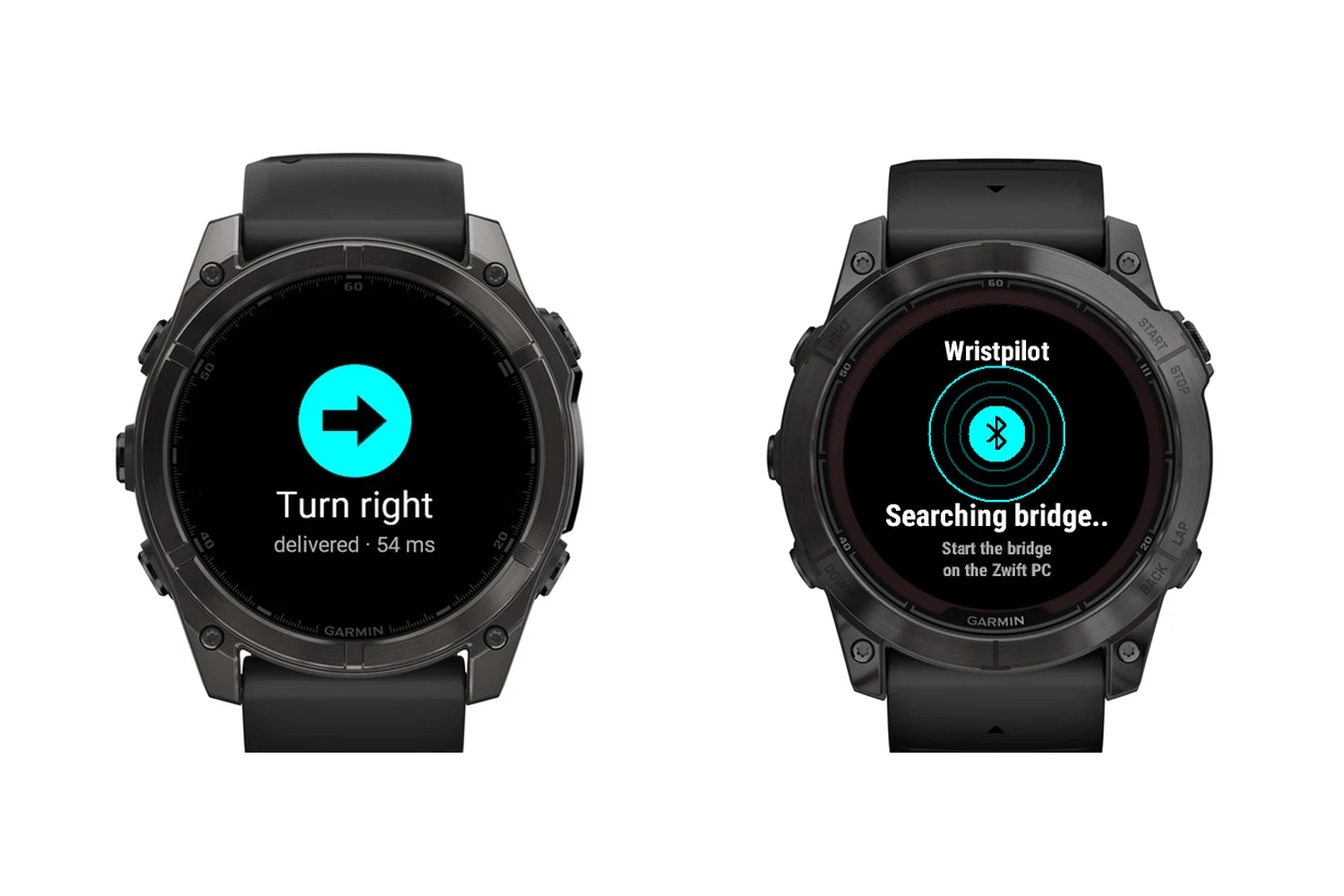
Watch and bridge
Over Bluetooth, a Garmin watch can only connect to other devices. It can’t pose as a controller or keyboard for Zwift. That’s why Wristpilot has two parts: the app on the watch and the bridge on the computer that runs Zwift. The bridge receives the commands and types Zwift’s keyboard shortcuts.
Before it types anything, the bridge checks that Zwift is in front and brings the window forward if needed. On Windows it is a small program in the notification area, on Linux it is built into Tretlager on the page Watch remote.
What Wristpilot does
Made for blind use
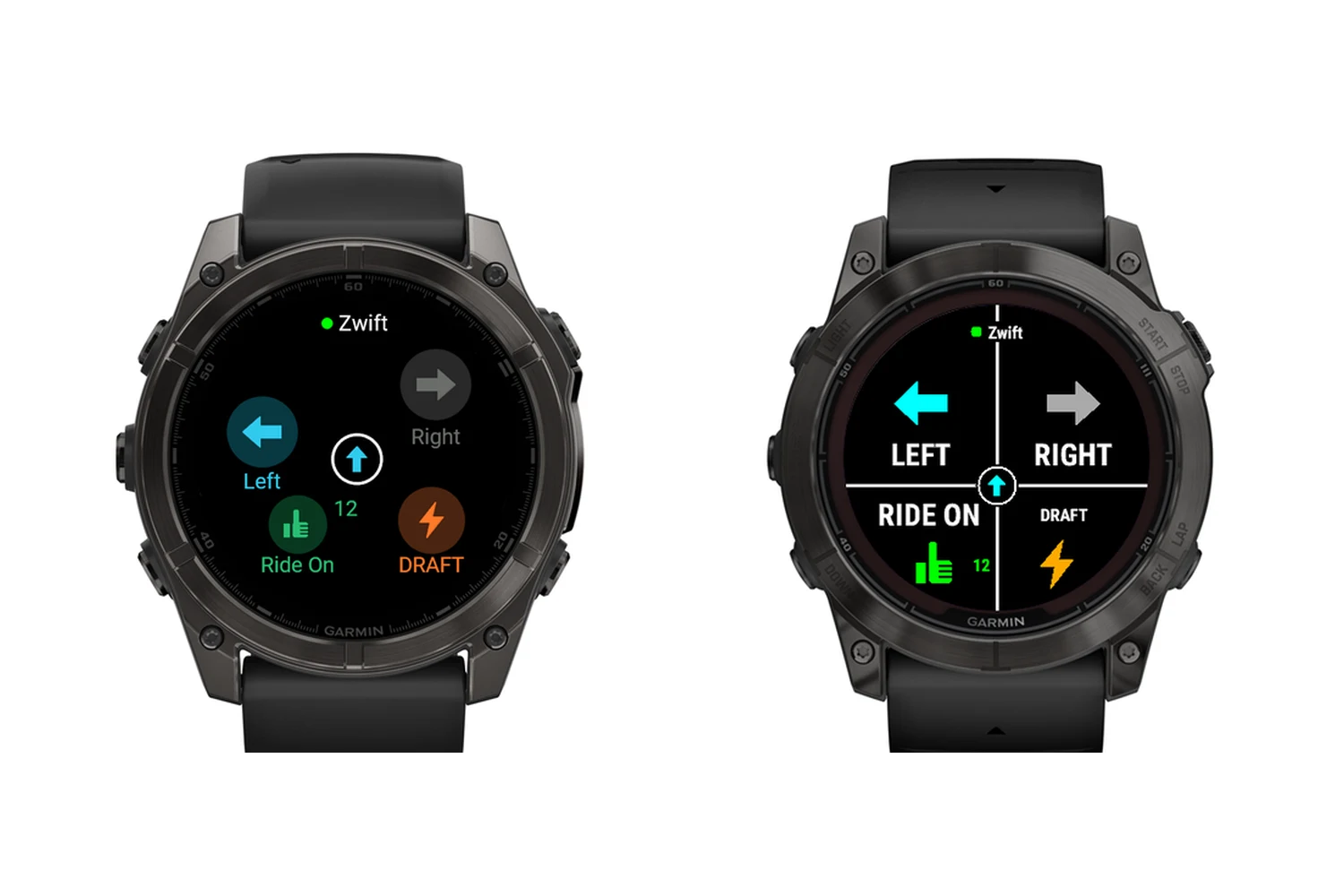
Buttons on the left for left, on the right for right. Turns are only sent after a second press, so a stray press does not take you off the route. The bridge confirms every command, the watch vibrates.
More than turning
The Actions page has elbow flick, wave, Nice, Hammer Time, bell, photo, camera view and HUD. Workout offers easier, harder and skip interval.
Race and party
A race page with a big power-up and lane changes, without turns or U-turn. Plus a party page for group rides with wave, Ride On and elbow flick on the buttons.
Steering in Zwift
The bridge appears in Zwift as a steering plate. On the race page UP and START change lanes, about four presses from one edge of the road to the other. MIP and AMOLED watches and the Edge each have their own layout.
Junction on the watch
With the optional Companion link the watch shows the junction ahead with the directions on offer, the power-up that is ready and the Ride Ons you received.
Other apps too
If you like, the bridge offers the watch on your network as an OpenBikeControl controller, for MyWhoosh, TrainingPeaks Virtual or Incyclist.
Windows and Linux
On Windows 10 and 11 the Wristpilot Bridge is a single .exe, no installation needed, with a USB Bluetooth adapter of its own for about 10 euros. On Linux, Tretlager takes over and types into Zwift running under Wine.
Collects no data
The watch only talks to the bridge on your computer. There are no analytics, no crash reports and no servers of the developer.
// Privacy
Wristpilot collects no data. The watch app sends your button presses over Bluetooth to the bridge on your own computer and nowhere else, neither to me nor to Garmin. Only the optional Companion link talks to Zwift. All details are in the privacy policy.
Ready in three steps
Install the watch app
Wristpilot is coming to Garmin’s Connect IQ Store. Until then you can build the app from source and copy it to the watch over USB.
Start the bridge
On Windows, set up a USB Bluetooth adapter of its own once (guide in the README), then download WristpilotBridge.exe from the release and start it. No installation needed. On Linux, open the page Watch remote in Tretlager and switch it on.
Open Wristpilot on the watch
Start the app on your watch or Edge while Zwift is running. It searches for the bridge, connects and shows a green “Zwift” at the top once everything is ready.
Questions and answers
Which devices are supported?
Watches with MIP display from the fēnix 7 Pro family (7X Pro, 7 Pro, 7S Pro, with and without Wi-Fi), watches with AMOLED display such as fēnix 8, 8 Pro, 9, 9 Pro, fēnix E and epix Pro (Gen 2), and the bike computers Edge 530, 540, 550, 830, 840, 850, 1030 (including Plus and Bontrager), 1040, 1050, 1060, Explore 2, Explore 3 and Edge MTB.
How are the buttons laid out?
On the watch, UP turns left, START turns right, DOWN gives a Ride On and BACK fires the power-up. When held, UP opens the menu, START makes a U-turn, DOWN goes straight on and BACK exits the app. On the Edge, LAP turns left and START turns right, holding START makes a U-turn. Button-only models also use ENTER for straight on, UP for Ride On, DOWN for the power-up and BACK for the next page.
Why do I need a program on the computer?
Over Bluetooth, Garmin watches can only act as a client. They can’t pose as a controller or a keyboard for Zwift. The bridge receives the commands and turns them into Zwift’s keyboard shortcuts. Without it, the app only shows “Searching bridge”.
What does the bridge need on Windows?
Windows 10 or 11 and a second USB Bluetooth adapter used only by Wristpilot; tested with the TP-Link UB500 for about 10 euros. Windows advertises with changing Bluetooth addresses, which Garmin watches do not connect to, so the bridge drives the adapter itself. Your built-in Bluetooth stays free for headphones and the like. The .exe isn’t code-signed yet, so Windows SmartScreen may warn on the first start.
What is the Zwift Companion link?
A switch in the bridge, off by default. When on, the bridge connects to Zwift the way the Companion app on your phone does. The watch then shows junction, power-up and Ride Ons, and commands go straight to the game without the keyboard. The link uses an undocumented connection, and using it goes against Zwift’s terms of service. You use it at your own risk. It needs your Zwift sign-in and, while it is on, replaces the Companion app on your phone.
Does Wristpilot work with other trainer apps?
Yes, through OpenBikeControl. The bridge then offers the watch as a controller on your local network, and apps such as MyWhoosh, TrainingPeaks Virtual or Incyclist use the same buttons. Zwift itself doesn’t support OpenBikeControl, so for Zwift the bridge types keyboard shortcuts.
Is Wristpilot an app by Zwift or Garmin?
No. Wristpilot is an independent project; neither Zwift nor Garmin has anything to do with it or offers support for it. Please report bugs on GitHub.
Found a bug or have an idea?
Get in touch through the issues on GitHub. Reports about watches and bike computers I couldn’t test myself are especially helpful.
Wristpilot is AI-assisted. The code, icons and translations were written with AI assistance, following my directions. I made the decisions, reviewed the results and tested everything on my own devices. Zwift is a trademark of Zwift, Inc.; Garmin, fēnix, epix and Edge are trademarks of Garmin Ltd. Wristpilot is not affiliated with any of these companies.