
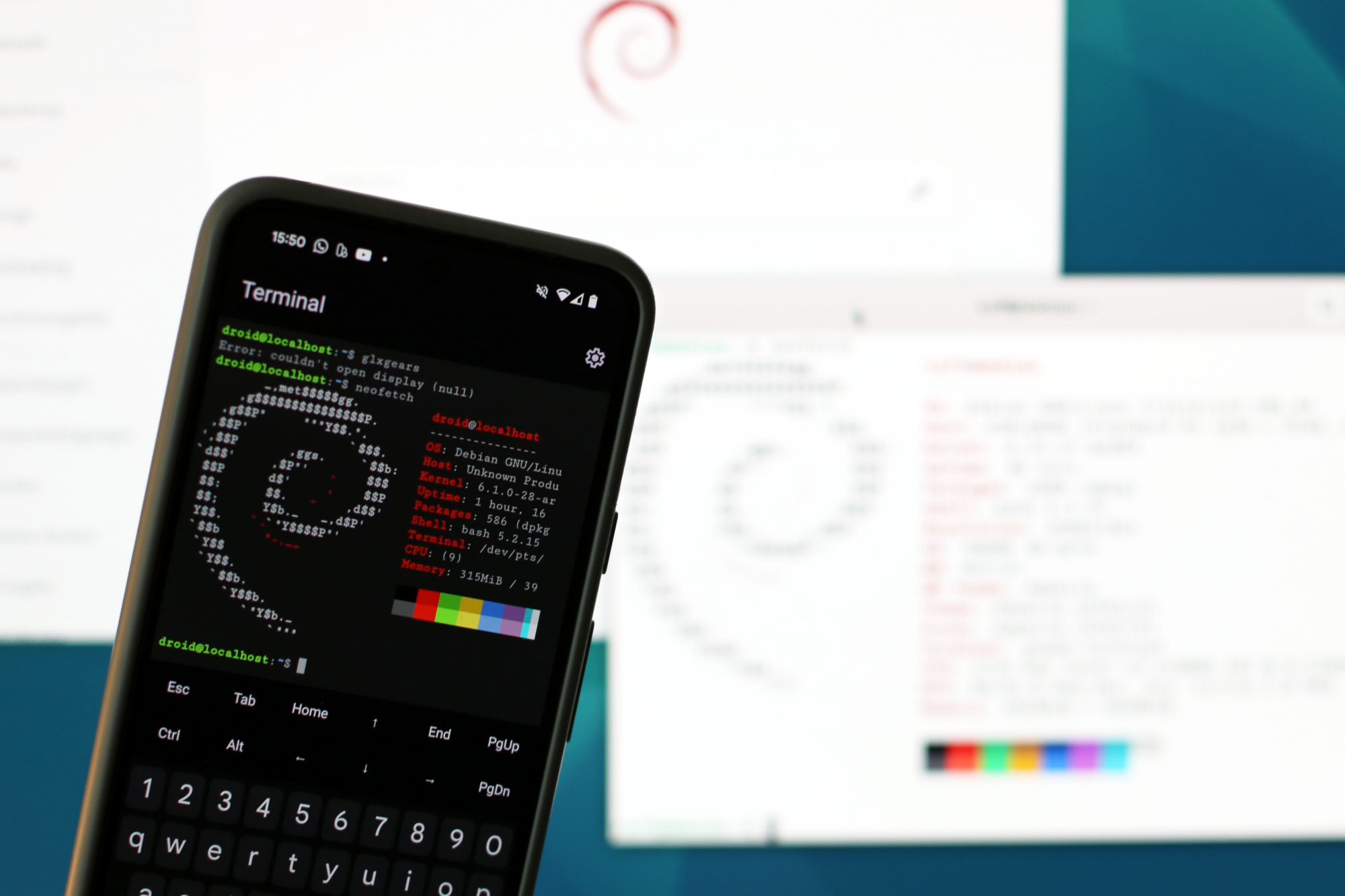
With the latest Pixel Drop, Google has rolled out a Linux Terminal app that has been in development since last year. The app lets you run a full Debian instance in a virtual machine (VM) on Android, which gives you access to plenty of Linux apps that aren’t natively available on Android. The current version of the Linux Terminal app is only the first step, though. Google has already announced that it will keep developing the app.
New features of the Linux Terminal app
In the third beta of Android 16, which was released recently, Google introduced a significant new feature: support for tabs. They work much like in a web browser and let you do several things in parallel. For example, you can run a long command in one tab while you keep working in another. This improves the user experience considerably.
Another new feature is the “Display” button, which will allow you to run graphical Linux apps in the future. In the current beta, however, this function is still disabled. Future updates are also supposed to bring speaker and microphone support as well as hardware-accelerated graphics, which will make a wide range of useful Linux programs usable.
Enabling the Linux VM on Android
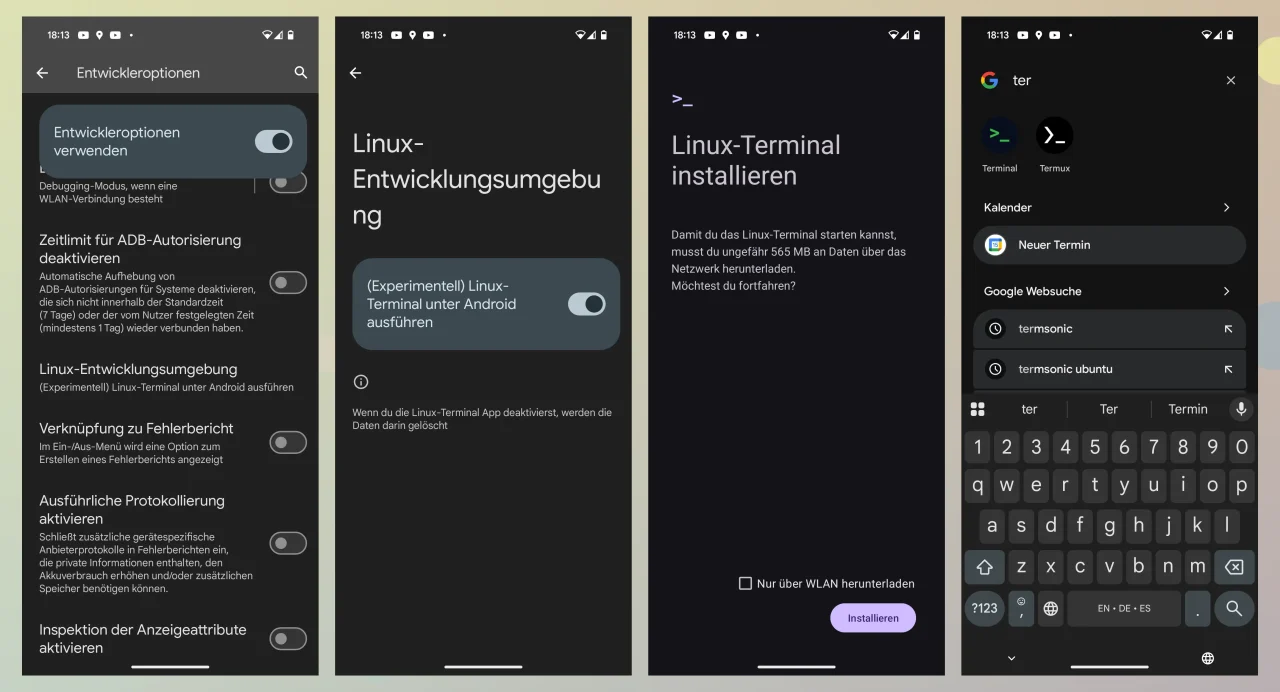
On my Pixel 8 running Android 15, you can already enable the Linux VM. Go to System | Developer options, open the Linux development environment option and then install the Linux Terminal. Afterwards, a new Terminal app shows up in the app launcher, right next to the tried-and-true Termux.
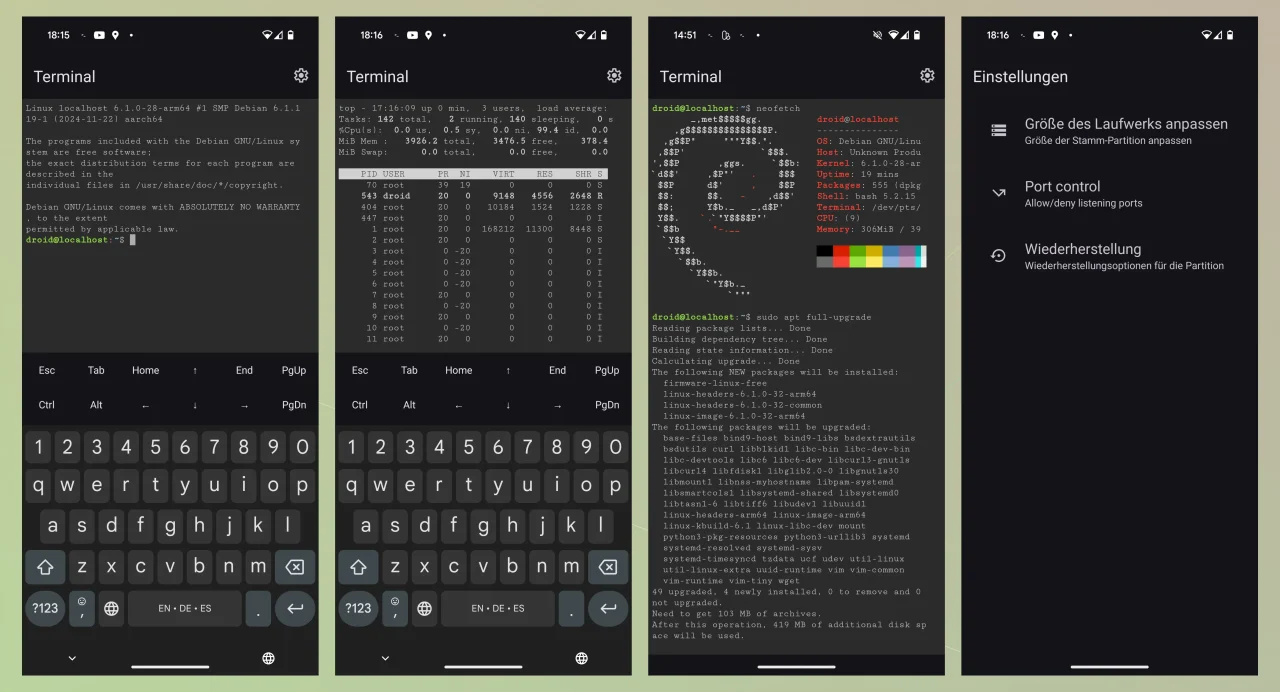
The VM runs a complete Debian system, including all the familiar commands such as sudo apt update, sudo apt full-upgrade for updating the system or sudo apt install foobar for installing software. In practice, though, I noticed that the repositories are still a bit flaky and downloads of some packages occasionally fail.
On Android 15, the announced support for graphical apps doesn’t work yet. You can set up glxgears by installing mesa-utils, for example, but when I start the little test program, the virtual Debian complains that there is no X server.
Differences between the Linux VM and Termux
Many users are wondering what advantages and disadvantages the new Linux Terminal app has compared to Termux. The developer of Termux, agnosticapollo, explained the differences to Mishaal Rahman of Android Authority as follows:
Advantages of the Linux VM
- Standard Linux distributions: The VM uses full Linux distributions, so you get access to a much larger number of packages (10,000 to 100,000), compared to the roughly 2,000 packages Termux offers.
- Easy installation: The Debian environment can be set up with a simple download package, which makes getting started easier.
Disadvantages of the Linux VM
- Lower performance: Using KVM (Kernel-based Virtual Machine) can cost performance, since Termux runs natively on Android and is therefore more efficient.
- Isolation from the Android system: The VM is isolated from Android, which means there is no access to external storage (e.g. /sdcard) or Android APIs. This particularly affects automation apps like Termux:API or Tasker.
- Limited root rights: You only get root access inside the VM, not to the Android system.
- WebView performance: The terminal app runs in a WebView, which can hurt performance, especially when processing large amounts of text.
- Higher hardware requirements: Running a full Linux distribution in a VM needs more CPU power, RAM and storage, which can be a problem on older or less powerful devices.
Conclusion
To me, the Linux Terminal app for Android is an exciting step that opens up new possibilities. Especially for developers and Linux enthusiasts, a full Debian instance on Android can be very useful. But the app is still in its infancy. The repositories are flaky, graphical apps aren’t supported yet, and the VM needs significantly more resources than Termux. If all you want is a capable terminal with Linux commands on Android, you’re still better off with Termux. Still, I’ll keep an eye on the Linux VM, especially because the announced support for GUI apps could make the whole thing a lot more interesting.
Leave a Reply