
I use Pi-hole to block ads and malicious websites for every device on my local network. This matters most for smartphones and smart TVs, where you can’t dig very deep into the system.
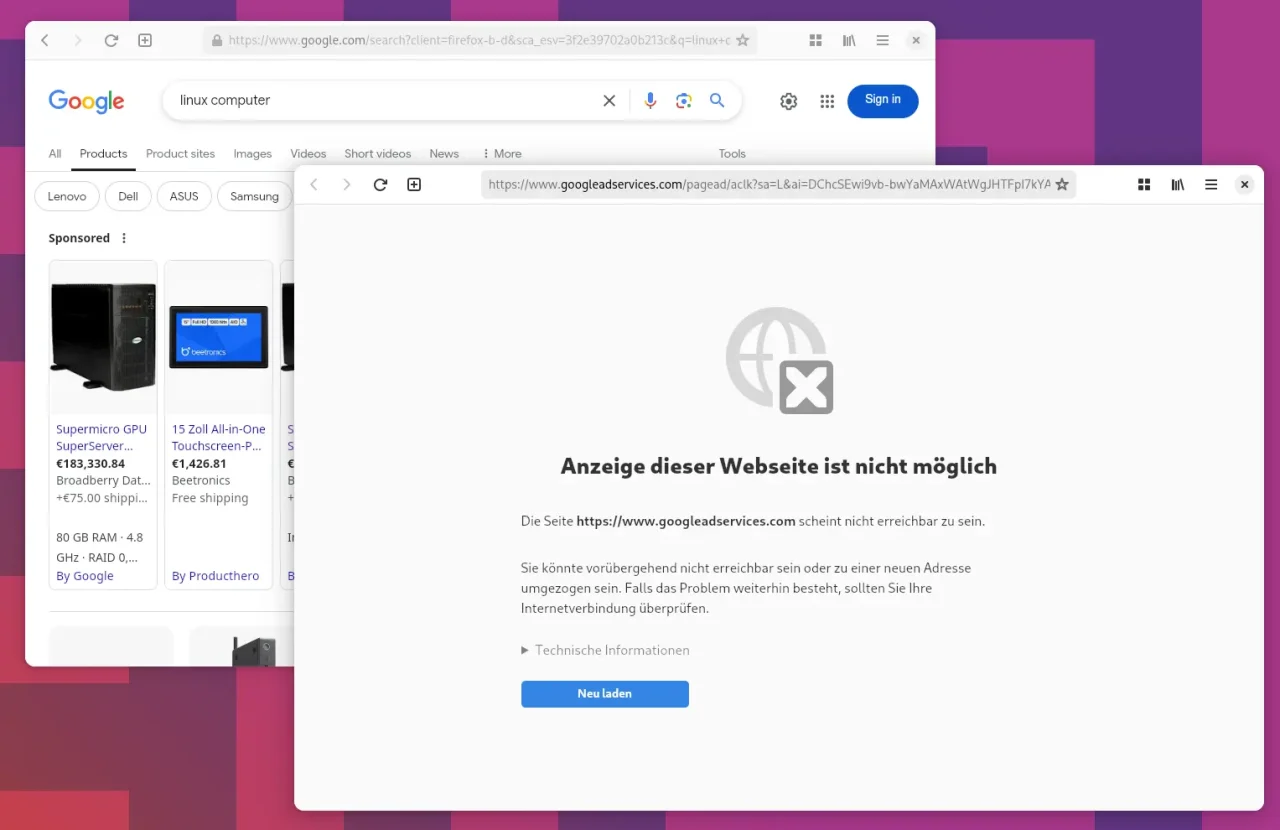
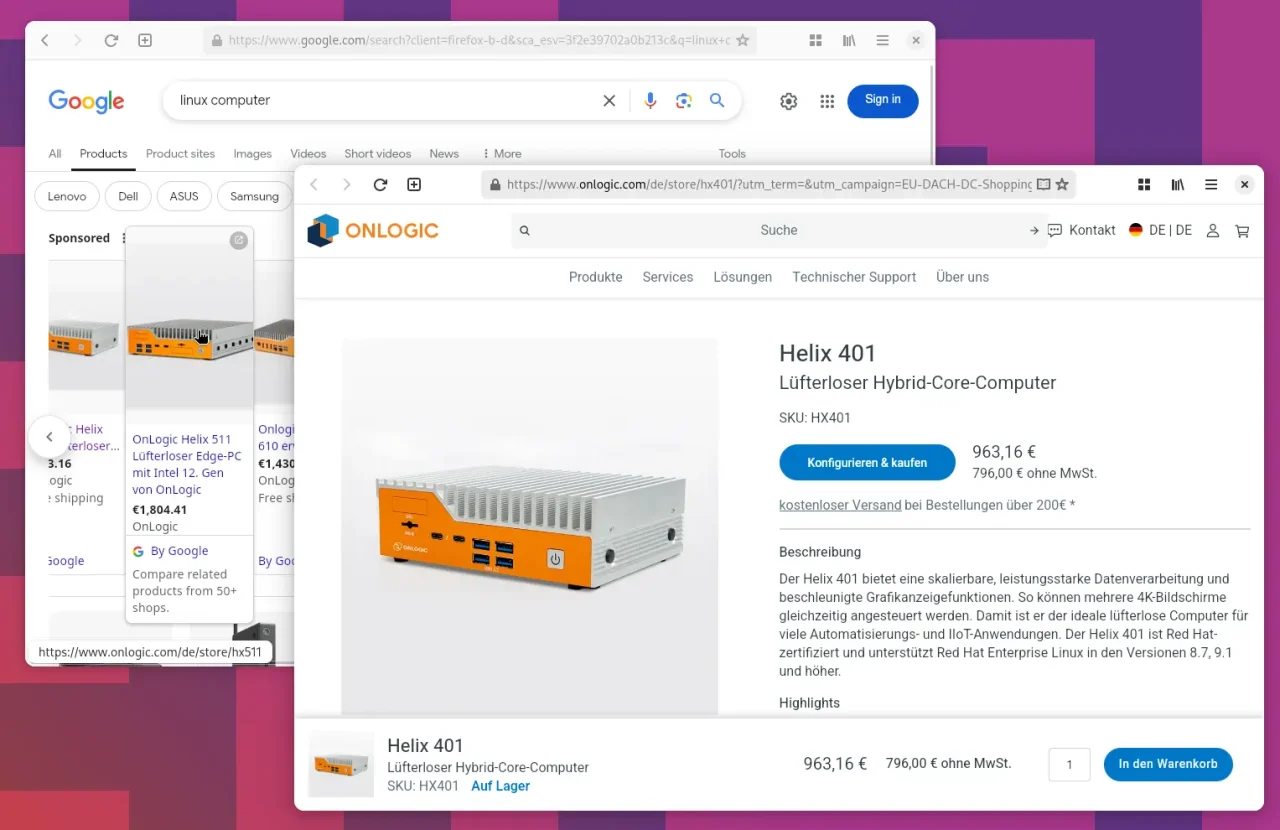
Not everyone in the household is thrilled that some ads no longer show up, though, like the ad blocks in Google search. You don’t have to understand that, but it is what it is.
Luckily, Pi-hole has a solution: with group management, I can give certain devices only basic protection, while the others keep full ad blocking. I’ll show you how to create an additional group called “AdblockLite” and assign specific devices to it.
Creating the “AdblockLite” group
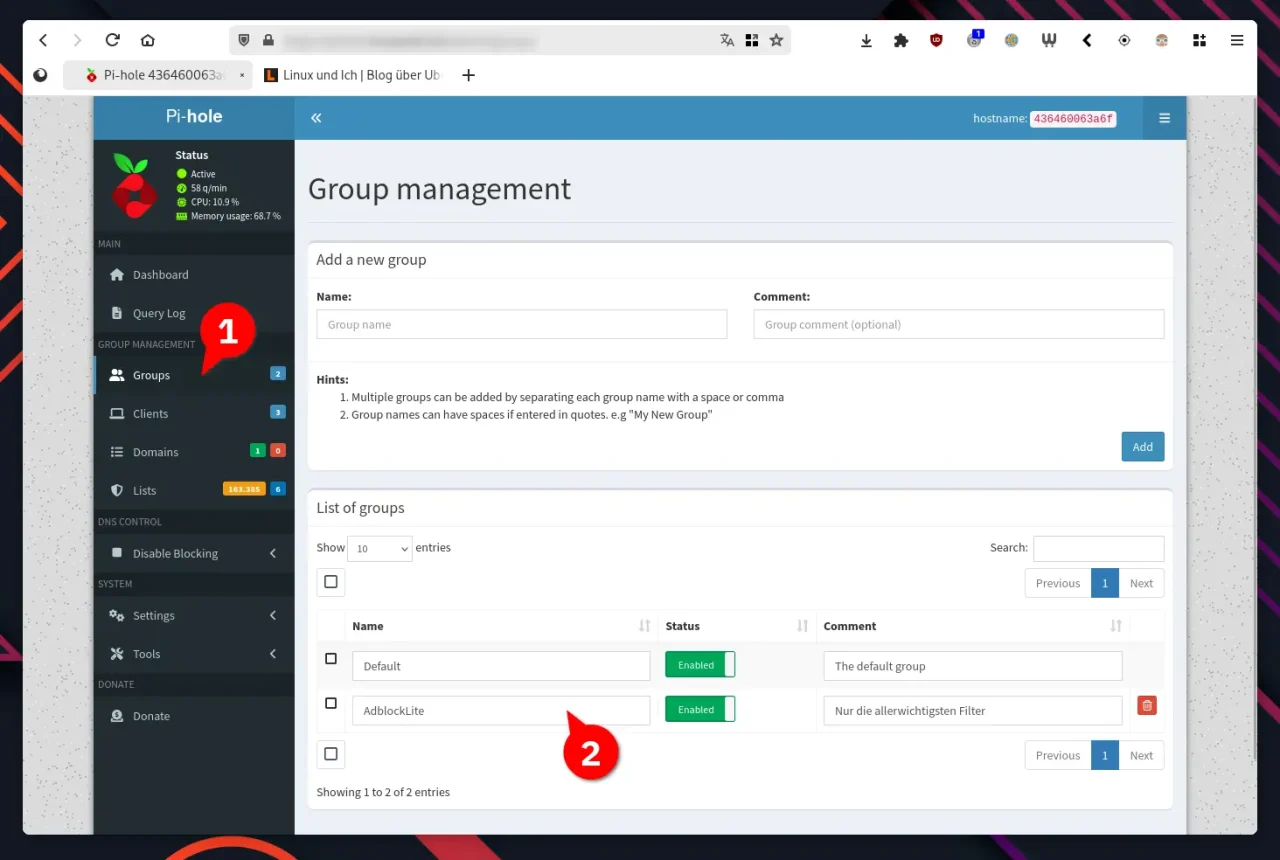
To create a new group, first log in to the Pi-hole web interface. You can reach it at http://pi.hole/admin/. Under Group Management » Groups you can add a new group. Enter the name “AdblockLite”, for example, and save the change. That lays the foundation for selective ad blocking.
Assigning ad blocking lists selectively
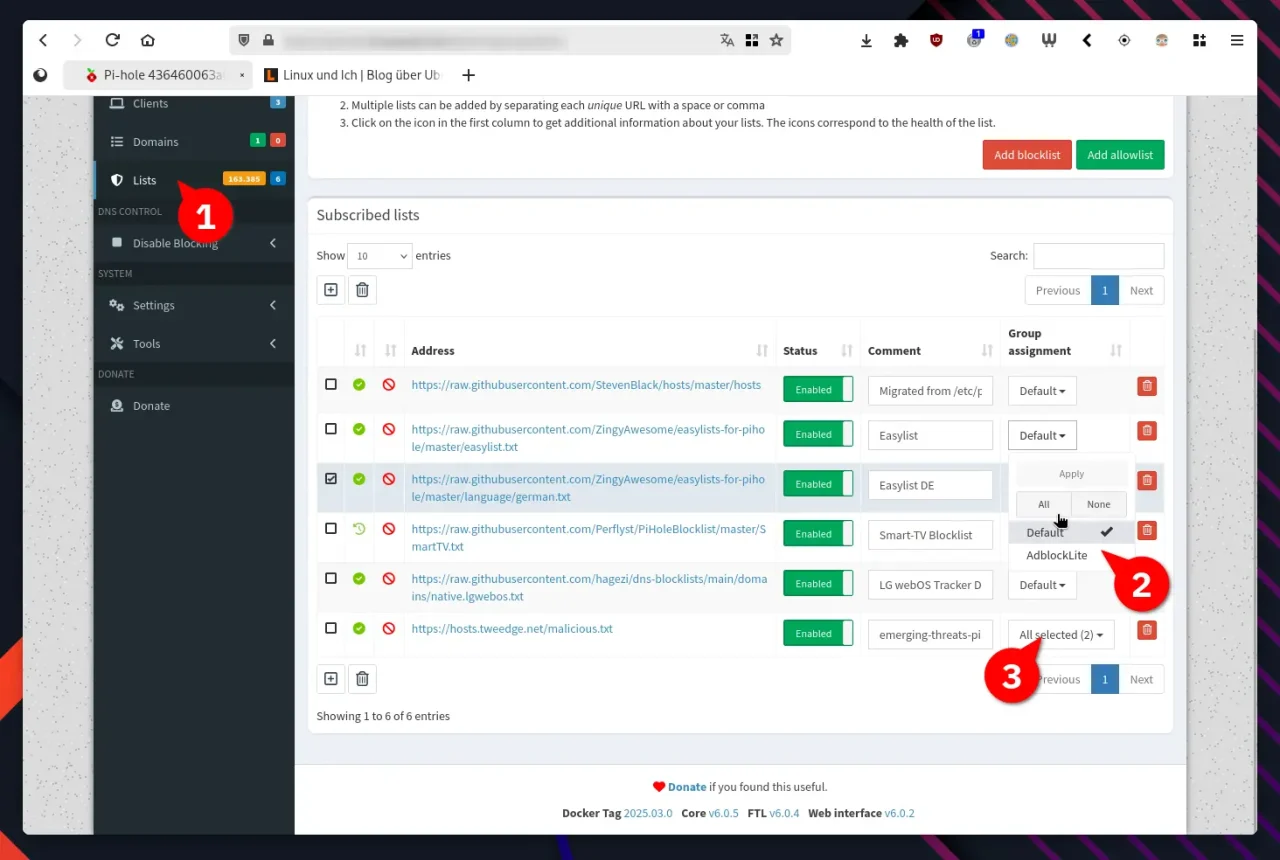
Now you need to decide which blocklists apply to which groups. Under Lists in group management, you’ll find an overview of all enabled lists. By default they are active for all devices, but this is where you can adjust that.
For the ad blocking lists such as EasyList, remove the assignment to the new “AdblockLite” group so that they stay active only for the Default group. Security lists like Emerging Threats should still apply to both groups, so that every device on the network gets at least basic protection.
Assigning devices to the “AdblockLite” group
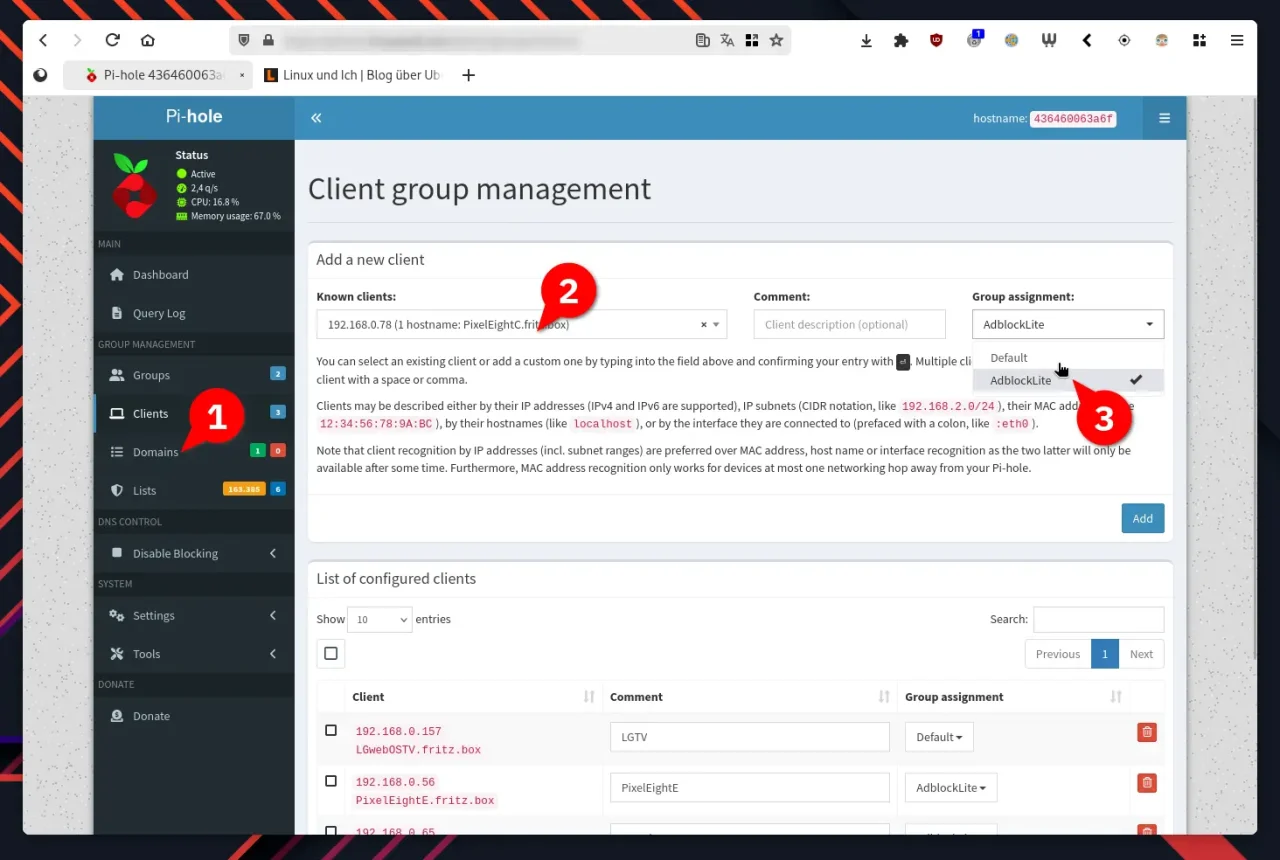
For specific devices to benefit from the new configuration, you have to add them to the “AdblockLite” group explicitly. To do that, go to the Clients section in the Pi-hole interface and add the devices by IP address or hostname. Then assign them to the “AdblockLite” group. This makes sure these devices are no longer subject to the full ad blocking rules and only get the basic protection.
Applying the changes and testing them
After these adjustments, the new settings need to take effect. To do that, you can restart the DNS resolver in the web interface under Tools. Afterwards, the affected devices should only be filtered by the lists enabled for “AdblockLite”. You may also have to disconnect the affected machines from the network briefly and reconnect them.
Conclusion
Thanks to group management in Pi-hole, you can control ad blocking per device. While some devices keep maximum ad blocking, others get only basic protection. That way everyone in the household can browse the way they like, and nobody has to be annoyed about vanished ads. With this setup, the network stays protected against known threats and gets more flexibility for different needs.


Leave a Reply