
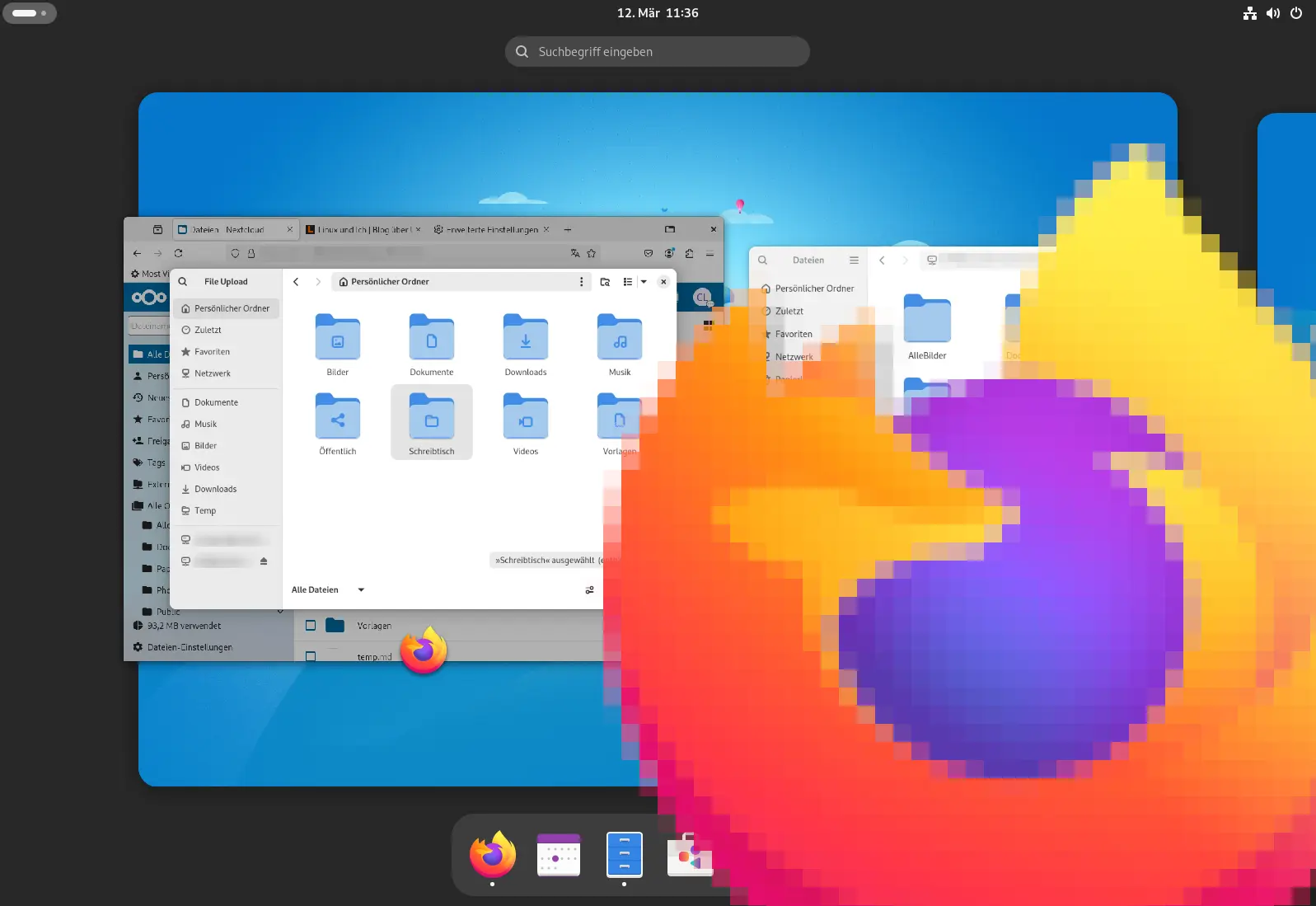
Firefox has been my preferred browser again for quite a while now. Since the introduction of Manifest v3 and the restrictions it brings for ad blockers, that is probably true for more people than just me. But one thing bugged me for a long time: by default, Firefox doesn’t use the native GNOME file dialog, but its own. That is especially annoying when I work with remote drives via SSH or WebDAV.
For example, I mount several Nextcloud instances into my system via WebDAV, which is actually wonderfully easy with GVfs and GNOME’s Online Accounts. Working with files on servers via SSH is just as convenient this way. But as soon as an app like Firefox doesn’t use the GNOME file picker, I lose my bookmarks and direct access to remote locations.
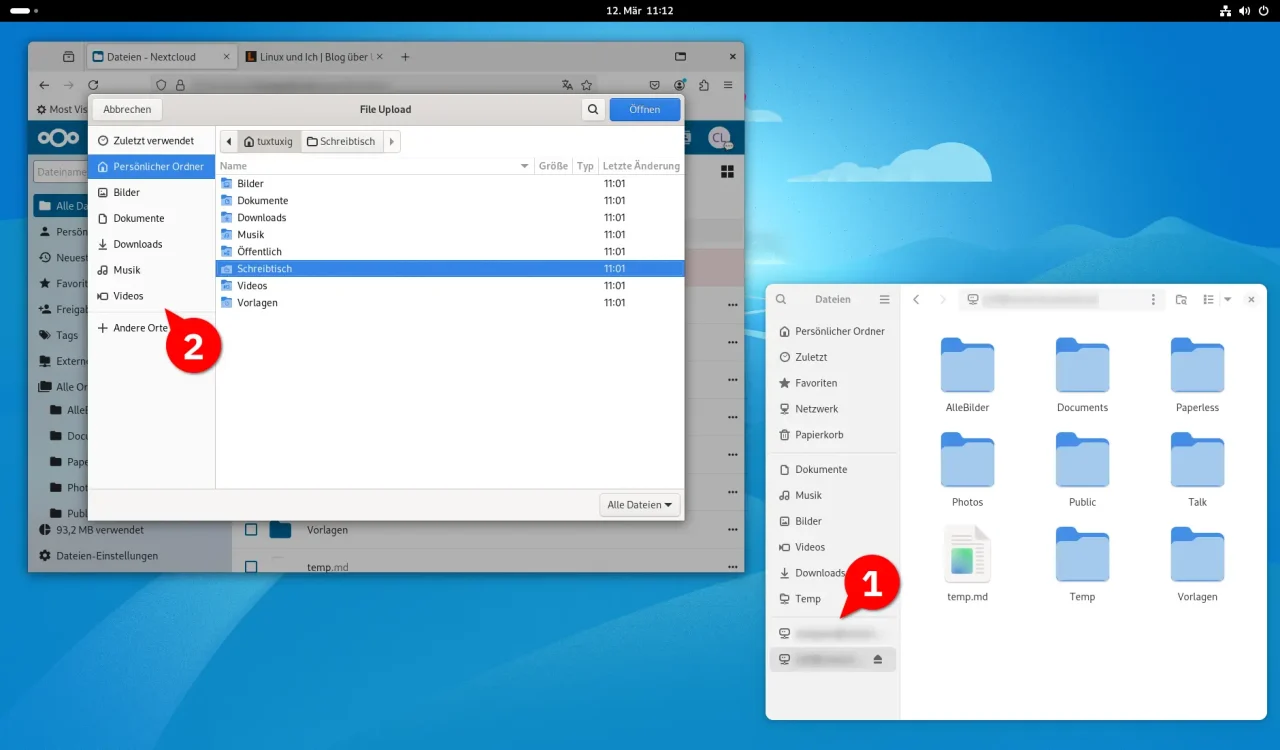
Fortunately, a small tweak in Firefox fixes this. To make Firefox use GNOME’s native file dialog, you only need two simple steps, which are easy to undo if necessary. The configuration works across distributions on all common Linux distros.
Enabling the GNOME file picker in Firefox
First, make sure the xdg-desktop-portal-gnome package is installed on your system. On Debian- or Ubuntu-based distributions, or on Arch Linux, which I prefer, you can do that with:
### Ubuntu, Debian und Co.
$ <strong>sudo apt install xdg-desktop-portal-gnome</strong>

### Arch Linux, Manjaro und Co.
$ <strong>sudo pacman -S xdg-desktop-portal-gnome</strong>
For Fedora, openSUSE and other distributions, the package is also available in the respective repositories. As a rule, though, it should already be part of the default installation if you installed GNOME right when setting up the system or if you use one of the usual meta packages like gnome-desktop.
Then start Firefox from your desktop environment’s app menu and enter about:config in the browser’s address bar to open the advanced configuration. There, search for the following key:
widget.use-xdg-desktop-portal.file-pickerBy default, the value is set to 2, which means Firefox uses its own file dialog, and that one is simply not on par with the GNOME file picker. Change it to 1 to enable the GNOME file picker via the XDG desktop portal.
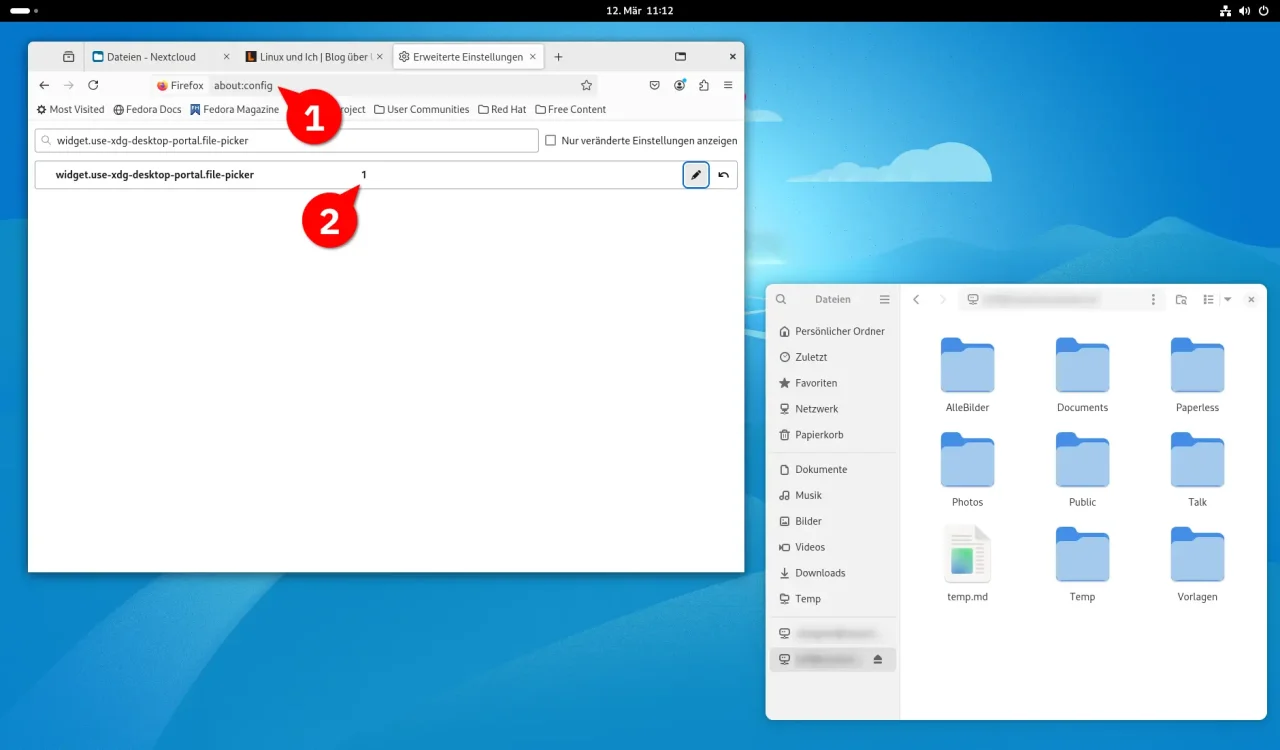
about:config), the key widget.use-xdg-desktop-portal.file-picker has to be changed from 2 to 1.Firefox now integrates WebDAV and more.
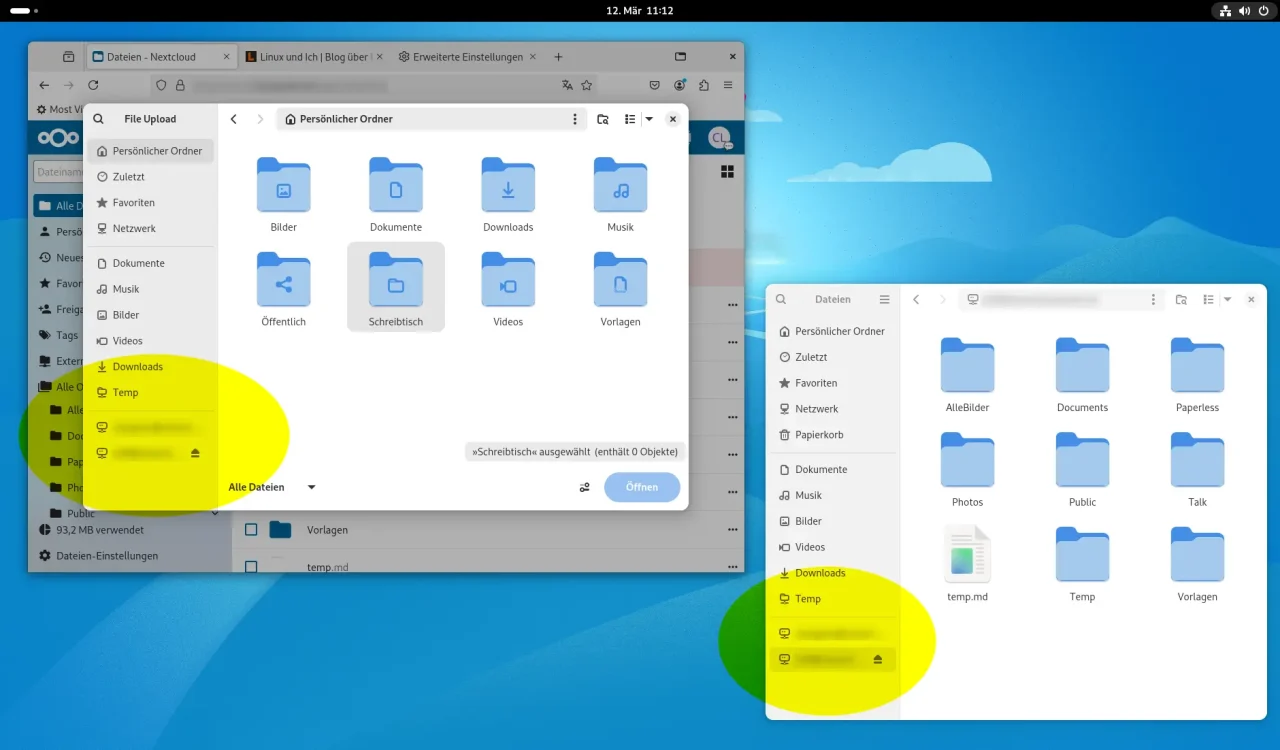
After a restart of Firefox at the latest, the familiar GNOME file dialog opens, complete with the bookmarks you created in the Nautilus file manager and full GVfs integration. That lets you access your Nextcloud drives directly, without taking awkward detours. This small change makes Firefox integrate much better into the GNOME desktop environment, and it makes working with remote locations a lot more comfortable.
Leave a Reply