
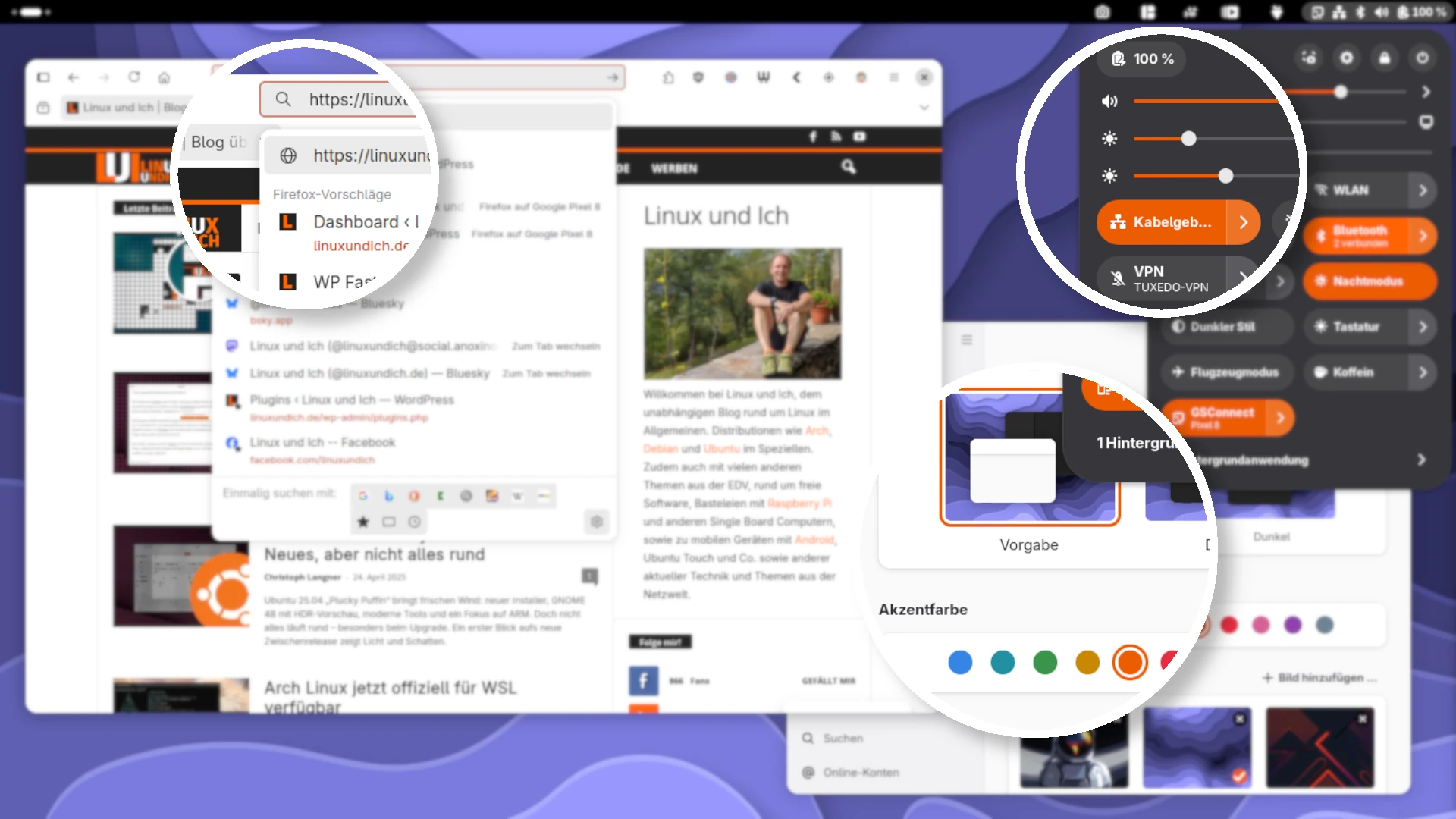
I always like it when apps follow a consistent style instead of each looking different. With GTK3 apps like Firefox or GIMP in particular, it wasn’t possible until now to pick up the individually configurable accent color of the current GNOME toolkit Libadwaita, introduced with GNOME 47, and so blend these apps into the GNOME design. The adw-gtk3 Colorizer GNOME Extension is now a solution to this problem.
Table of Contents
Colorizer GNOME Extension
This GNOME Shell extension makes sure the system accent color is automatically applied to the adw-gtk theme and thus also to “older” GTK apps. By “old” I don’t mean abandoned or obsolete programs, just apps that are built on the GNOME libraries GTK3 or GTK4 but whose developers haven’t adopted Libadwaita yet. That affects quite a few programs, because a full switch to Libadwaita takes time – and developer resources. The Colorizer extension steps in here and provides visual coherence, even if the app’s technical foundation isn’t up to date yet.
The prerequisite is that the Adwaita GTK3 theme, or adw-gtk3 for short, is installed on your system. Only then can the extension do its job and apply the design changes correctly. The following command takes care of that on Arch Linux and derivatives like Manjaro, where it’s already in the “official” repositories. Installation on other distributions like Fedora or Debian is described on the project’s GitHub page (for Debian you’d have to add an external repository). The documentation helps here and makes the setup manageable even for less experienced Linux users.
$ <strong>sudo pacman -S adw-gtk-theme</strong>Installing the extension
The easiest way to install the extension is through the GNOME Extensions website: adw-gtk3 Colorizer on GNOME Extensions. You can enable the extension there with a single click, provided the GNOME integration for your browser is set up. The extension is still quite young and gets updated fairly often. New features and bug fixes land on GitHub at short intervals. If you don’t want to wait until the latest release trickles through the publishing process on the GNOME Extensions website, you can also install the extension by hand.
For that, you need to clone the repository and run the install script. The last step can also be done through GNOME’s extension manager. In general, keep in mind that you may have to log out of GNOME and back in after running the script. Alternatively, restarting the GNOME Shell is enough in some cases, for example with Alt + F2 » R » Enter (X11 only, not on Wayland). That loads the new extension and makes its effect visible.
$ <strong>git clone https://github.com/NiffirgkcaJ/adw-gtk3-colorizer.git</strong>
$ <strong>cd adw-gtk3-colorizer</strong>
$ <strong>./install.sh</strong>
$ <strong>gnome-extensions enable adw-gtk3-colorizer@NiffirgkcaJ.github.com</strong>
Using the extension
Once the extension is installed and enabled, it automatically picks up the accent color set in the GNOME settings and applies it to the adw-gtk3 theme. This happens in the background, without you having to do anything. Changes to the accent color should take effect immediately, although in some cases you may need to restart the affected GTK3 apps. That mainly applies to programs that don’t reload their UI dynamically. Once they’re adjusted, though, the apps keep the new look for good.
Uninstalling the extension
You can uninstall the extension either through the GNOME Extensions app or from the command line. The latter is especially handy if you like working with scripts or manage several systems quickly. Either way gets you there reliably:
$ <strong>gnome-extensions disable adw-gtk3-colorizer@NiffirgkcaJ.github.com</strong>
$ <strong>gnome-extensions uninstall adw-gtk3-colorizer@NiffirgkcaJ.github.com</strong>
If you chose the manual installation, you can remove the extension by deleting its folder. This is a good idea especially if the extension doesn’t show up in the graphical tools or you prefer a clean removal:
$ <strong>rm -rf ~/.local/share/gnome-shell/extensions/adw-gtk3-colorizer@NiffirgkcaJ.github.com</strong>Flatpak compatibility
GTK3 apps installed as Flatpaks don’t have access to the configuration directory ~/.config/gtk-3.0/ by default, so you have to grant that access for the extension to work with these apps too. Without it, the Flatpaks simply can’t read the theme adjustments. This works with the following command, which applies globally to all Flatpak programs:
$ <strong>sudo flatpak override --filesystem=xdg-config/gtk-3.0</strong>This makes sure all Flatpak apps can access the directory where the extension edits the CSS file. The Colorizer then works there as well – no matter whether you use Firefox, GIMP or other GTK apps via Flatpak. You can also limit the change to individual apps by giving the name of the program instead of using a global override.
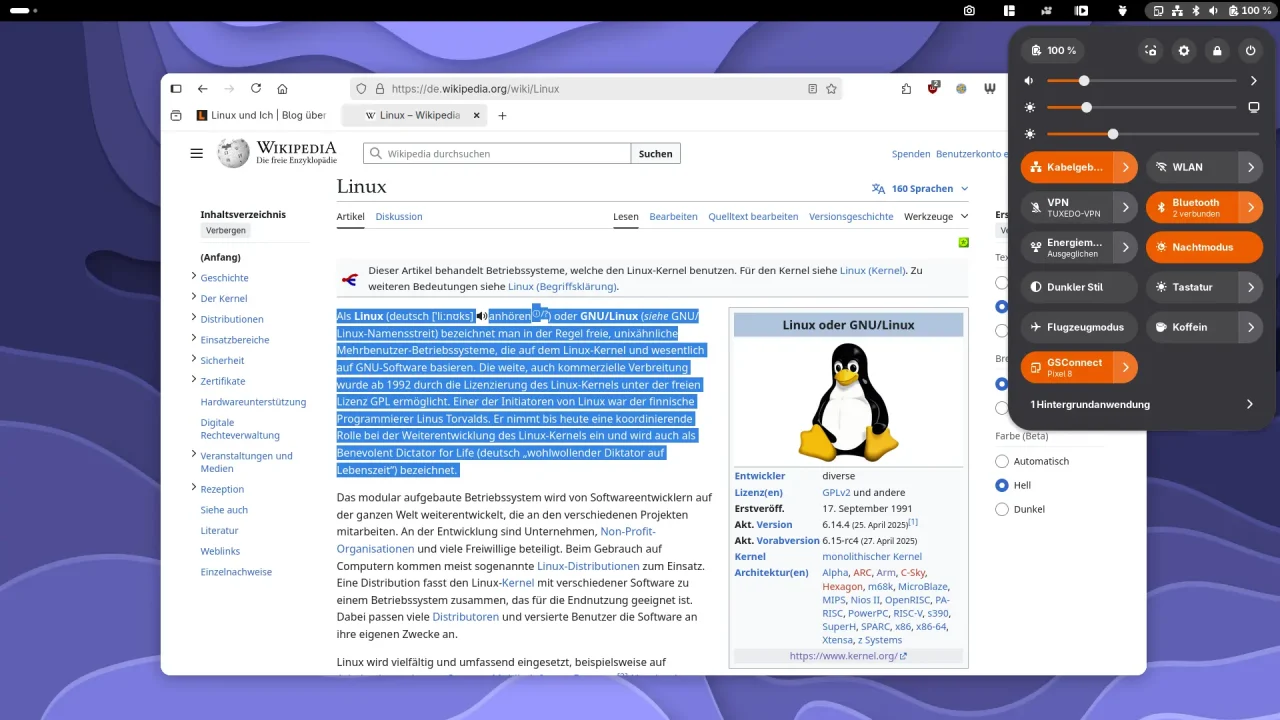
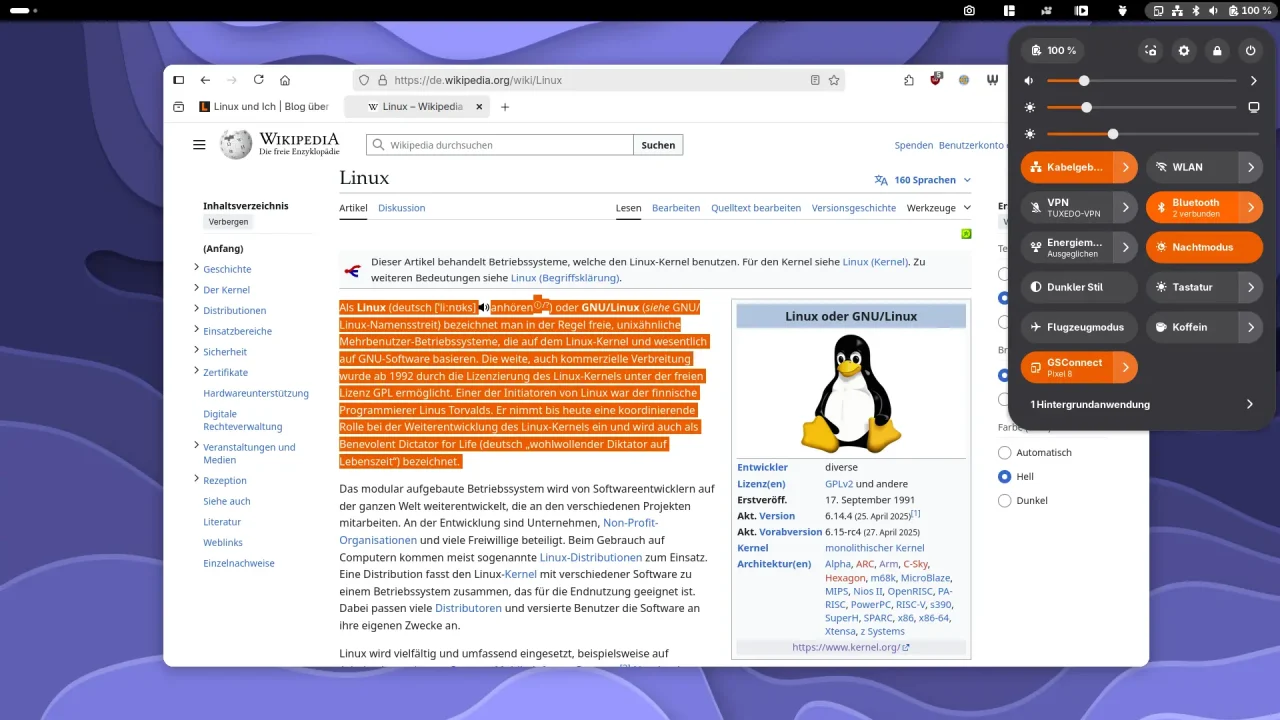
So the adw-gtk3 Colorizer GNOME Extension is a practical fix for a problem many GNOME users like to complain about online: the lack of visual consistency between GTK4 and GTK3 apps. It was no different back in the GTK2 days. Installation is quick, and the extension makes GTK3 apps look better for as long as they aren’t ported to the current version of the GTK toolkit, which will probably take forever. So if you want a homogeneous, modern desktop experience on GNOME, you’ll hardly get around this small but effective extension.
Leave a Reply