
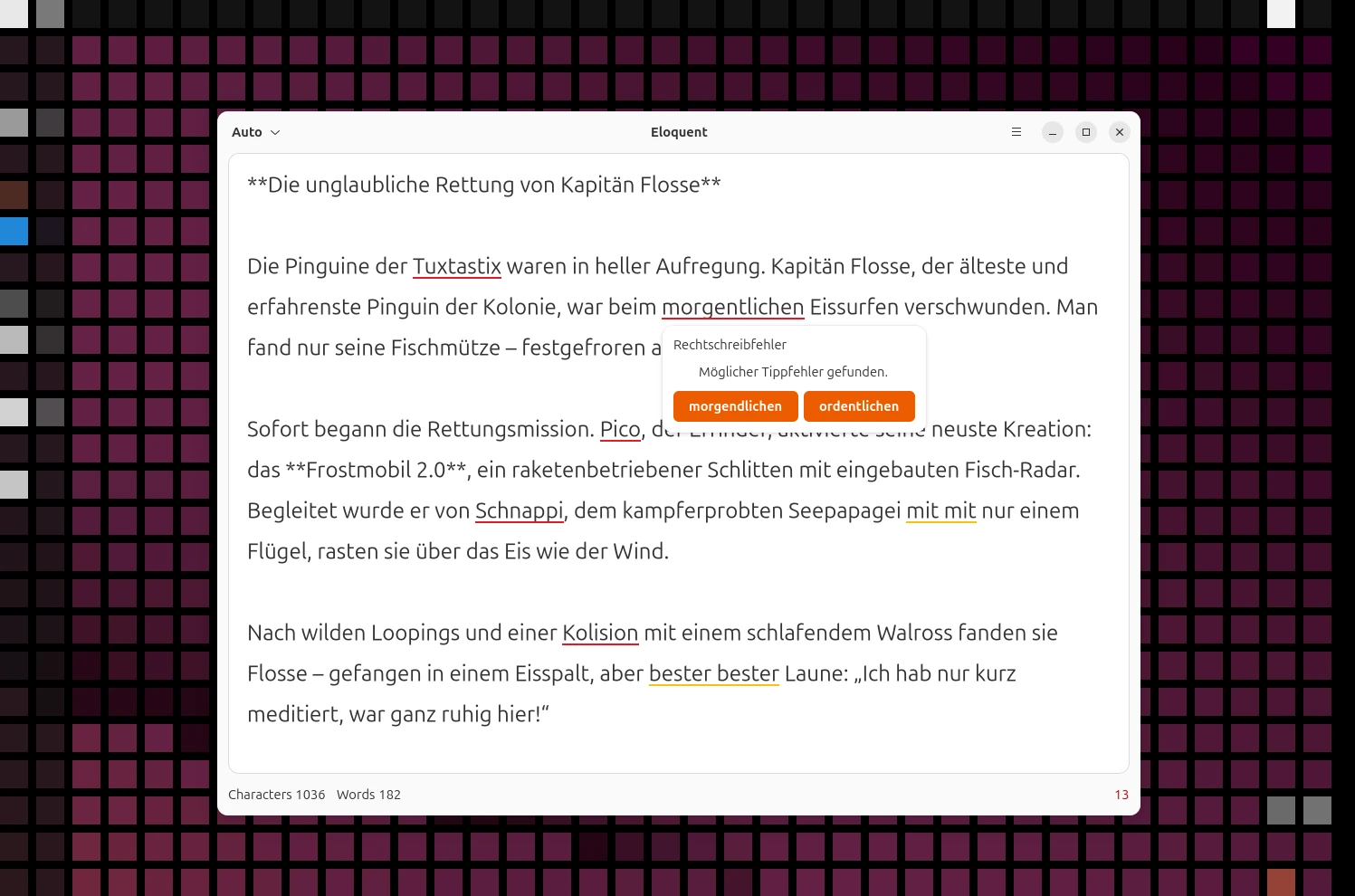
I write a lot, and like most people who write a lot, I regularly make small typos, spelling mistakes, clumsy word repetitions, or stylistic slips. For the final proofreading of my texts I’ve often used LanguageTool, but that usually meant opening the browser or even running my own server to protect my privacy. That’s now much easier: Eloquent is a small desktop app that brings LanguageTool to your machine completely offline, with no cloud, no internet connection, and no data sent to third parties.
Table of Contents
Eloquent is a standalone GNOME app that makes LanguageTool’s spell and grammar checking available locally. Unlike many LanguageTool integrations, it’s not a plugin but a separate program. You open Eloquent, paste in your text, for example from a Markdown editor like Apostrophe or a CMS like WordPress, and get feedback on spelling, grammar, and style. That makes the app a particularly good fit for users who like plain-text-based workflows.
Privacy Through Offline Use
A key point is that everything is processed completely offline. Eloquent doesn’t talk to any external servers, neither LanguageTool’s nor anyone else’s. The check runs locally on your machine, which better protects sensitive content and makes the program suitable for professional use as well. Anyone who wanted to use LanguageTool without an online connection used to have to run their own server. I described that approach in an earlier post (in German). With Eloquent, that extra effort is gone.
Installing Eloquent from Flathub
Eloquent is available as a Flatpak on Flathub, which makes installation much easier on all common distributions. If Flatpak and Flathub are already set up, this command is all you need. Or, if your browser is configured for it, just click the install button on the Flathub page.
$ <strong>flatpak install flathub re.sonny.Eloquent</strong>After that, you can start the app from the application menu or from the terminal:
$ <strong>flatpak run re.sonny.Eloquent</strong>If Flatpak isn’t set up yet, Flathub has a guide for pretty much all common distributions. One small note: since Eloquent ships its own dictionaries, the app takes up just under 750 MB of drive space together with all the data it needs.
How to Work with Eloquent
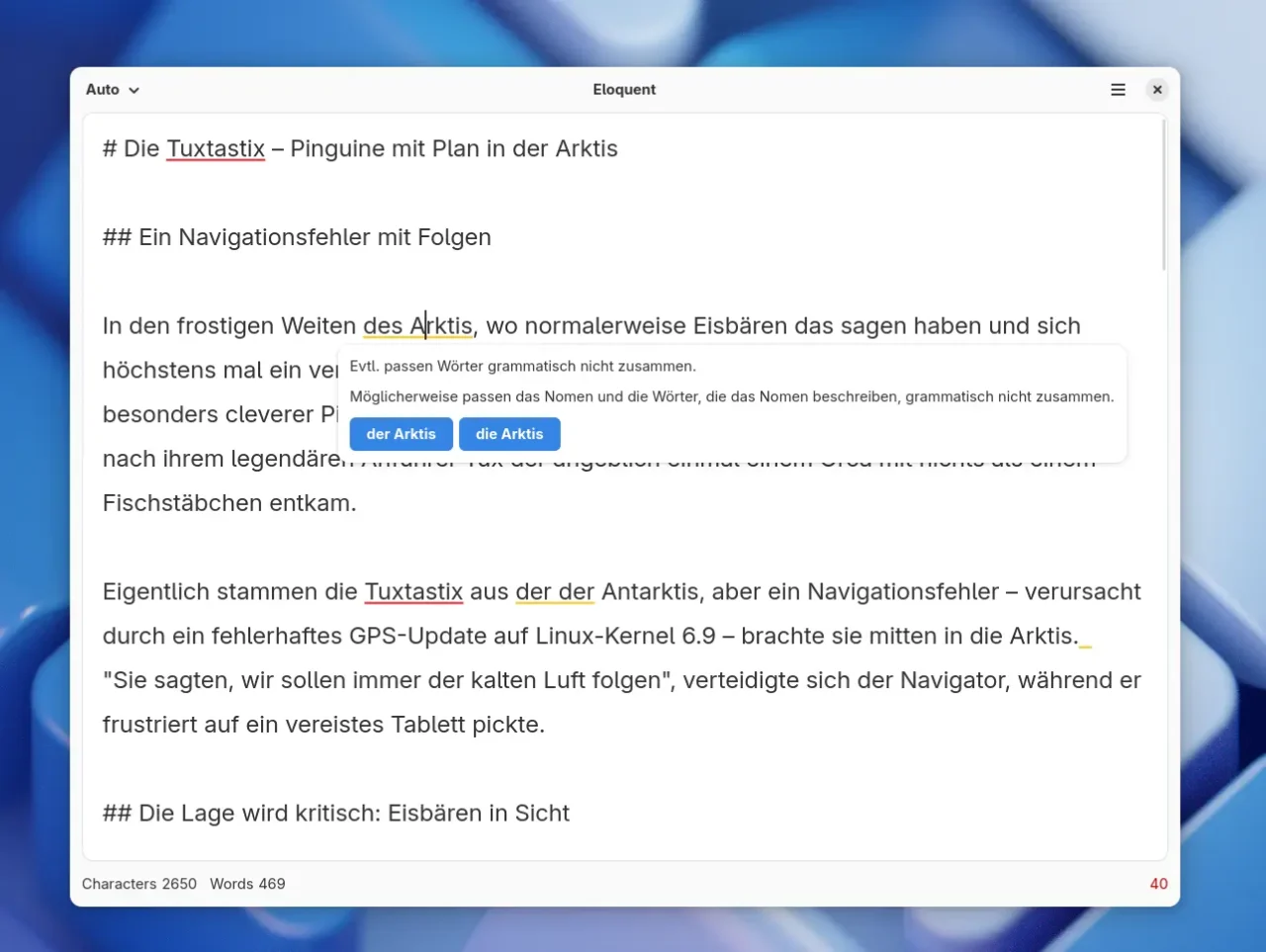
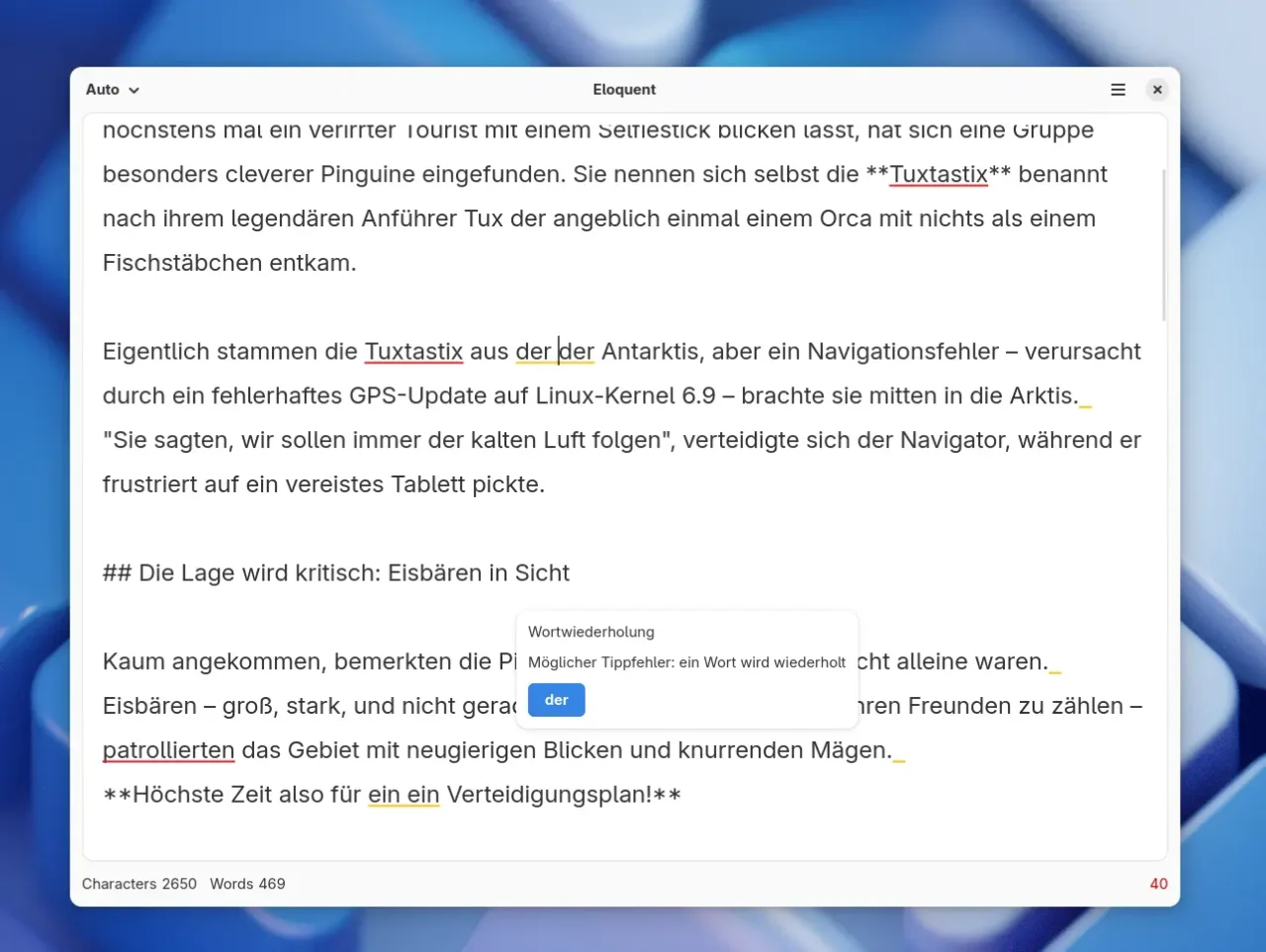
Using it is straightforward: paste in your text and check the suggestions. You can copy any paragraphs, articles, or complete texts into the input field. Eloquent marks potential mistakes and stylistic issues, much like the web version of LanguageTool. I did notice one small problem: with longer texts, the correction hints sometimes disappear. The bug is known and documented, so a fix should follow in future versions.
Integration with Firefox or LibreOffice
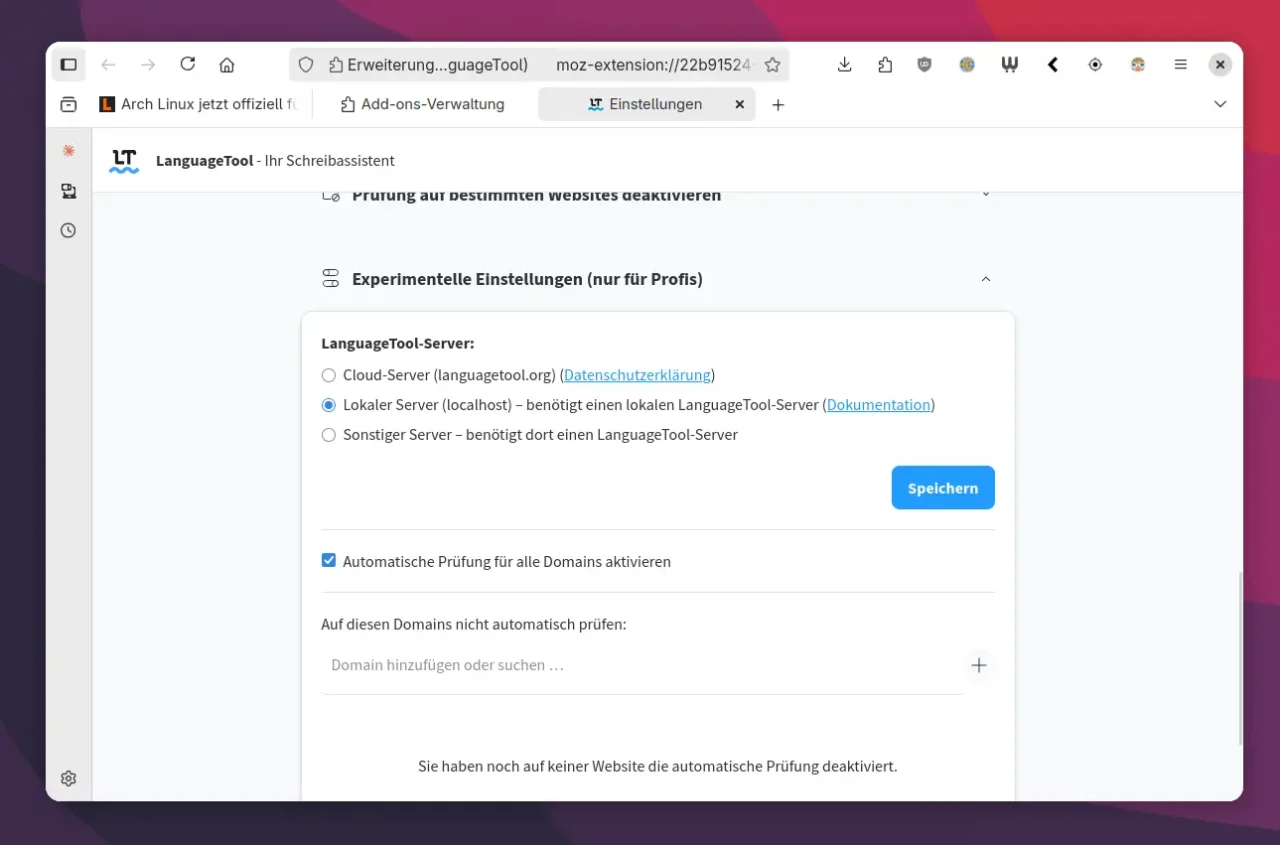
The LanguageTool server started by Eloquent can also be used in other programs. If you use the LanguageTool browser add-on, for example in Firefox or Chrome, you can enable the Local server (localhost) mode [CHECK: exact English label] in its settings. Spell checking on web pages then also runs locally, without a connection to the internet. You can configure LanguageTool in LibreOffice in a similar way.
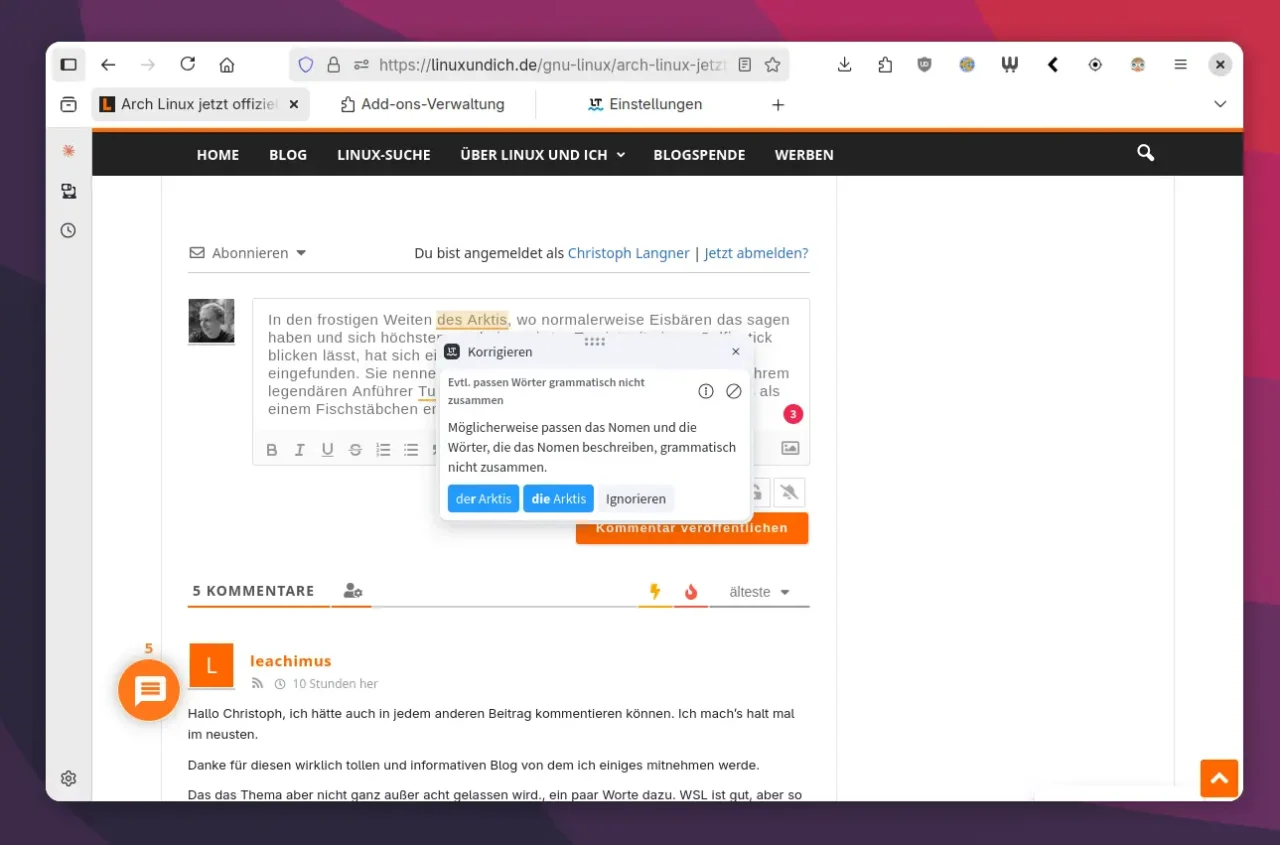
By default, Eloquent starts the LanguageTool server automatically when you log in. That gives you quick access, but it comes with some memory use. The system monitor shows that the Java backend takes up around 250 MB of RAM. CPU load is usually unremarkable. If you only want to use LanguageTool when you need it, you can of course remove Eloquent from autostart, for example with GNOME Tweaks or a comparable tool for your desktop environment.
Leave a Reply