
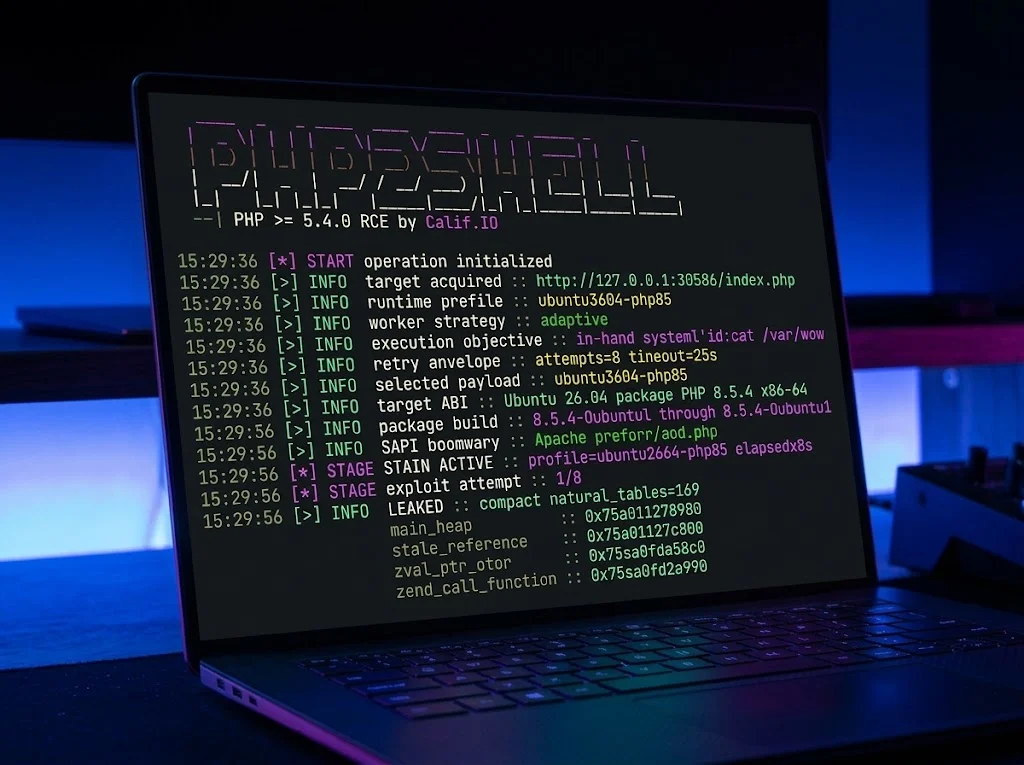
Since October 21, PHP2Shell has been all over the news. Behind the catchy name are two vulnerabilities in PHP, CVE-2026-109618 and CVE-2026-109619, which let attackers run code on a web server with a crafted HTTP request, no login required. The PHP developers rate both at 9.2 under CVSS 4.0, and according to watchTowr the flaw is already being exploited. If you self-host, now is the time to take a look.
The holes are plugged in PHP 8.5.12, 8.4.27, 8.3.36 and 8.2.35. For PHP 8.1 and older there are no regular releases with the fix so far, so the only way out is moving to a supported branch. On a regular server, the package manager takes care of that. Docker is a different story: every container brings its own PHP, and that PHP stays exactly as old as the image.
Which container runs which PHP?
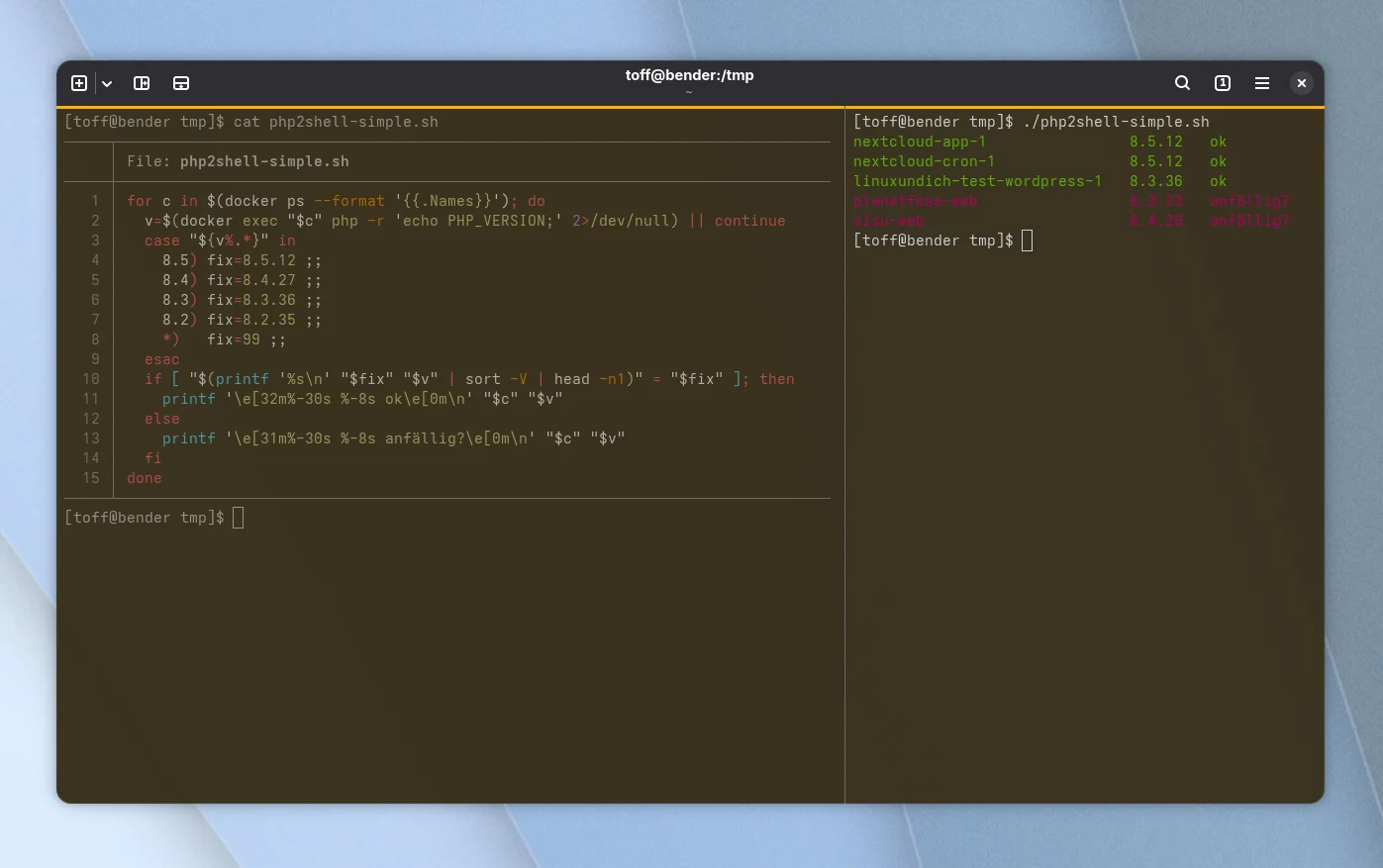
So the first question is: which containers on my little home server actually contain PHP? For Nextcloud or WordPress that’s obvious, for self-built images or small web apps less so. Instead of going through every container by hand, the following loop asks all running containers for their PHP version and compares it with the patched releases right away.
for c in $(docker ps --format '{{.Names}}'); do
  v=$(docker exec "$c" php -r 'echo PHP_VERSION;' 2>/dev/null) || continue
  case "${v%.*}" in
    8.5) fix=8.5.12 ;;
    8.4) fix=8.4.27 ;;
    8.3) fix=8.3.36 ;;
    8.2) fix=8.2.35 ;;
    *)   fix=99 ;;
  esac
  if [ "$(printf '%s\n' "$fix" "$v" | sort -V | head -n1)" = "$fix" ]; then
    printf '\e[32m%-30s %-8s ok\e[0m\n' "$c" "$v"
  else
    printf '\e[31m%-30s %-8s anfällig?\e[0m\n' "$c" "$v"
  fi
done
The loop silently skips containers without PHP. For all others, the version shows up in green if it is at least at the patch level and in red if it is below. PHP 8.1, 7.x and older also end up in red, because there simply is no fix for them. The red lines say “anfällig?”, German for “vulnerable?”. On my server, the result looks like this:
./php2shell-simple.sh
nextcloud-app-1                8.5.12   ok
nextcloud-cron-1               8.5.12   ok
linuxundich-test-wordpress-1   8.3.36   ok
planetfoss-web                 8.3.33   anfällig?
sisu-web                       8.4.26   anfällig?
So Nextcloud and the test WordPress had already pulled their updates, while PlanetFOSS and the site for Sisu were still lagging behind. By the way, the question mark after “vulnerable” is on purpose. The loop only compares version numbers. If an image uses the PHP package from Debian, Ubuntu or Alpine, the fix may have been backported without the number changing. In that case, only the distribution’s security advisories can tell you more.
For a closer look, there is php2shell-check by EXT IT. The MIT-licensed script is read-only and judges PHP by package versions rather than just the version number, so it also takes backported fixes into account. It looks into Docker containers, FPM pools and old processes that are still running, and on request sends a harmless request to your website. For the containers it needs root or membership in the docker group.
The project page suggests the usual one-liner with curl and sudo bash. For a script that runs with root privileges on my server, I’m not too fond of that. Better download the script together with SHA256SUMS from the releases, check it with sha256sum -c SHA256SUMS, skim through it once and then start it by hand. According to the developers, a “not vulnerable” is no guarantee, by the way:
sudo bash php2shell-check.sh https://eure-seite.exampleOn my home server I ran the script with sudo. As a member of the docker group it would see the containers without root as well, but running processes of other users and some logs would stay hidden. This is how I fetched and started it:
curl -fsSLO https://github.com/EXT-IT/php2shell-check/releases/latest/download/php2shell-check.sh
chmod +x php2shell-check.sh
sudo ./php2shell-check.sh
The verdict matches the loop: planetfoss-web with PHP 8.3.33 and sisu-web with PHP 8.4.26 are vulnerable, Nextcloud and the test WordPress are not. On top of that, it found a stopped container from Tuxsucht that my loop had completely missed:
PHP in docker containers
  [ OK ] container      nextcloud-app-1 (nextcloud:35-apache)
         PHP 8.5.12 (fixed from 8.5.12)
[...]
  [VULN] container      planetfoss-web (planetfoss-web:local)
         PHP 8.3.33, fixed in 8.3.36
         -> Update PHP to 8.3.36 or later (container: pull the new image and recreate)
[...]
  [VULN] container      sisu-web (sisu-web:local)
         PHP 8.4.26, fixed in 8.4.27
[...]
  [WARN] container      php83 (stopped, tuxsucht-php)
         stopped, but its image ships PHP 8.3.33: it comes back vulnerable on the next start
[...]
Summary  2 vulnerable, 3 undecided, 12 warnings, 11 ok
Sure, docker ps only lists running containers, and a stopped container doesn’t accept any requests. But if someone starts it again at some point, the hole is back right away. The script is also very clear about mod_php: all five running containers serve PHP through the Apache module, and the advisory demonstrates a complete attack without login against exactly this setup.
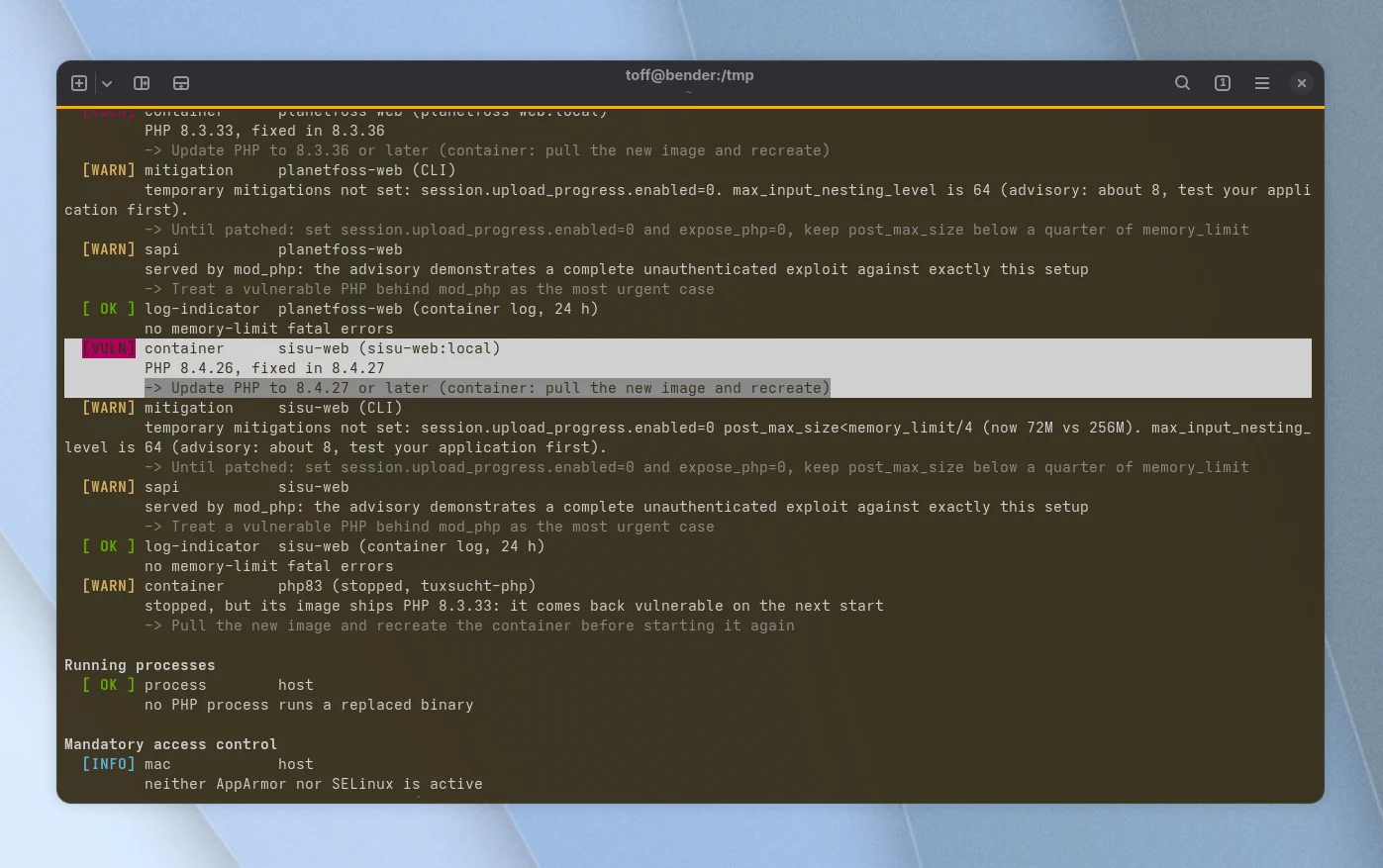
Until you can update, the script suggests a stopgap: set session.upload_progress.enabled=0 and expose_php=0, and keep post_max_size below a quarter of memory_limit. The check from the outside, on the other hand, wasn’t much help. For the two websites, the script only reports that the headers don’t reveal a PHP version and that there is no WAF in front. That says nothing about the patch level, which the script honestly admits.
And how do you update PHP?
Don’t update anything inside the container itself, it would be gone again with the next recreate. Instead, pull the new image in the respective Compose directory and recreate the container with it. For self-built images with their own Dockerfile you need docker compose build --pull, so that Docker also fetches a fresh base image:
docker compose pull && docker compose up -dImportant: of course this only helps if the base image already contains the patched version. According to IT-Connect, the new tags initially even showed up without an image behind them, but by now generic tags such as php:8.3-apache ship the patched PHP. If your Dockerfile pins a fixed version like php:8.4.24-fpm, you have to bump it yourself. Simply run the loop again after the update. Take care of the containers that are reachable from the internet first.
The PlanetFOSS test environment shows what this looks like in practice. Its image is based on php:8.3-apache, and the Dockerfile only adds extensions such as GD and Intl. My deploy script does call docker compose up -d --build, but that doesn’t fetch a new base image, it takes the one from August out of the cache. That’s where the old PHP 8.3.33 came from. Only --pull fetches the fresh version:
cd /data/docker/planetfoss
docker compose build --pull web
docker compose up -d web
After a good minute the new image was ready, and the container ran PHP 8.3.36. The database in the same Compose project stays untouched, because both commands only address the web service. Afterwards the loop shows PlanetFOSS in green, and php2shell-check also reports only sisu-web as vulnerable. The old image is still lying around on disk as a leftover, by the way; docker image prune cleans it up.
./php2shell-simple.sh
[...]
nextcloud-cron-1               8.5.12   ok
linuxundich-test-wordpress-1   8.3.36   ok
sisu-web                       8.4.26   anfällig?
All in all, PHP2Shell is a good example of how self-hosting with Docker is convenient, but the updates don’t come by themselves. heise has collected more details on the vulnerabilities. How to keep containers up to date without a lot of fiddling, I covered in Keeping Docker containers up to date with Dockcheck. How do you keep your containers up to date?

Leave a Reply