
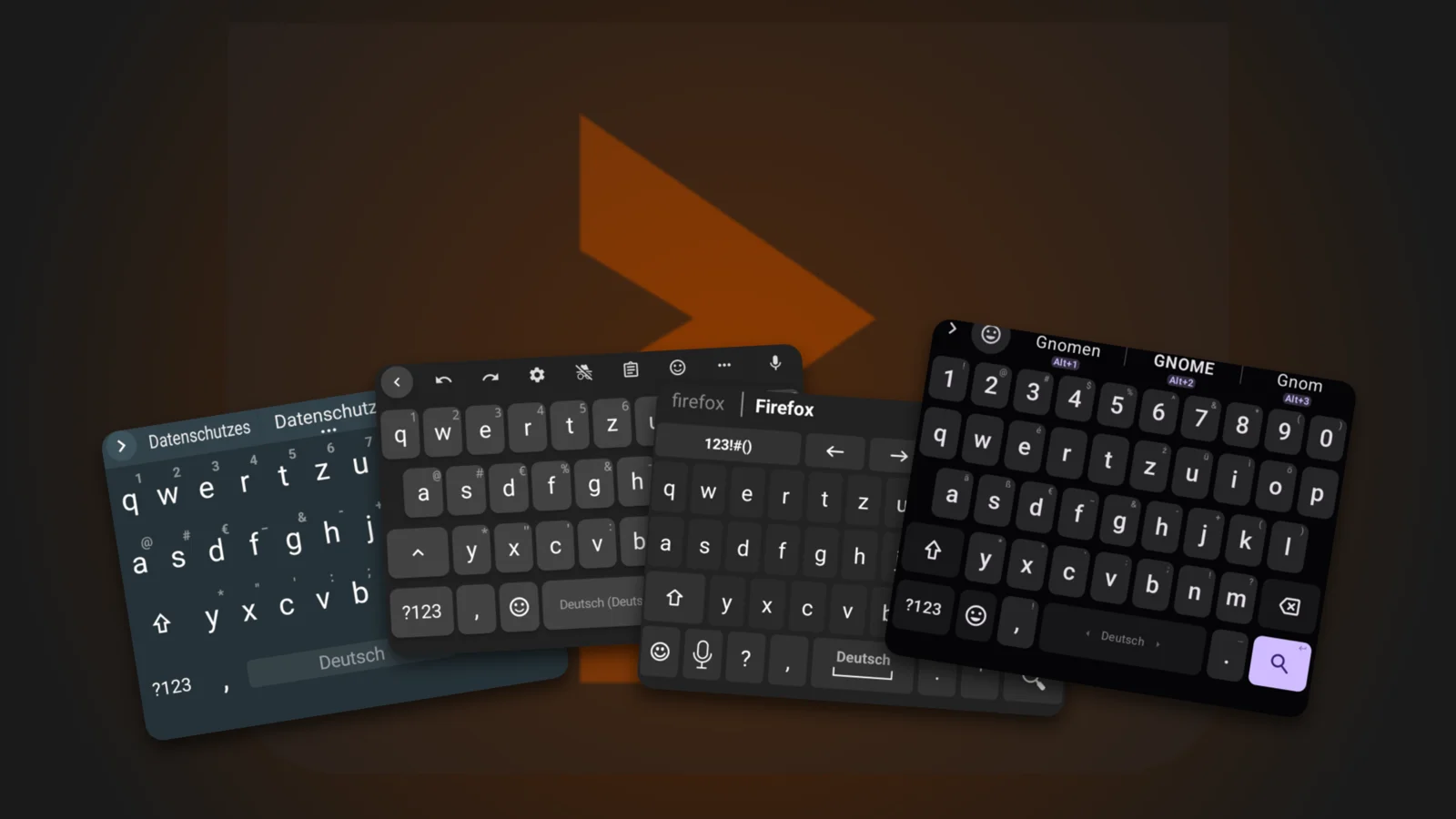
A keyboard sees everything you type on your phone: passwords, messages, search queries, the PIN for online banking. Yet hardly anyone asks who actually wrote it. Most Android devices come with Gboard, many Samsung users have SwiftKey, and both come from big tech companies that make their money with data. Free alternatives do exist.
This article was prompted by a thread on r/flossdroid in which users collect free keyboards for Android: LeanType, Bucky, Simple Keyboard, plus WM Keyboard, HeliBoard and FUTO. The candidates run here with a German layout, in the Android emulator and on a Pixel 10. On top of that comes a look at the requested permissions and the repositories: What does the app ask for, who develops it, how up to date is it?
A keyboard knows everything
Technically, a keyboard is an ordinary app that hooks into the system as an input method. It receives every keystroke, can read the text before and after the cursor and even learns when a password field is open. Android warns you about this when you enable a keyboard. But the system can’t enforce anything: whether a keyboard handles your data decently is ultimately a matter of trust.
That this isn’t just theory is shown by a study presented at the IEEE conference PST 2015: of 139 keyboards from Google Play, 84 could have been abused as keyloggers. That doesn’t prove every one of them did. That it does happen is shown by cases like ai.type, whose database with data from 31 million users sat openly on the internet, or Chinese keyboard apps that let eavesdroppers read keystrokes. The bar is low, and that’s exactly why it pays to look at who you entrust your input to.
Gboard: convenience with a line to Google
Gboard is good, no question. The suggestions are spot on, and on a Pixel phone German and English run on a single space bar right away. Google names the price itself in its own help pages: search queries from the keyboard go to Google, as do usage statistics, and when you dictate, your voice is sent to Google’s servers for transcription. Fittingly, the app asks for internet access.
Then there are the word suggestions. To improve them, Gboard learns directly on your phones. Your texts are supposed to stay on the device, and only the learning results go to Google, mixed with random values so that no individual can be singled out. That sounds clean. Still, your phone does computing work for Google, and you can’t check whether this holds up to what Google promises: Gboard’s source code isn’t free.
Gboard has had security holes, too. CVE-2022-20125 allowed bypassing Factory Reset Protection, which keeps a reset phone locked to its owner. Android 10 to 12L were affected, and the hole was fixed in June 2022. An attacker needed the device in hand, though. I found no case of data leaking from Gboard itself.
SwiftKey belongs to Microsoft
Microsoft bought SwiftKey in February 2016. The price was officially never disclosed, the Financial Times reported around 250 million US dollars. As early as July of the same year, cloud sync showed some users other people’s email addresses and phone numbers as word suggestions. SwiftKey turned off sync and removed email suggestions. A bug turned into a data breach.
Older is the hole in the Samsung keyboard, which used SwiftKey technology. It downloaded language packs unencrypted and unverified, which according to security firm NowSecure allowed remote code execution. An estimated 600 million devices were affected, the standalone SwiftKey apps were not. According to NowSecure, Samsung had known about the problem since November 2014.
Then there’s the direction of recent years. On Android, Copilot has replaced the Bing button, and since May 31, 2026 you need a Microsoft account for backup and sync, with the data stored in OneDrive. Accounts created via Google or Apple were deleted (heise, German). So you keep typing on a keyboard that is growing ever closer to your Microsoft account.
The free alternatives tested
Free here means: the source code is open, and ideally the app doesn’t ask for internet access at all. You can check the latter without trusting the project page: the permissions are in the installation file (APK) and can be read out with a tool from Google. Version and release date are listed for each keyboard.
Testing takes place in the Android emulator (Pixel 10 profile, Android 17, German system language), while LeanType and FUTO run on a real Pixel 10. Each keyboard gets the German layout and types a different search term. That shows layout, suggestions and structure. Swipe typing and dictation are not tested.
HeliBoard
HeliBoard is the top dog among free keyboards. It descends from Android’s own keyboard, by way of OpenBoard. The current version is 4.2 from October 12 under GPL-3.0. F-Droid builds it reproducibly, which verifies that the installation file really comes from the published source code. The project has since moved to HeliBorg. There’s no internet permission, it only asks for the user dictionary, contacts, vibration and autostart.
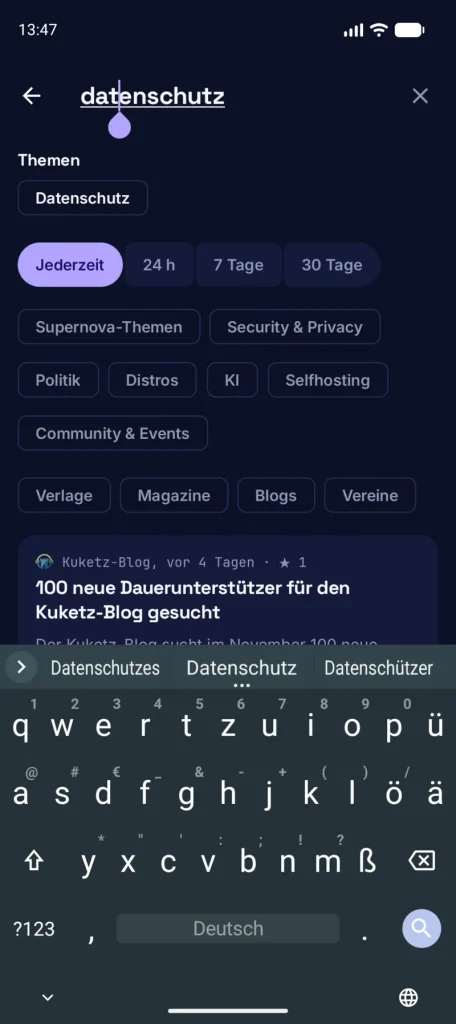
In the test, HeliBoard is the quickest to get going: the German layout is set up automatically, and while typing “datenschutz” (German for privacy), the suggestion bar offers three variants right away. The weak spots: you download additional dictionaries yourself, and swipe typing only works with a proprietary library that you have to get on your own. Since June 2025, NLnet has been funding a free replacement. On top of that, almost all changes come from one developer. If he drops out, the project stalls.
FlorisBoard
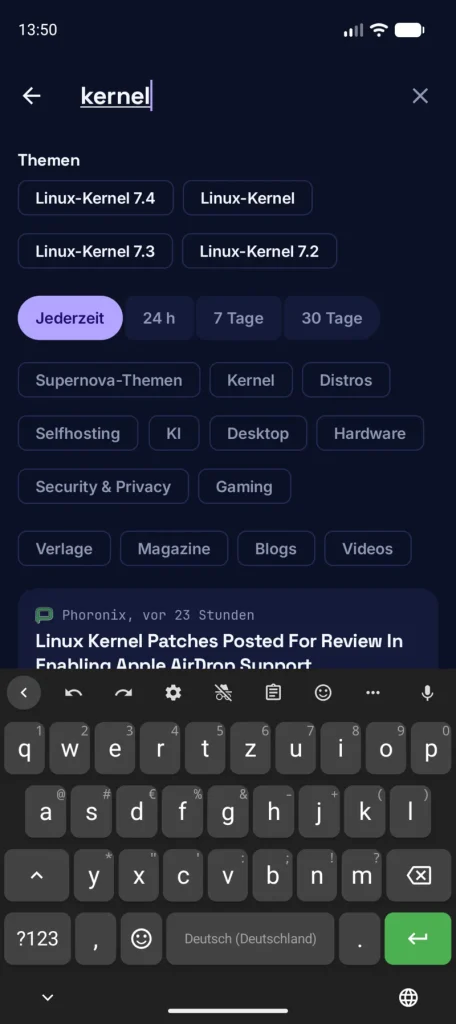
FlorisBoard has its own code base in Kotlin, is licensed under Apache-2.0 and, with almost 8,800 stars, has the largest fan base. The catch: the stable version 0.5.2 dates from November 2025, the pre-release 0.6.0 from January 2026. Word suggestions and spell checking are still missing, both are planned for 0.6. The test shows it: while typing “kernel”, the suggestion bar stays empty.
You first have to add the German layout as an input style in the settings. In return, you get a clipboard, emoji, themes and its own glide typing without any third-party library, which the roadmap plans to rebuild from 0.7 on. The app asks for only three permissions, internet isn’t one of them. Here, too, the lion’s share of commits comes from one person.
AnySoftKeyboard
AnySoftKeyboard is the veteran: the code base dates back to 2012, the license is Apache-2.0, the current version is 1.13, also on the Play Store. It offers glide typing, voice input, an incognito mode and themes as add-ons. German isn’t included. You install a separate language pack and enable the layout in the app, and it only shows up in the list after restarting the app.
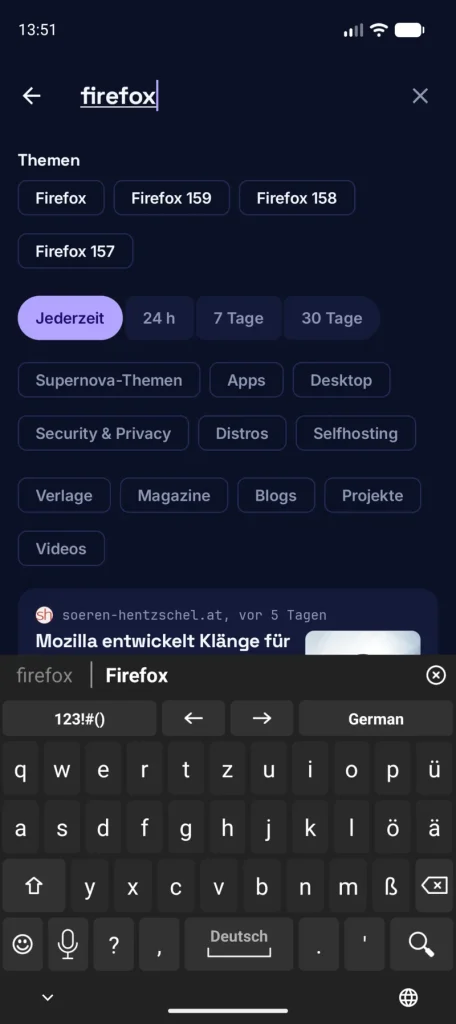
After that, it works: for “firefox”, the suggestion bar proposes the spelling “Firefox”. There’s no internet permission here either, but the app asks for contacts. Setup takes more effort than HeliBoard, and maintenance also rests on one developer. If you like a keyboard with an add-on system, AnySoftKeyboard remains an option.
Simple Keyboard
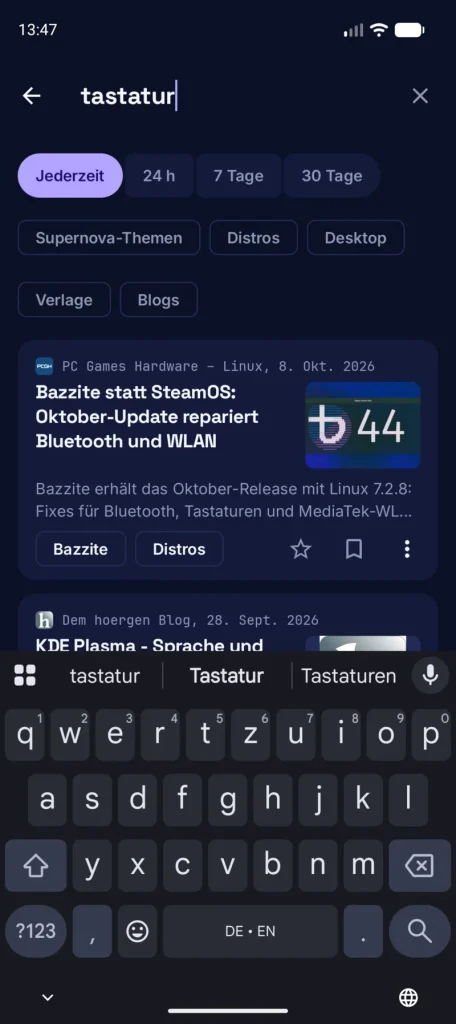
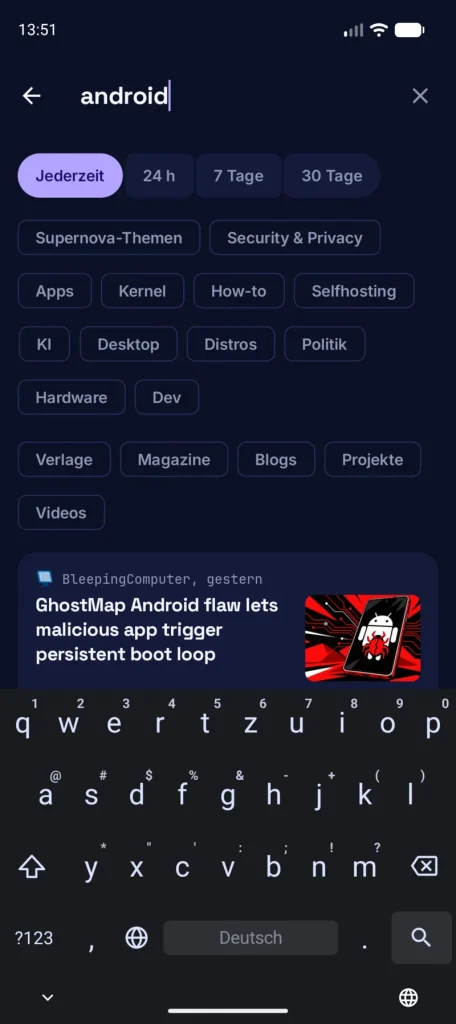
Simple Keyboard by rkkr does what the name says. The README explicitly rules out emoji, GIFs, spell checking and swipe typing, and the only permission is vibration. The current version is 6.8 from October 22 under Apache-2.0, also based on Android’s own keyboard. In the test, the German layout is set up automatically, there’s no suggestion bar, and that’s exactly the point. Watch out for the name, though.
The Simple Mobile Tools also had a keyboard called Simple Keyboard, as far as I can tell. Their developers sold to ZipoApps at the end of 2023, a company that monetizes acquired apps with ads. The fork Fossify Keyboard carries it on without internet permission. This article means the keyboard by rkkr. However, it has received only eight commits in the last 90 days, a project in permanent idle mode.
WM Keyboard
WM Keyboard is the favorite in the Reddit thread, and it’s the opposite of Simple Keyboard. The developer created the repository in August 2026 and has since written 3,381 commits in 90 days, and the README openly states that he develops with AI assistance. In return, the keyboard comes with swipe typing, offline dictation via several engines, Emoji 18, a theme editor, 89 tools and Lua plugins. The license is MIT, the source code is open.
The APK reveals more: the regular build from GitHub requests 44 permissions, including internet, location, calendar, contacts, camera, microphone, full access to all files, drawing over other apps and installing packages. Requested doesn’t mean granted, and some of this is probably for the integrations with to-do and flashcard apps. For a keyboard, it’s still a hefty package.
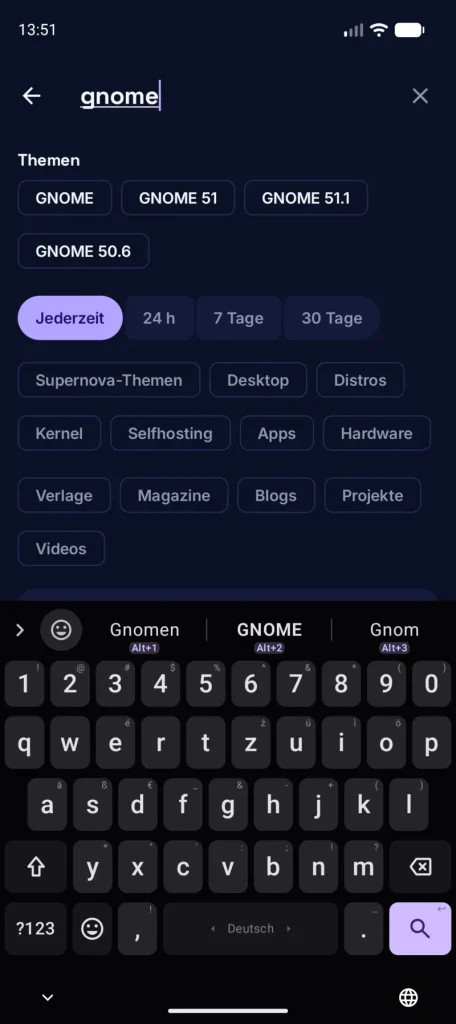
There’s an offline build without internet permission, its other permissions weren’t checked. The setup wizard offers German (QWERTZ) right away. While typing “gnome”, the German suggestions “Gnomen”, “GNOME” and “Gnom” appear, and a number row and a toolbar sit above the keyboard. More features than any other keyboard in the test – but also more that someone would have to review.
Bucky Keys
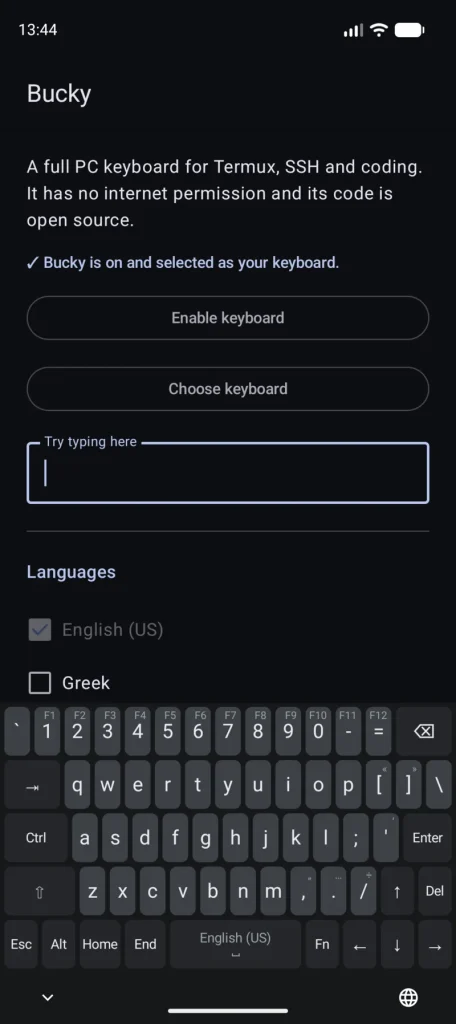
Bucky aims to be the successor to Hacker’s Keyboard: a complete PC layout with Esc, Tab, Ctrl, Alt, Home, End, arrow keys and function keys, meant for Termux, SSH and programming. The license is Apache-2.0, according to the README there’s no internet permission, and indeed the APK contains not a single real permission. The catch: it’s an alpha (0.1.0-alpha12 from November 3) with 20 stars, by one person, since October.
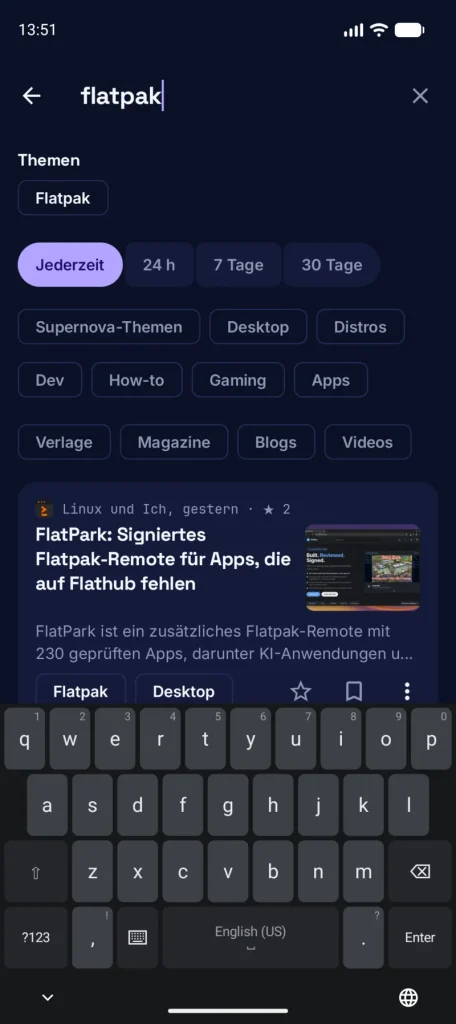
In a regular search field, Bucky shows a compact layout, in its own app’s test field the full PC layout. German isn’t available: the only choices are English (US), Greek, Estonian and Finnish. That’s fine for the terminal and for English, but useless for German text. The PC layout itself is complete, and for Termux there’s a dedicated key row in the settings.
LeanType
LeanType is a fork of HeliBoard, GPL-3.0, with around 1,150 stars. It comes with many more features: cloud AI integration (Gemini, Groq, OpenAI), GIF search, offline dictation via a Whisper plugin, screenshot suggestions and its own update checker. For that, the standard variant has internet permission, including the version F-Droid ships. The offline variant doesn’t, but still asks for camera and microphone.
The welcome screen promises “100% private & secure”, with no telemetry and no network tracking. The developer has been active on GitHub since November 2025 and has written 1,933 commits, 1,257 of them in the last 90 days, plus several betas per week. Of the last 200 commits, two state AI involvement. On the plus side: F-Droid builds the keyboard reproducibly against the developer’s signature.
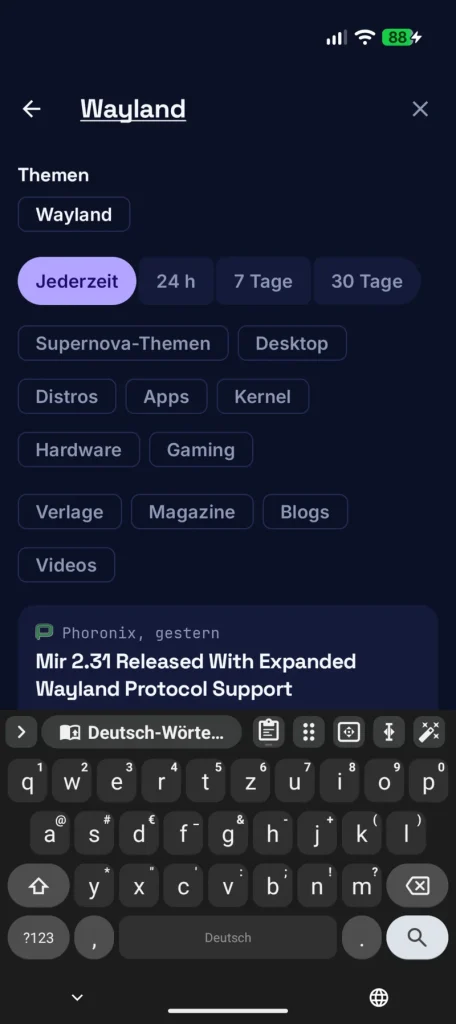
On the Pixel 10, LeanType appears right away with the German layout. The suggestion bar stays empty: the offline variant ships without a dictionary, and the toolbar points to a download from Codeberg for German.
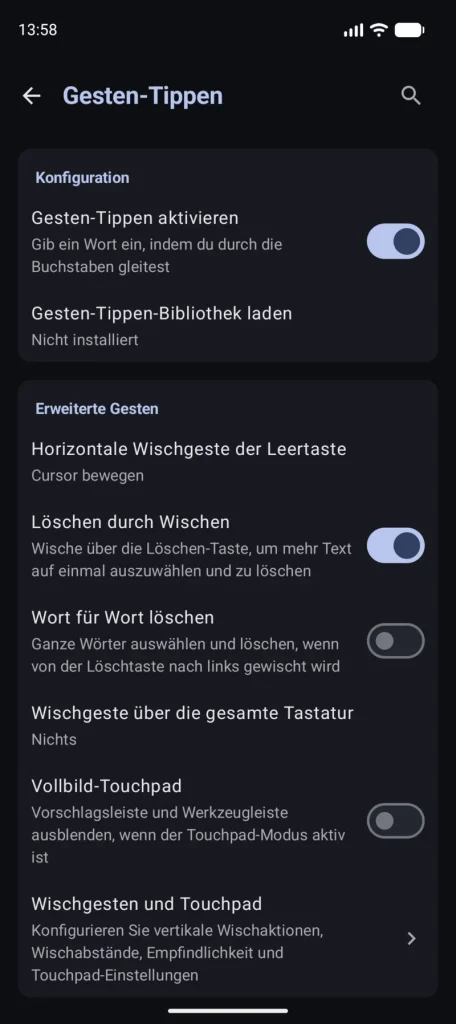
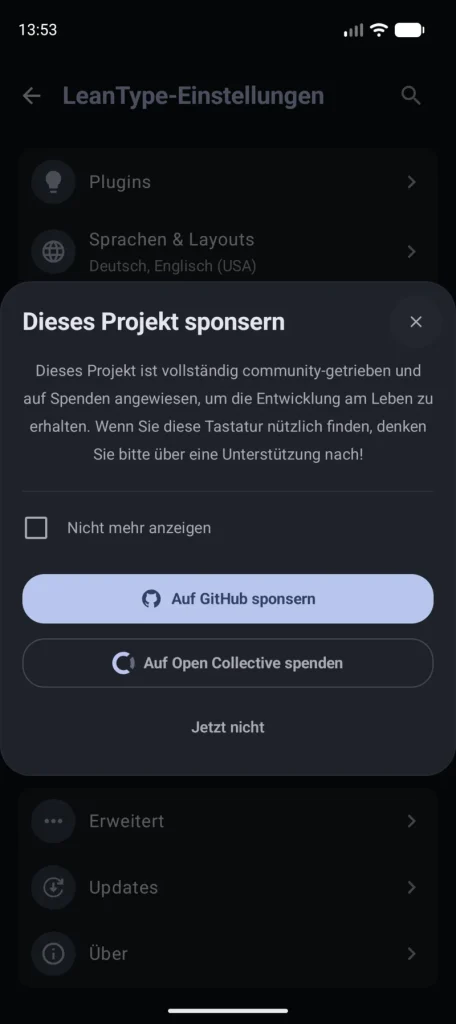
Then the settings: opening them brings up a donation request, and the gesture library shows “Not installed”, so it has to be downloaded separately. If you like HeliBoard but want more switches and features, this is the extended version. If you want as little attack surface as possible, stick with HeliBoard.
FUTO Keyboard
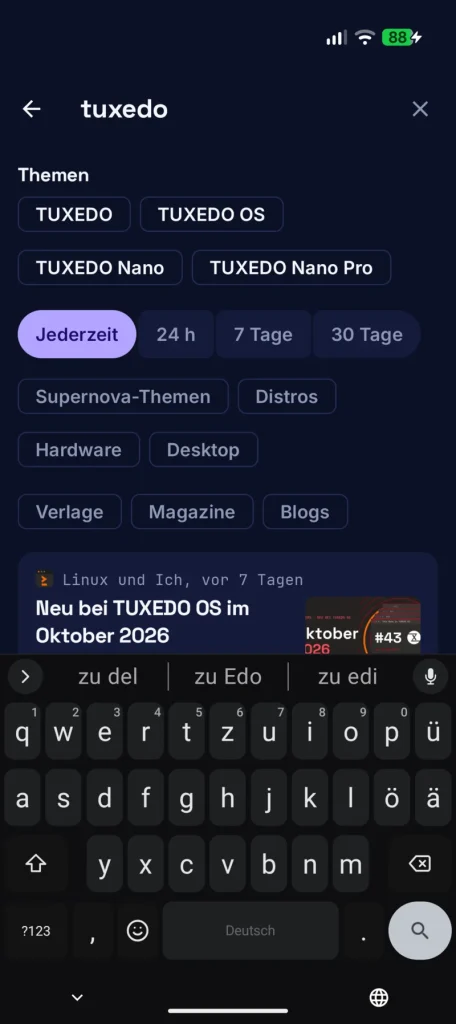
FUTO Keyboard runs right away on the Pixel 10 with the German layout. The APK contains no internet permission, but the microphone for the built-in offline dictation with Whisper. While typing “tuxedo”, however, the bar suggests “zu del”, “zu Edo” and “zu edi”: the prediction struggles with proper names. More important is the license. The FUTO Source First License prohibits commercial modifications and is not an open source license as defined by the OSI.
The source code is public, development happens internally on GitLab, GitHub is a mirror, and anyone who wants to contribute has to grant FUTO rights to their code by contract. That’s also why FUTO isn’t in the official F-Droid repository but in its own package source. Swipe typing is recognized by an AI model on the device, the library is under GPL, the models under their own license. I wouldn’t call FUTO “FOSS”, but “source available” fits.
Key facts at a glance
| Keyboard | License | Internet permission | Swipe typing | Release |
|---|---|---|---|---|
| HeliBoard | GPL-3.0 | no | only with third-party library | 4.2 (2026-10-12) |
| LeanType | GPL-3.0 | yes (standard), no (offline) | library downloaded separately | 4.3.1 (2026-11-04) |
| FlorisBoard | Apache-2.0 | no | own implementation | 0.5.2 (2025-11-28) |
| AnySoftKeyboard | Apache-2.0 | no | own implementation | 1.13 (2026-09-08) |
| Simple Keyboard | Apache-2.0 | no | not planned | 6.8 (2026-10-22) |
| WM Keyboard | MIT | yes (except offline build) | own implementation | 0.6.5 (2026-11-05) |
| Bucky Keys | Apache-2.0 | no | not planned | 0.1.0-alpha12 (2026-11-03) |
| FUTO Keyboard | Source First | no | AI model on the device | 0.1.30 (2026-08-04) |
Which keyboard should you pick?
For everyday use on a regular phone, after this test I would go with HeliBoard: no internet, reproducible builds, suggestions, German layout out of the box, active maintenance. If you want swipe typing, you have to live with the extra library, FlorisBoard swipes without one but still types without suggestions. If you just want to type, Simple Keyboard is a good choice. For Termux, Bucky is worth a look once there’s a stable version.
WM Keyboard and LeanType are tempting with their feature sets. Whether they deserve your trust is up to you: a keyboard sees everything, and a one-person project with dozens of commits per week is hard to review. Internet permission and 44 requested permissions are no small matter for WM Keyboard. For a keyboard, that would be too much trust in advance for me.
Which keyboard do you type on, and what do you look for when choosing one? Feel free to share in the comments.
Leave a Reply