
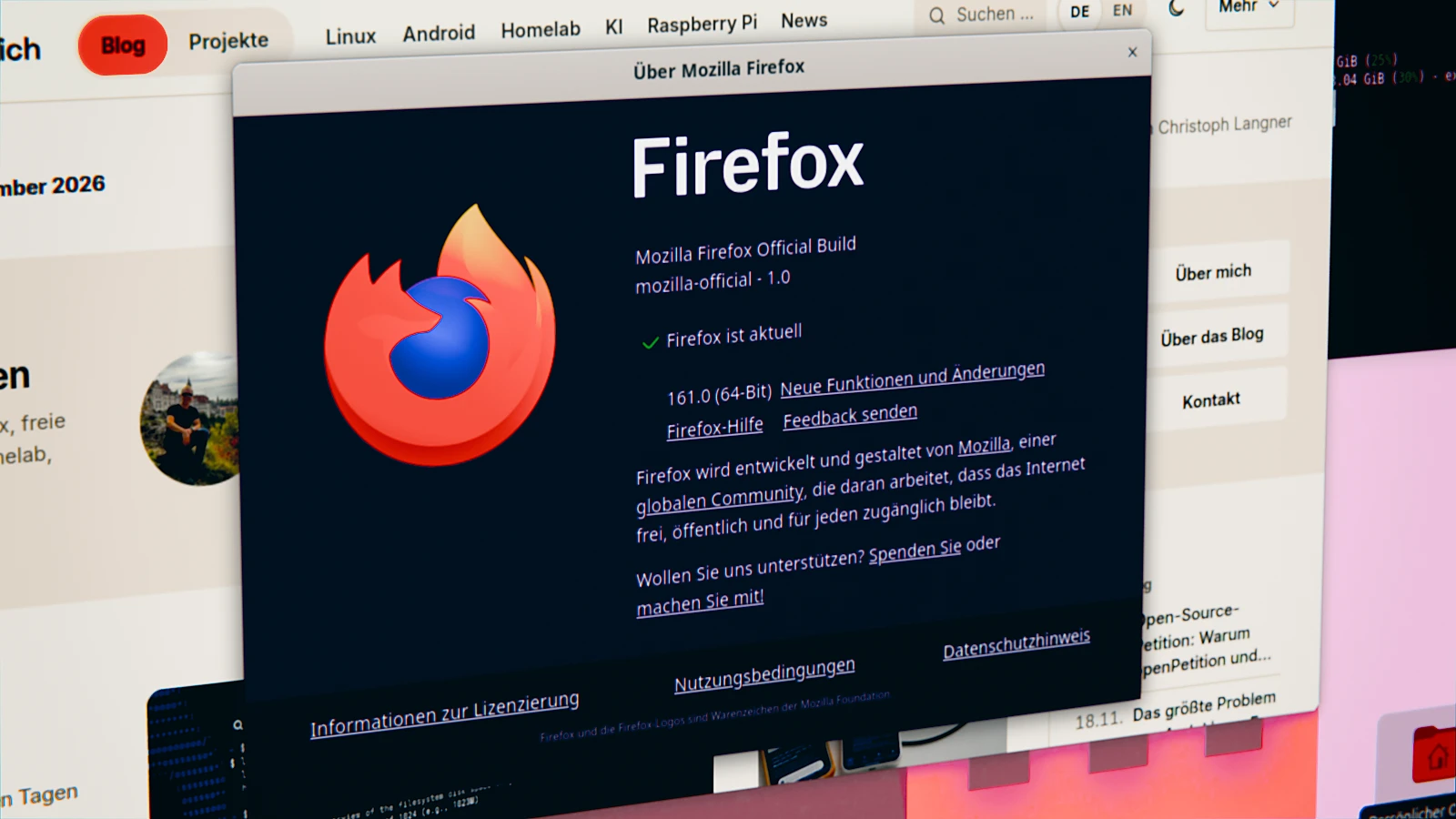
Mozilla has released Firefox 161.0 along with the long-term support versions 153.8 ESR and 115.46.0 ESR. All three close security holes, and according to the release notes the regular version also picks up a handful of small but genuinely useful changes that have piled up over the past few weeks: a keyboard shortcut for copying tab addresses, finer-grained VPN access, and a few old themes that quite a few of you have probably missed.
Copy Tab URL and VPN for Individual Websites Only
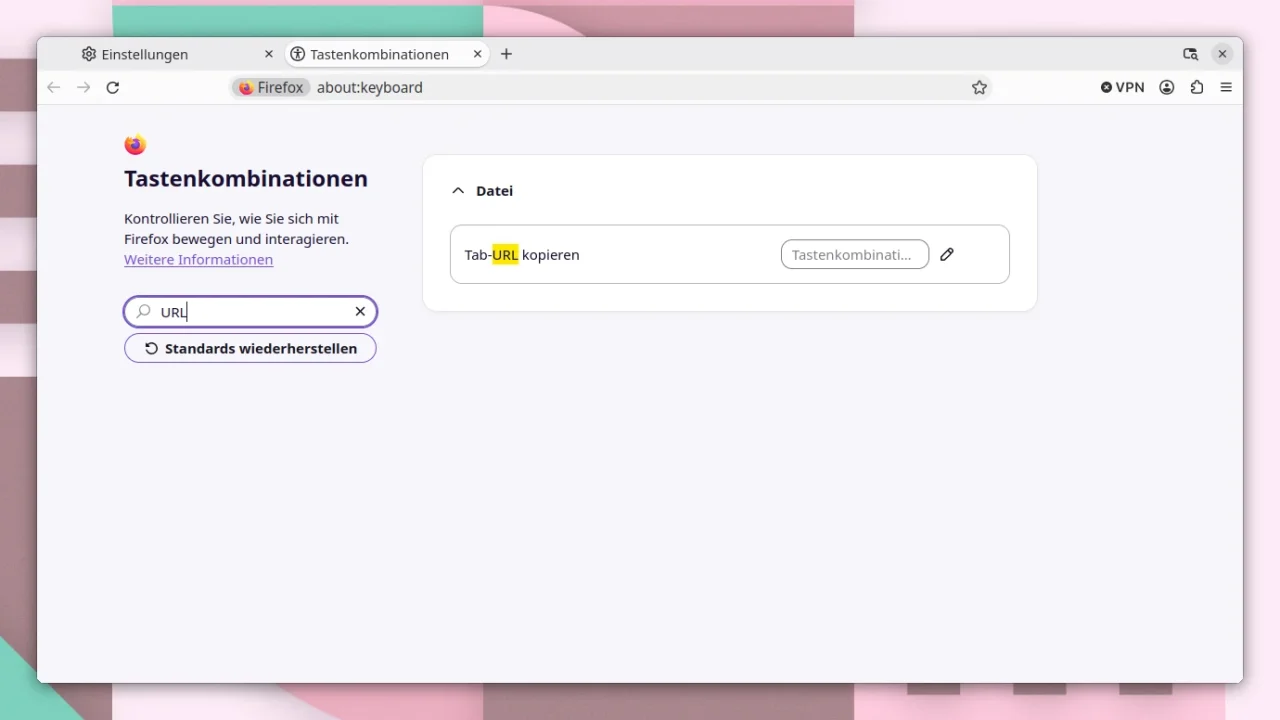
Firefox now has a command that copies the address of the current tab straight to the clipboard. There’s no shortcut assigned by default, you have to set one yourself: open Settings, search for Keyboard Shortcuts, and follow the link to the shortcut manager. There you’ll find the entry Copy Tab URL and can assign your own shortcut using the pencil icon.
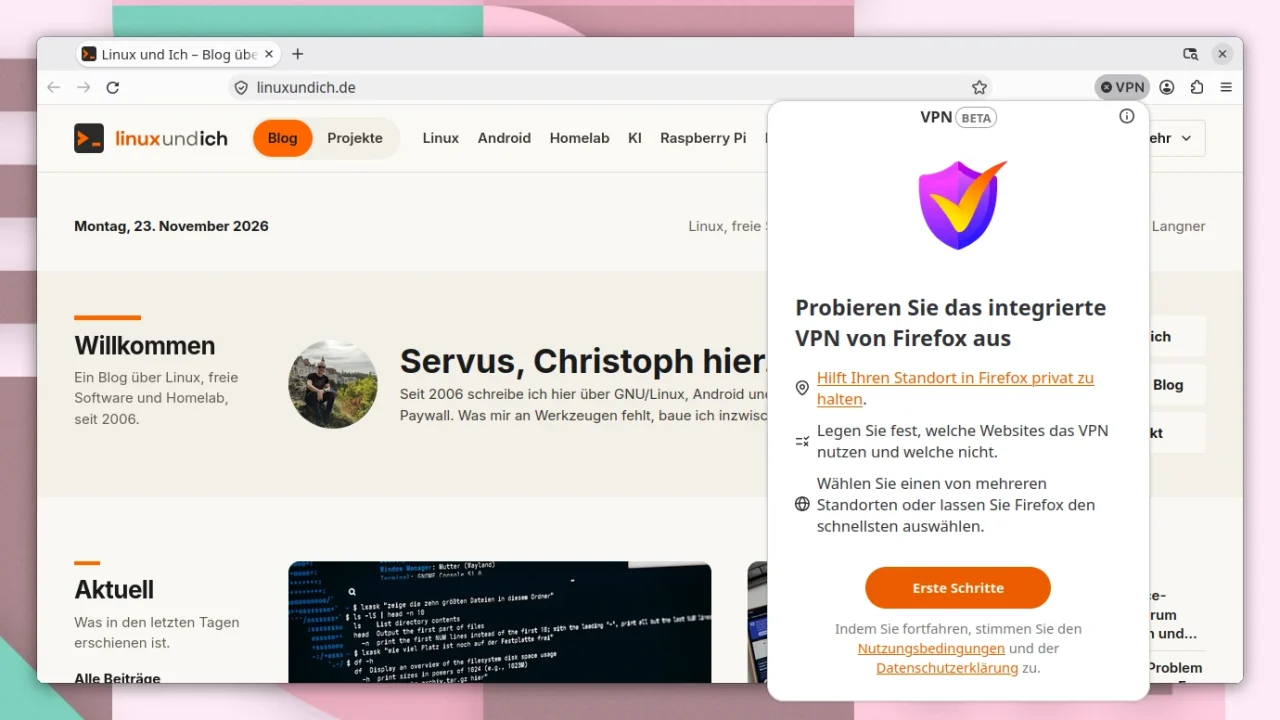
On top of that, the VPN built into Firefox can now be switched on or off for individual websites instead of just for the whole session at once. The setup panel of the still-beta Firefox VPN shows the new option right in the address bar: you decide which websites run through the VPN tunnel, handy if only a couple of services need a different location while the rest of your connection stays as it is.
Classic Themes and a More Attentive Chrome Import
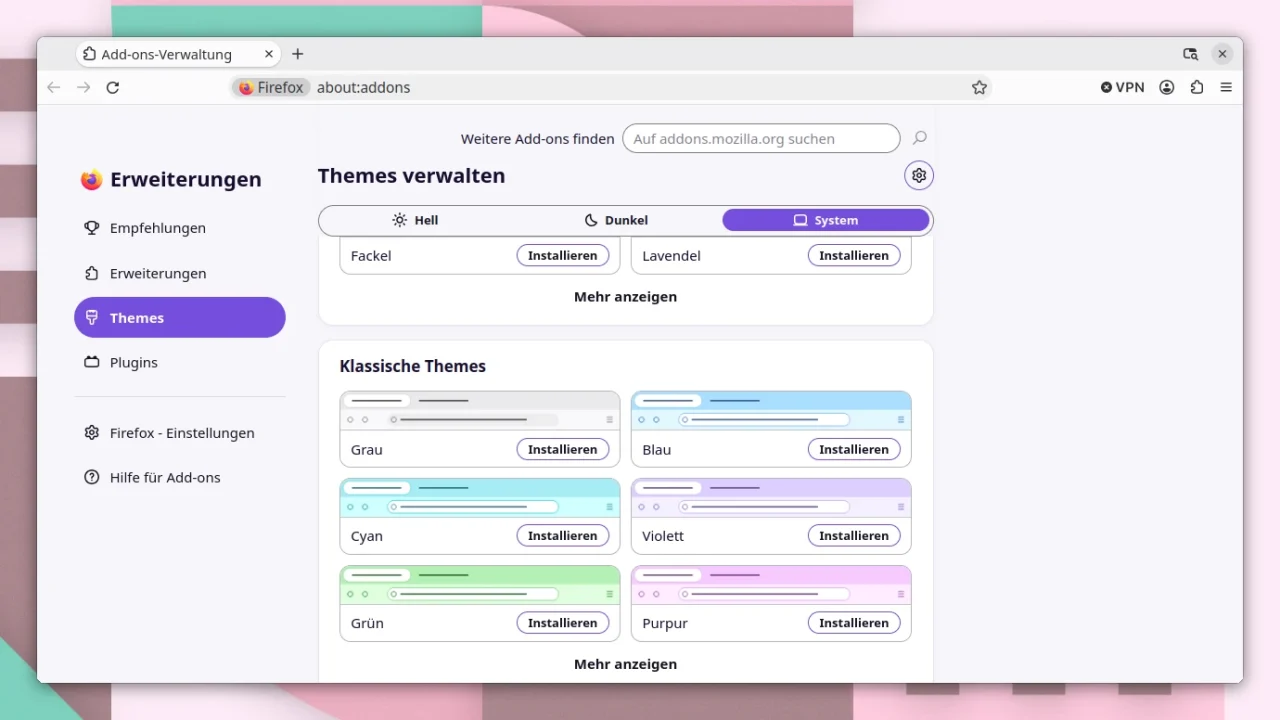
The Themes page in the Add-ons Manager gets a new Classic Themes section: it holds the old Proton design from earlier Firefox versions, a Firefox OLED theme for dark screens, and a handful of solid-color designs. If you’re not a fan of the current look, there’s now a familiar alternative, without having to install an extra GNOME theme for Firefox and maintain it all over again after every major update.
Firefox also now remembers, when importing from Chrome, how often you visited individual pages. That affects the address bar’s suggestions and the shortcuts on the home page: frequently used websites move back up faster. If you’ve just switched from Chrome to Firefox, you’ll notice the difference especially in the first few days after the switch.
Smaller Fixes
Mozilla also fixes a few persistent bugs: in some video calls, Firefox had been transmitting H.264 video at a noticeably low resolution since version 158, that’s working normally again now. Tabs that belonged to a tab group deleted in the meantime are now reliably restored after a restart. And if you type using an input method for, say, Japanese or Korean, Canva Docs no longer swallows your first keystroke.
Availability
On Linux, you’ll get Firefox 161 through your distribution’s package repositories once the maintainers have pulled in the new version. For Arch Linux, openSUSE Tumbleweed, or Fedora that usually takes just a few days; on Ubuntu, the browser ships as a snap straight from Mozilla. A regular system update is all it takes, the built-in update mechanism is disabled for these packages. Debian Stable stays on the ESR release.
sudo apt update && sudo apt full-upgrade   # Debian, Ubuntu, Linux Mint
sudo snap refresh firefox                  # Ubuntu (Snap)
sudo dnf upgrade --refresh                 # Fedora
sudo pacman -Syu                           # Arch Linux
flatpak update org.mozilla.firefox         # Flatpak from Flathub
If you don’t want to wait, grab the Flatpak maintained by Mozilla from Flathub or download the Linux archive from the download page; that version then updates itself. Which version you’re running shows up under Help » About Firefox in the menu. At the same time, the long-term support versions 153.8 ESR and 115.46.0 ESR arrive as well, both with the same current security fixes.
Leave a Reply