
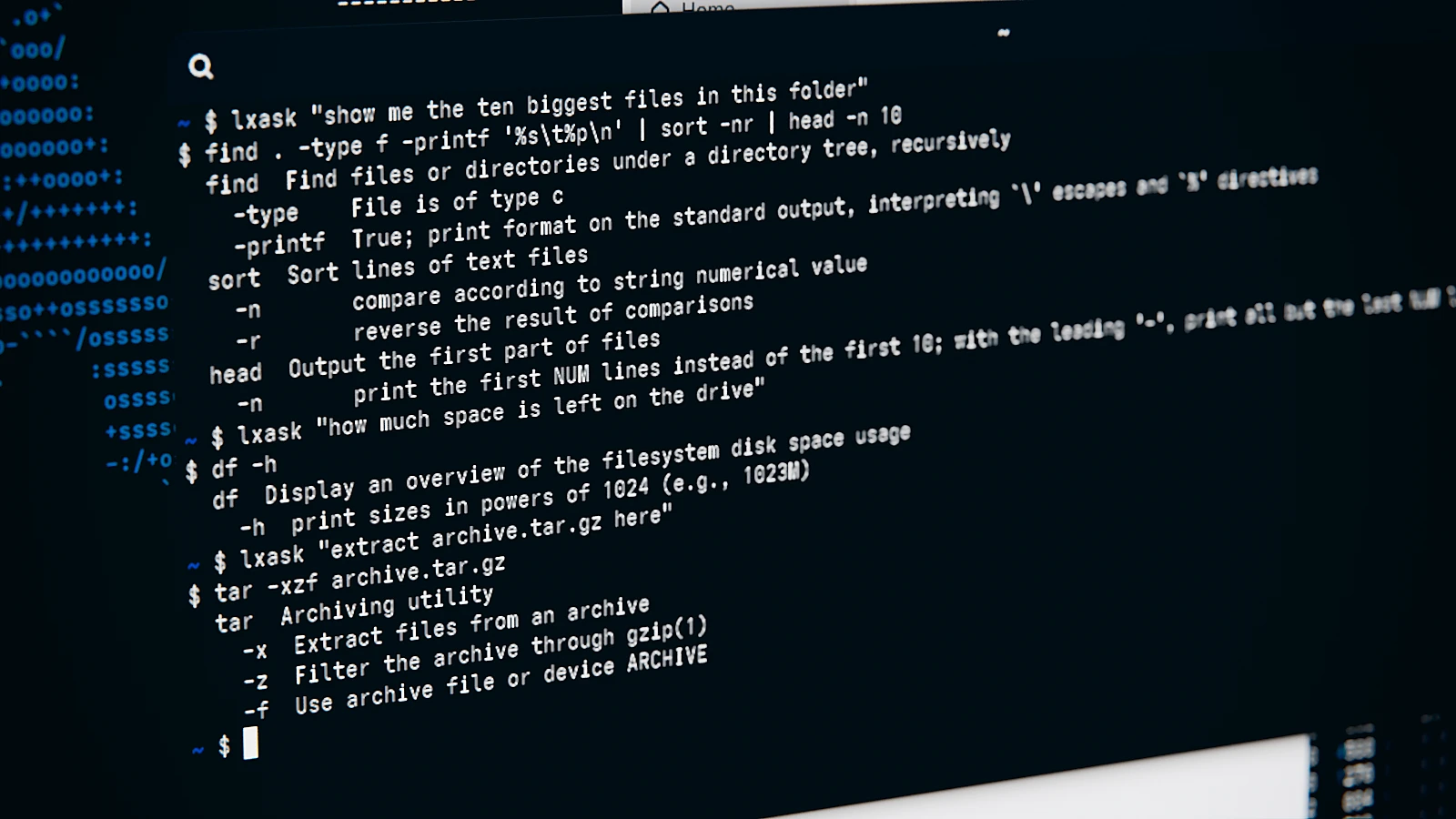
A language model is great for plenty of things. For commands in the terminal, though, I wouldn’t necessarily reach for ChatGPT. A local model on your own drive is more practical – except not everyone has the hardware for it: a machine with plenty of GPU memory can easily cost more than 3,000 euros. llmfit shows you what’s realistic on your own machine. lxask takes a different approach: a small, optimized model that translates everyday language into Linux commands without needing a graphics card at all.
Installation
lxask is built with Rust and llama.cpp and ships with a model trimmed down to 1.5 billion parameters (built on Qwen2.5-Coder, code under the MIT license). According to the project, it needs about 1.1 GB of disk space and up to 1.3 GB of RAM while running, and it doesn’t need root privileges. It runs on x86_64 and ARM64 with a current glibc, so practically any current distribution. I installed it on Arch Linux with the script from the project:
curl -fsSLO https://github.com/arxhr007/lxask/releases/latest/download/install.sh
sh install.sh
The script downloads all the files, checks them against the included checksums, and drops the program into ~/.local/bin/lxask. If you want, the model stays loaded in memory, so answers take about 2 seconds instead of 7. The only thing you have to add yourself is the path – if ~/.local/bin is missing from your PATH, the shell will just tell you “command not found” at first. Here’s how to add it permanently:
echo 'export PATH="$HOME/.local/bin:$PATH"' >> ~/.bashrc
source ~/.bashrc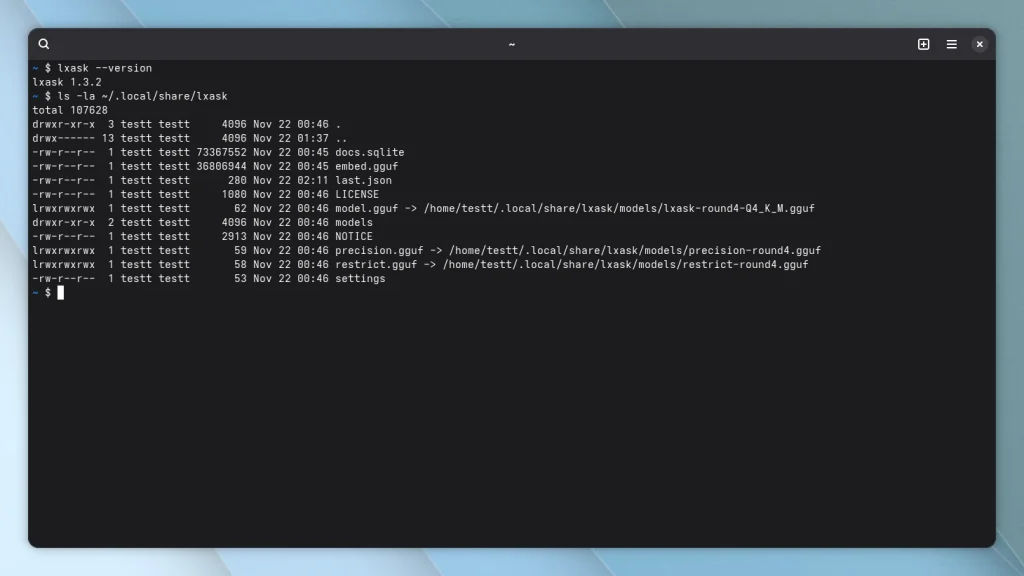
The second neat trick, the Ctrl+G shortcut right on the command line, needs one more line in your shell configuration. Best to make that permanent in ~/.bashrc too:
echo 'eval "$(lxask --shell-init bash)"' >> ~/.bashrc
source ~/.bashrc
The same goes for zsh with ~/.zshrc; fish has its own variant.
Everyday use
I started by giving lxask a few everyday tasks in plain English: finding what’s eating up disk space, searching for PDF files, checking free disk space, and unpacking an archive. Every answer came with a short explanation of the options used – handy if you don’t have every man page memorized. All four suggestions were correct and ready to run as-is:
lxask "show me which folders in my home directory take up the most space"
du -h --max-depth=1 "$HOME" | sort -hr
lxask "find all PDF files in my Downloads folder"
find "$HOME/Downloads" -type f -name '*.pdf'
lxask "how much space is left on the drive"
df -h
lxask "extract archive.tar.gz here in this folder"
tar -xzf archive.tar.gz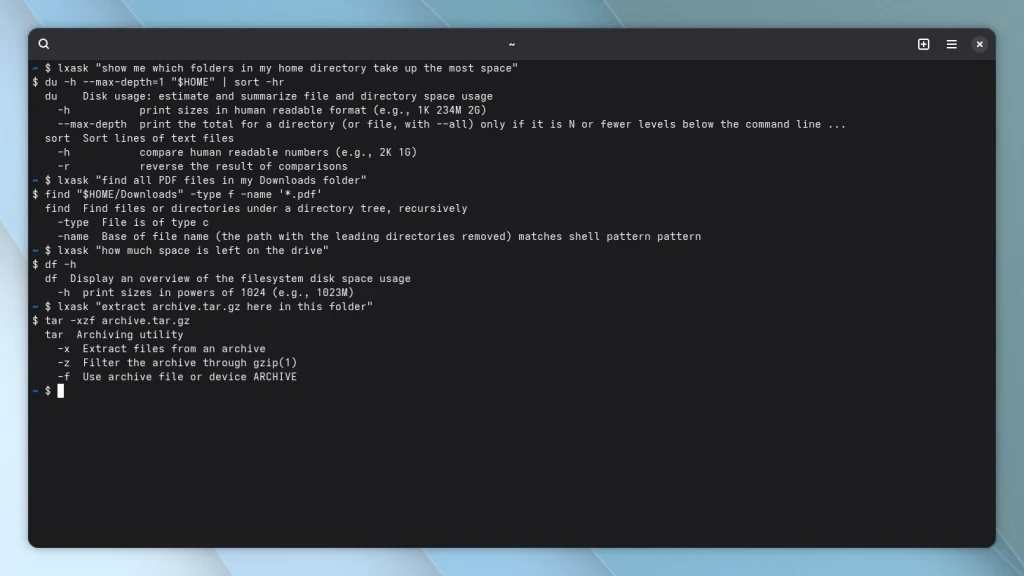
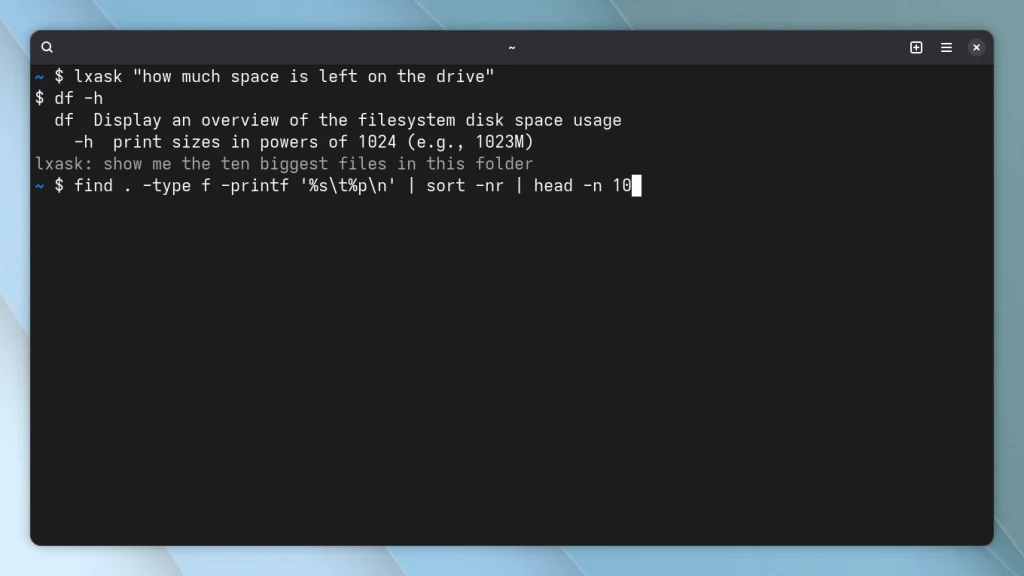
The first answer after installation took around 4.7 seconds on my machine, since the model still had to load. After that it stays in memory, and further answers came back in about 2 seconds – so the numbers from the project description check out. Even more convenient is Ctrl+G: you type your question right on the command line, hit the shortcut, and lxask swaps it for the matching command. If you’re upgrading your shell anyway, my comparison of hstr, fzf, Atuin, and McFly rounds up the right helpers for your command history.
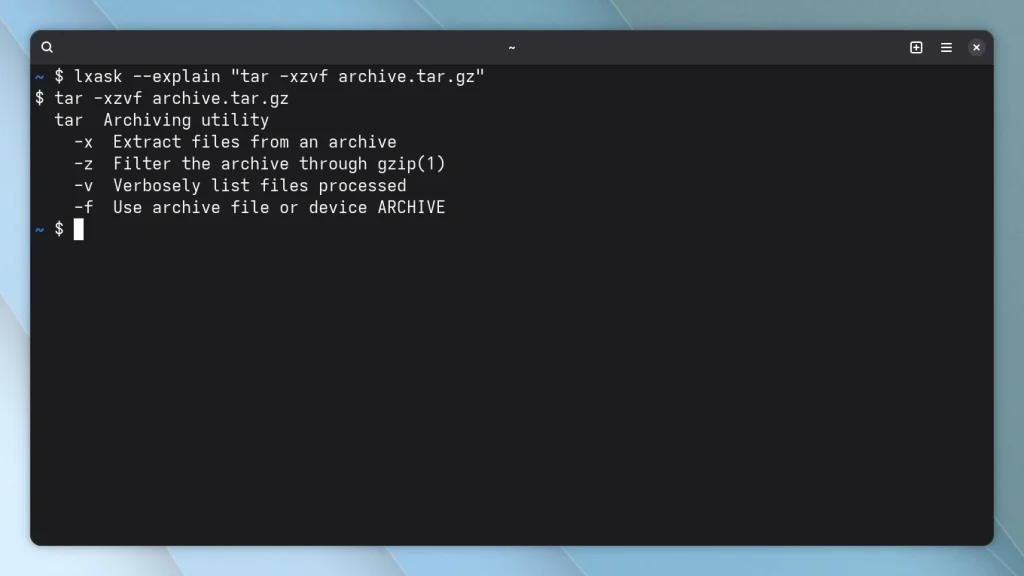
--explain goes the other way: if you’ve got a command from a forum post or your own shell history in front of you, lxask breaks it down into its parts:
lxask --explain "tar -xzvf archive.tar.gz"For this, lxask doesn’t load the language model at all – the explanation showed up in my terminal after about 0.05 seconds. If you want to understand a command you copied from somewhere before you run it, this is a handy complement to the actual translation feature – and the explanations come from man pages and tldr, not from the model.
Where it struggles
According to the project description, lxask is supposed to ask follow-up questions for vague requests and flag uncertain answers. I tried that with four deliberately tricky prompts, and every one of them went wrong in its own way. “Clean this up” got no follow-up question at all – just git clean --dry-run, quietly assuming a Git repository nobody mentioned. Asking it to find large files “without using find” did avoid find this time, but the replacement doesn’t actually work:
lxask "clean this up"
git clean --dry-run
lxask "find all files larger than 100 megabytes, but do not use find for it"
ls --sort=size -1 | awk '$1 > 100*1024*1024 {print}'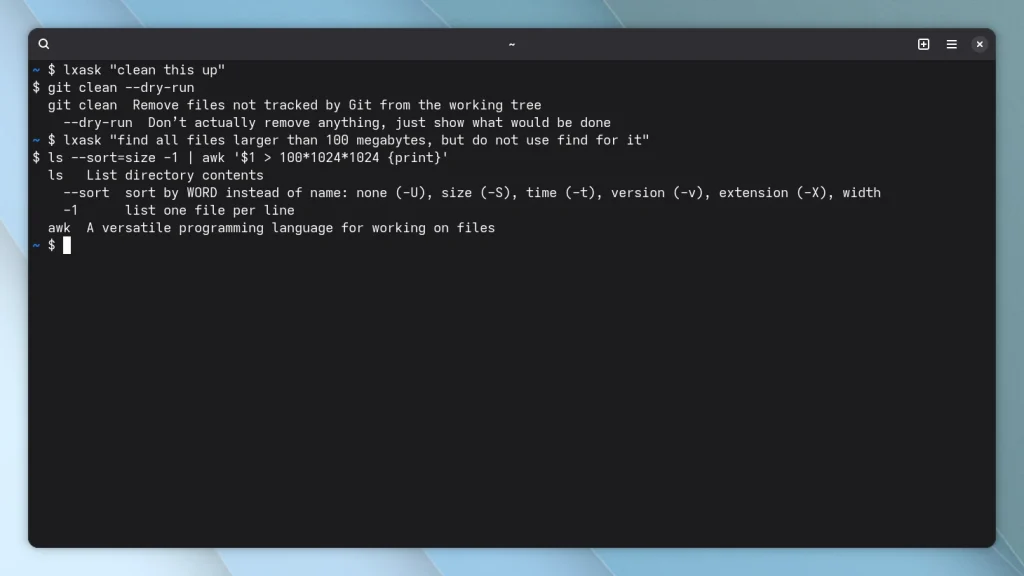
Plain ls -1 doesn’t print file sizes, so the awk condition never actually fires. For a made-up task (“turn off airplane mode on my server”), lxask suggested sudo nmcli radio wifi off– a real command this time, but one that only switches off Wi-Fi, not airplane mode as a whole, and servers rarely have a radio to turn off to begin with. Sorting processes by GPU usage produced an invented ps column yet again. None of these answers came with any kind of uncertainty flag. So, as with any AI tool: read the suggestion before you run it. If you’d rather skip the AI altogether, The Fuck fixes mistyped commands after you’ve already hit enter.
Conclusion
lxask shows that a small local model is enough for Linux commands, as long as the tasks come from everyday life: finding disk space, searching for files, unpacking archives. That worked for me without a graphics card, without a network connection, and with answers in about two seconds. That’s exactly what makes it interesting for anyone who doesn’t have a 3,000-euro machine under their desk but still doesn’t want to send their commands to the cloud.
Still, you shouldn’t trust lxask blindly. With vague or unusual requests, it makes up commands and options without warning you. If you know your way around a shell and give the suggestion a quick read, Ctrl+G and --explain make for a fast helper. For newcomers especially, --explain is a real win, since its explanations come straight from the man pages.
Leave a Reply