
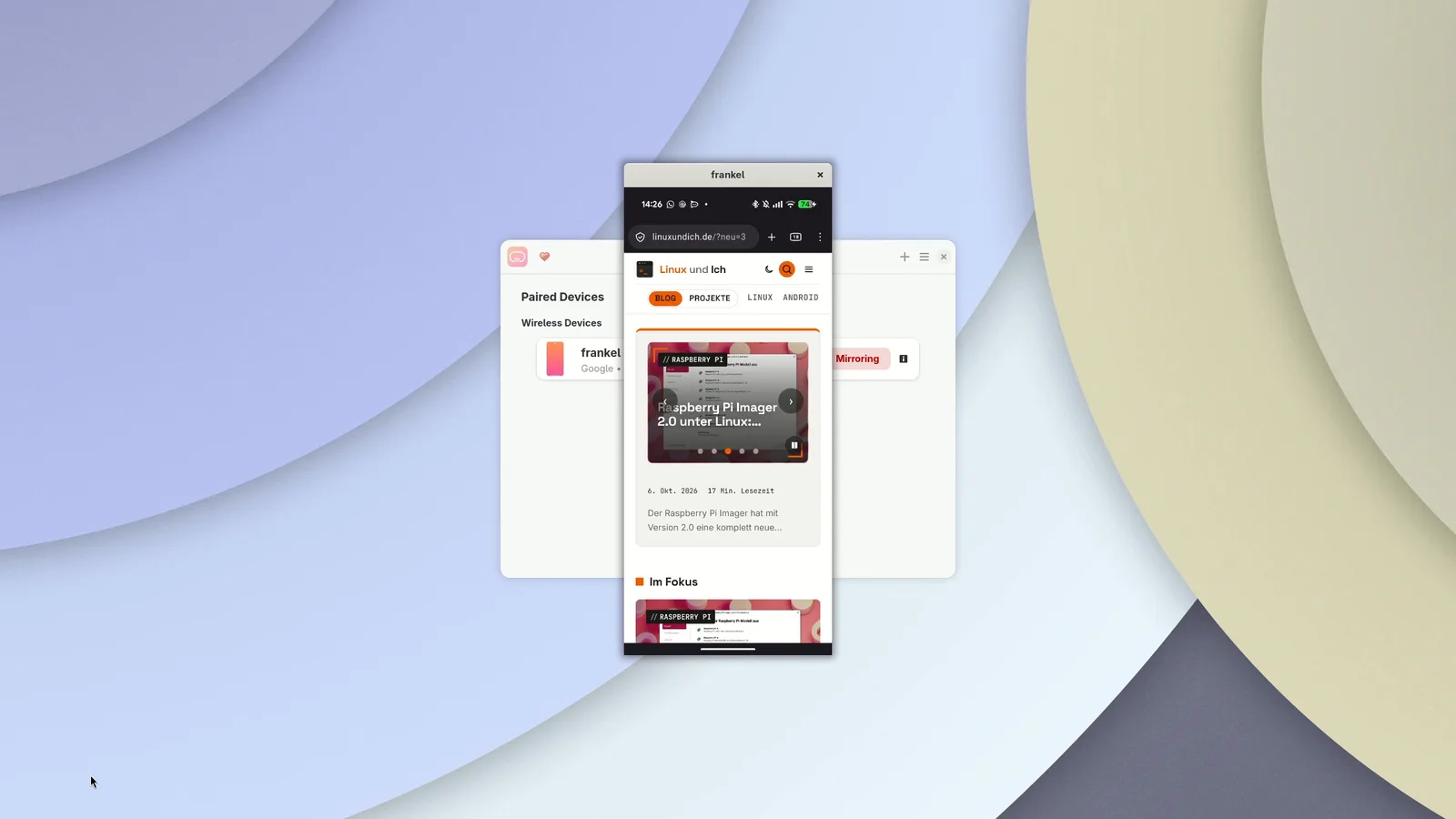
If you want to mirror your Android phone on a Linux desktop, you sooner or later end up at scrcpy. The free program from Genymobile shows the phone screen in a window and lets you control it with your mouse and keyboard, no root required. Version 5.0 has been out since October 5, and it brings a feature many people have been waiting for: hardware decoding.
Until now, the CPU unpacked the entire video stream from the phone. With scrcpy 5.0, the GPU takes over, on Linux via VA-API. The change only affects the computer side, not the phone. The scrcpy 5.0 release notes promise ten times less CPU load. OMG! Ubuntu has covered the release as well, and there is a thread about it in the r/Android subreddit on Reddit.
Hardware decoding is active out of the box, no extra switch needed. scrcpy picks the first suitable decoder itself and falls back to software otherwise. If you want to step in, the documentation points you to --hwdec, for example with auto, vaapi or disabled. There are also a few smaller changes: audio capture mode now grabs all sources, ANDROID_SERIAL works in OTG mode, and Shift and AltGr no longer get lost in UHID mode.
Windows users get native ARM64 builds for the first time. That does not matter on Linux, where the graphics side counts. On my machine, scrcpy 5.0 just arrived as an update on my Arch notebook, a quick sudo pacman -Syu is all it takes. If you have not installed the program yet, grab the scrcpy package from Arch Linux with sudo pacman -S scrcpy. The source code lives in the scrcpy GitHub repository.
scrcpy
Mirrors Android devices to the Linux desktop over USB or Wi-Fi and lets you control them with mouse and keyboard – no root needed.
- Version
- 5.0
- License
- Apache-2.0
- Tested with
- Arch Linux, Pixel 10 with Android 17, Intel Iris Xe
- Project
- Source code
Installation
sudo pacman -S scrcpy
Does hardware decoding really work?
For VA-API to have anything to do, you need a matching driver on your computer. On Intel that is intel-media-driver, on AMD Mesa is enough. What the ArchWiki says about hardware video acceleration applies one to one here, and the driver details are explained there. My machine has an Intel Iris Xe, and at startup scrcpy dutifully reports that it uses VA-API:
INFO: Interop: vaapi
INFO: Video decoding: vaapi
INFO: Texture (VA-API): 1080x2424
I wanted to know more and connected the Pixel 10 via USB. While scrcpy was running, I scrolled the screen up and down six times and measured the CPU time used by the scrcpy process. With --hwdec=disabled it was about 2.9 seconds, with --hwdec=auto only 0.37 seconds. That is roughly a factor of eight. I ran the test twice with the same result, and the stream was capped at 60 FPS.
Aurynk: scrcpy with a graphical interface
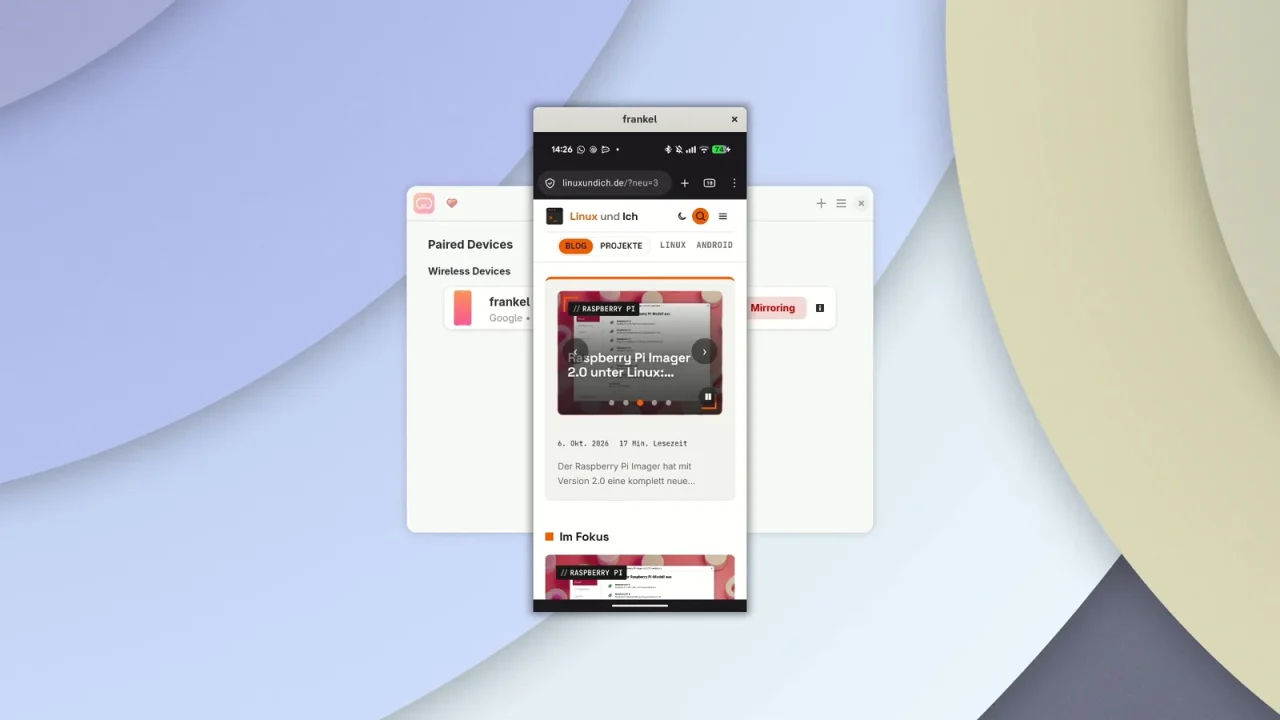
If you do not like typing command-line parameters, Aurynk offers a pretty interface. The GTK4 app with its libadwaita look (source code on GitHub) pairs Android devices via wireless debugging, shows technical details and starts scrcpy at the push of a button. It is available on Flathub, and installation works the usual way:
flatpak install flathub io.github.IshuSinghSE.aurynk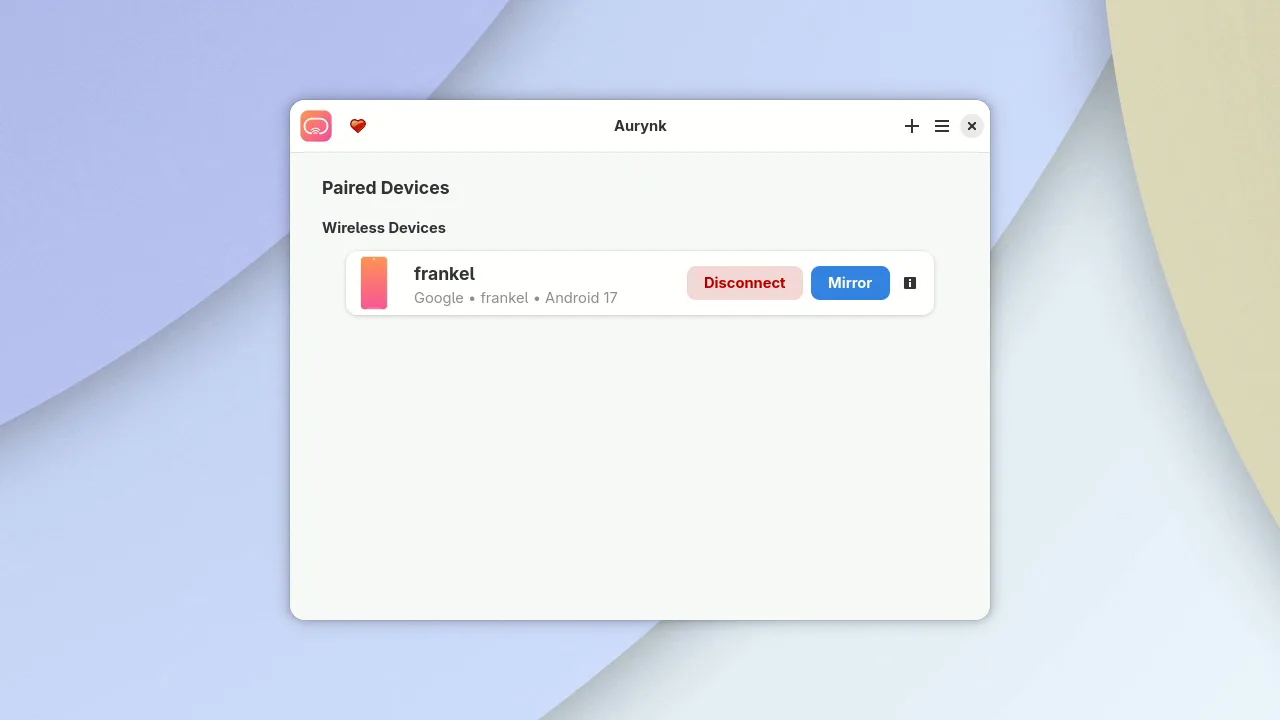
To pair, open the developer options on your phone and turn on wireless debugging. Aurynk offers two ways to connect: a QR code that you scan with your phone, or entering the IP address, port and six-digit pairing code by hand. I went with the manual route. Afterwards, Aurynk shows the name, Android version, RAM, storage and battery level of the device.
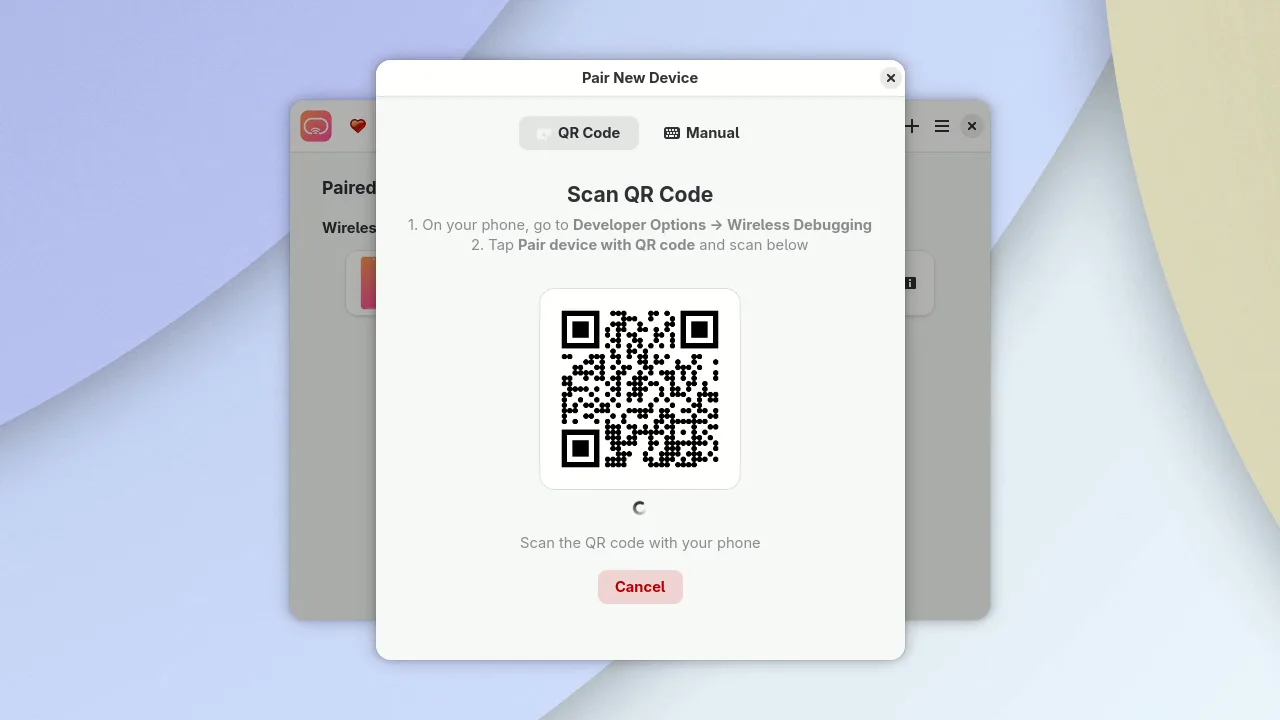
It did not go entirely smoothly for me, though. After pairing, Aurynk reported that it could not find the connection port automatically and did not show the device. A workaround helped: I first set up the connection to the phone with adb connect and then paired again in Aurynk with a fresh code. After that, the Pixel showed up in the list.
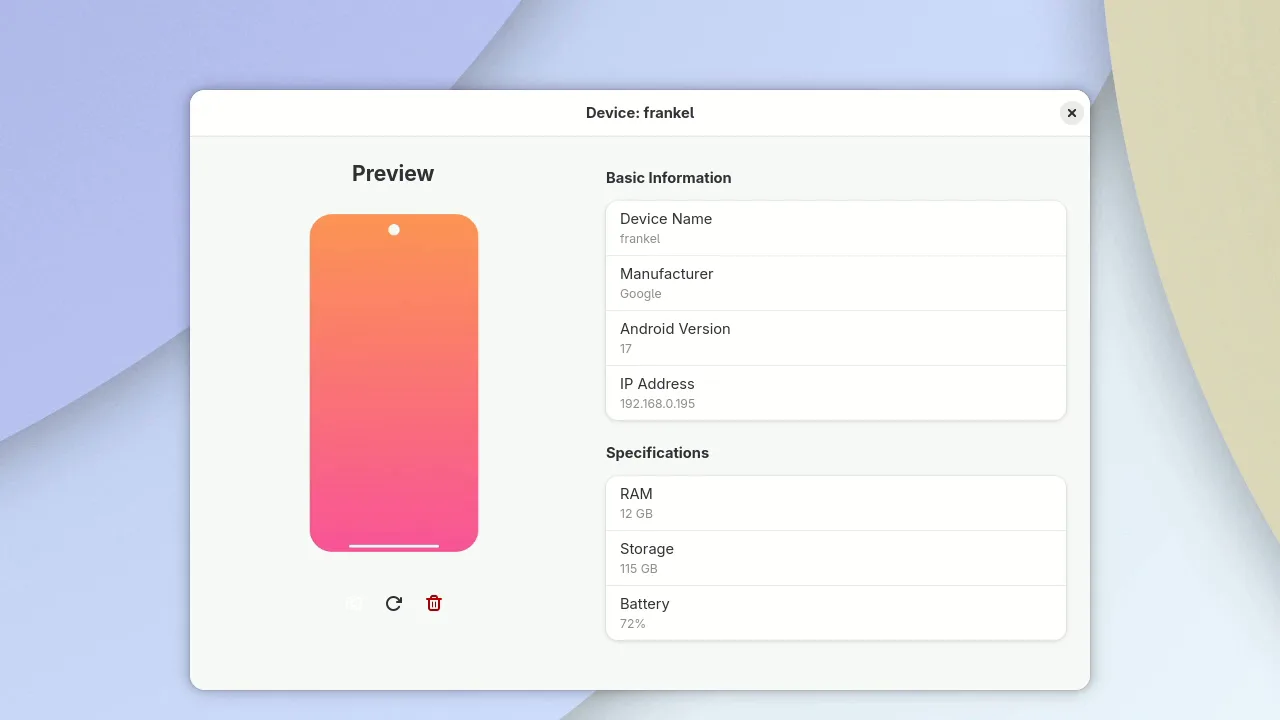
One catch remains: the Flatpak ships its own scrcpy, and that is version 3.3.3. So Aurynk does not benefit from the new hardware decoding for now. That will change as soon as the developer updates the package. If you want to use 5.0 right away, start scrcpy from the Arch package directly in the terminal. The mirroring itself works flawlessly in Aurynk anyway.
Desktop mode: multitasking on the Pixel
With --new-display, scrcpy creates a virtual display on the phone and shows it as its own window. I tried scrcpy --new-display=1920x1080/160 on the Pixel 10 running Android 17. The result is a desktop with a taskbar. Apps only open there as windows if you start them with adb shell am start --display 37 --windowingMode 5. The 37 is the ID that scrcpy reports at startup.
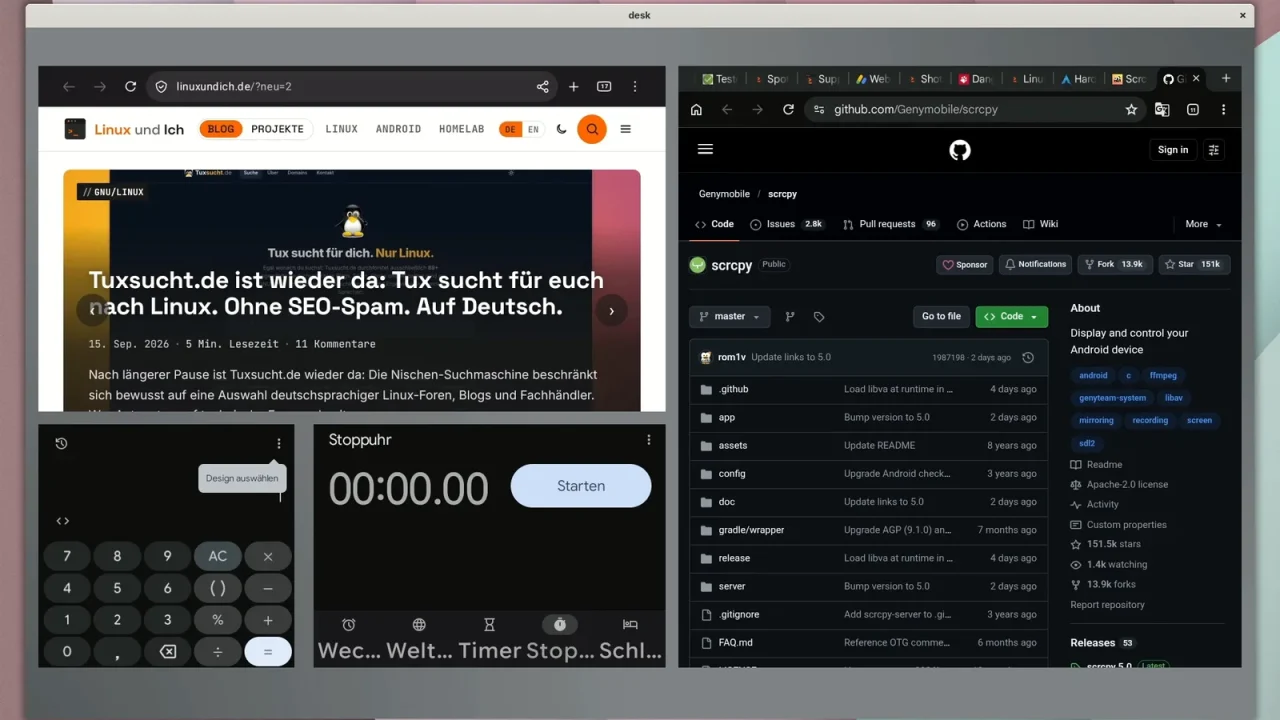
Inside the window, a browser, calculator and stopwatch now run next to each other, freely movable like on a normal desktop. Multiple screens work too: a second scrcpy instance got its own virtual display, and both ran in parallel. The windows did start out in phone portrait format, though, so I resized them with am task resize. It does not work entirely without fiddling around.
A few tips from the Reddit discussion are worth a look as well: --turn-screen-off switches off the phone display, --stay-awake keeps it awake so the phone does not lock and drop the connection, and --video-codec=h265 uses the more efficient codec. On my machine, the CPU time with H.265 and hardware decoding was 0.39 seconds, without it 3.5 seconds. Commenters even use scrcpy to rescue data from a phone with a broken touchscreen.
One catch came up several times in the discussion: with developer options enabled, some banking apps refuse to work. One commenter writes that Android 17 QPR1 prevents this check on Pixel devices. I have not tested that. Others use the Geto app, which switches off developer options per app, but that breaks the ADB connection. If you need this, test it with your own banking app first.
By the way, controlling a smartphone from the desktop is no new trick. Back in 2010 I used a Java program from the xda forum for it (in German), and in 2014 android-scrot took screenshots via adb from the terminal (in German). If you treat your Android device as half a Linux computer anyway, I also recommend the overview of the new Linux VM for Android (in German).
My take: if you use scrcpy on Arch, check the startup message once after the update. If it says “Video decoding: vaapi”, CPU load drops noticeably, which is good for the battery, especially on notebooks. Aurynk is a nice helper for everyone who does not like typing in the terminal. Do you mirror your phone with scrcpy or with another solution?
Leave a Reply