
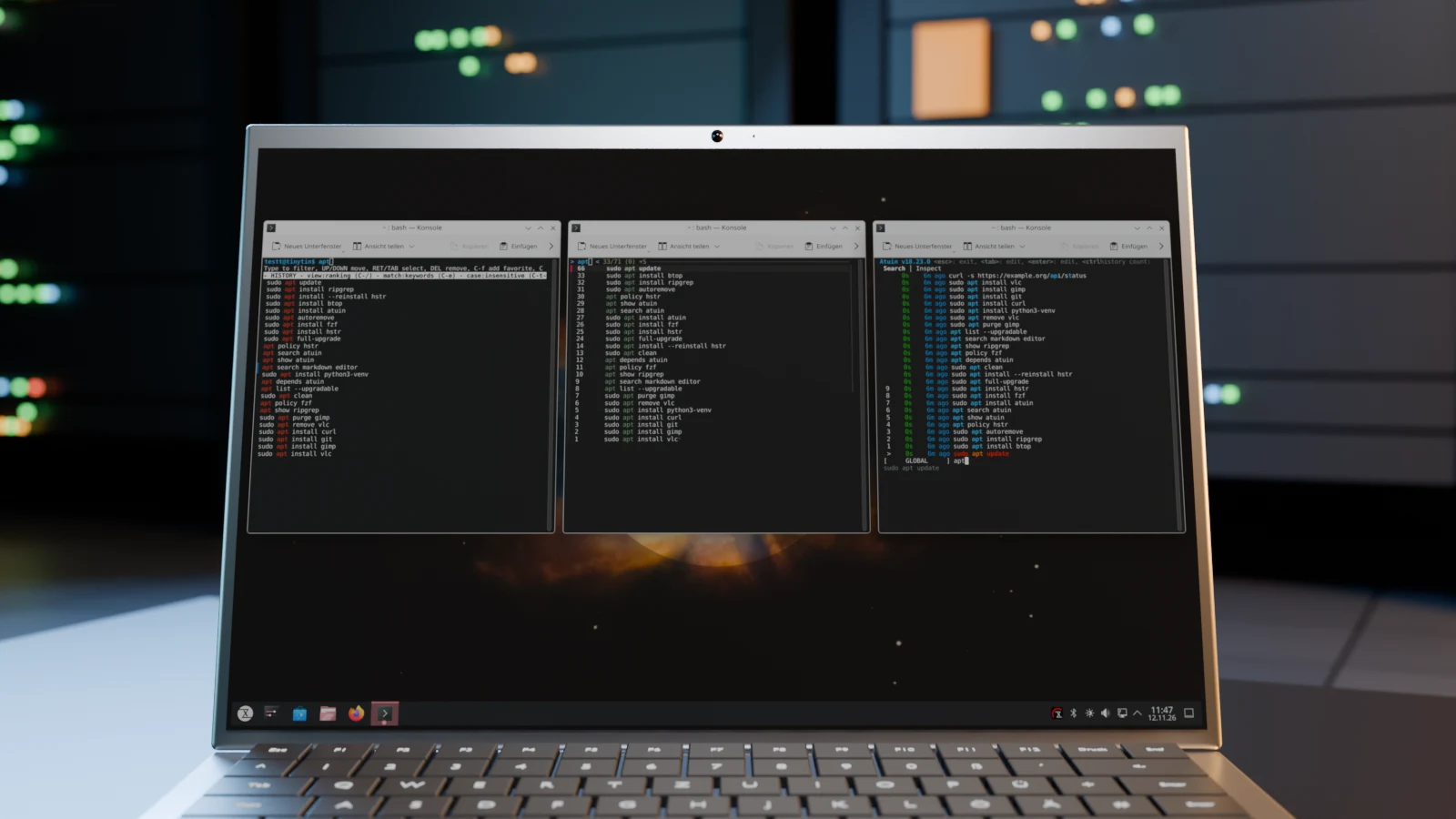
Searching with Ctrl+R shows only one match at a time and leaves you guessing whether the command you want is still to come. Four tools replace it with a list of matches: hstr, fzf, Atuin and McFly. They differ in what they store on top of the command, how they sort, and whether they can sync your history between several machines.
I introduced the BASH History Suggest Box (in German), today’s hstr, in 2014 on the blog and in LinuxUser (in German). Since then, the setup under current kernels has changed, and with Atuin and McFly there are tools that keep a database of their own. In my testing, all four ran under TUXEDO OS; the screenshots show the search for apt in the same demo history.
Built-in tools for a start
Bash already ships something: Ctrl+R starts the reverse search, and every further press jumps to the next, older match. That works everywhere, even on a server over SSH. Debian and TUXEDO OS, however, only remember 1,000 commands in memory and 2,000 in ~/.bash_history. You can raise the values HISTSIZE and HISTFILESIZE in ~/.bashrc.
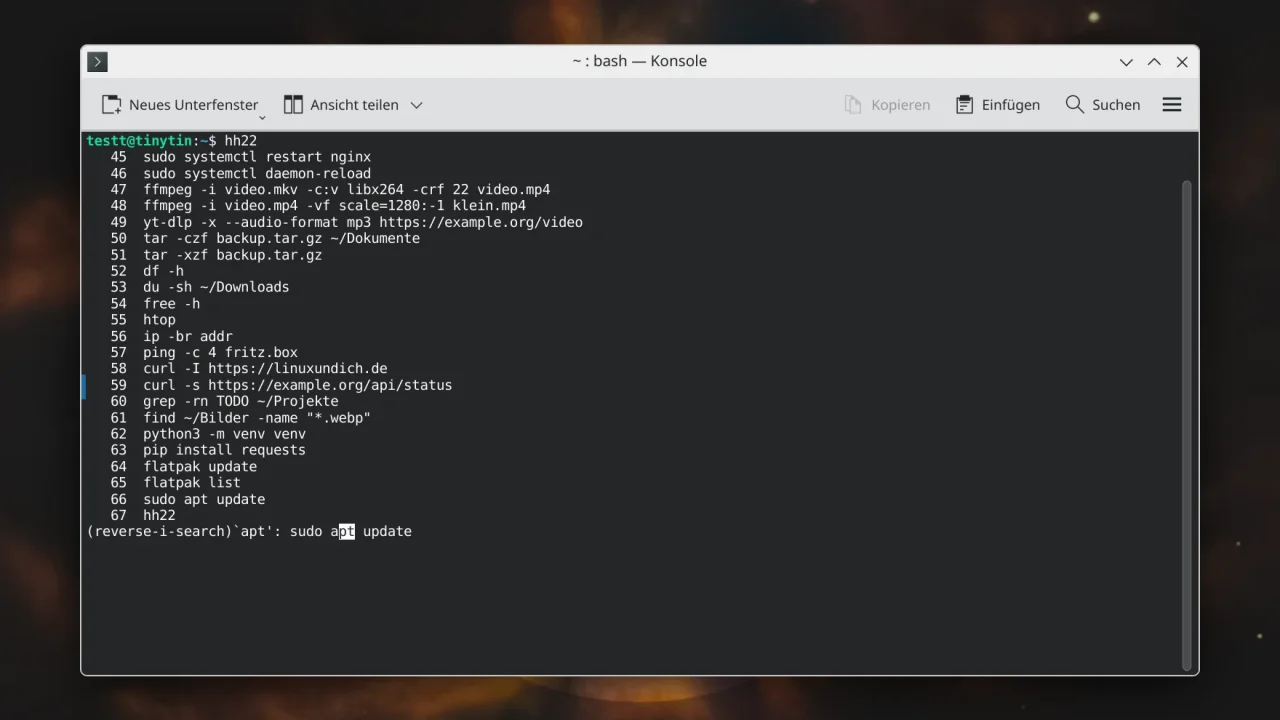
Two lines in ~/.inputrc turn the arrow keys into a prefix search. If you then type git and press Up, the last command that starts with git appears. That is enough for many people. If you search for a word in the middle of a command, such as a server name, you need one of the following tools.
"\e[A": history-search-backward
"\e[B": history-search-forward
hstr: a match list with a delete function
hstr (short for HiSToRy) opens a list of all matches on Ctrl+R. Use Up and Down to choose, Tab copies the entry to the command line for editing, Del removes it from the history. That helps if you ever typed a password instead of a command. Ctrl+F marks favorites, Ctrl+/ switches the view and Ctrl+E the search mode, for example to exact matches or regular expressions.
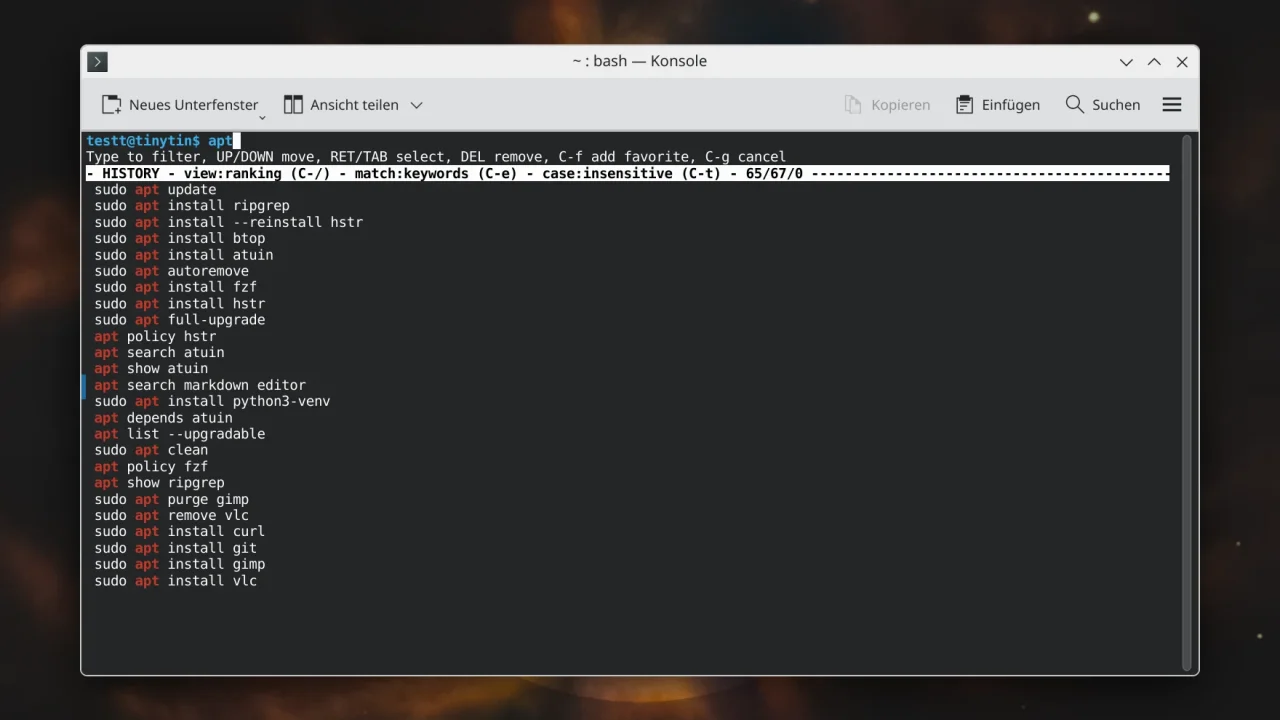
In Debian, Ubuntu and TUXEDO OS, hstr is in the repositories; on Arch Linux it is in the AUR. The program writes the matching settings into ~/.bashrc itself. After that, Ctrl+R opens the list, and Bash syncs the history with the file after every command.
sudo apt install hstr
hstr --show-configuration >> ~/.bashrc
source ~/.bashrc
Since version 3.0, hstr no longer uses the TIOCSTI system call, which current kernels mostly disable. In return, Enter only copies the command to the command line; a second press runs it. If you run hstr --show-configuration without a terminal, for example over SSH, an error message ends up in the output and thus in your ~/.bashrc. Version 3.3 fixes that, while Debian still ships 3.1.
On Arch Linux, the build of 3.3 failed at the checksum comparison. The tarball contains the same source code; only the folder name inside the archive differs, because upstream renamed the tag. Deleting the cached file fixes it, after which yay downloads the tarball again.
rm ~/.cache/yay/hstr/hstr-3.3.tar.gzfzf: fuzzy search for everything
fzf is a general-purpose fuzzy finder and ships a script for Bash. It takes over Ctrl+R for the history and Ctrl+T for files. The search is fuzzy: the letters you type only have to appear in that order in the command. That is why apt also returns curl and tar. A leading single quote searches for an exact match. The package is available in Debian, Ubuntu, TUXEDO OS and Arch Linux.
sudo apt install fzf
echo 'eval "$(fzf --bash)"' >> ~/.bashrc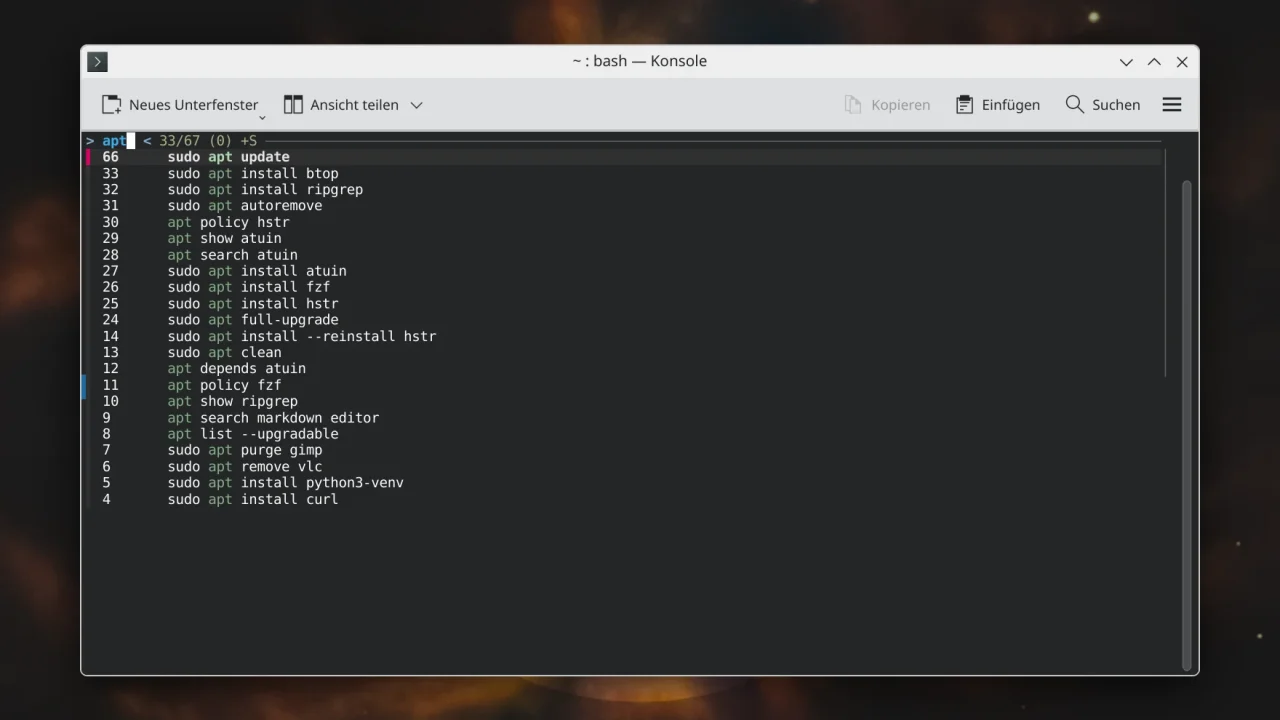
What fzf lacks compared to hstr is a way to delete an entry from the history, and favorites. If you already use fzf, you get a history search for free. If you want more, take a look at Atuin.
Atuin: the history as a database
Atuin replaces the text file with an SQLite database and stores the time, duration, exit code and directory for every command. That lets you narrow the search to a project directory, a session or a machine. Inside the interface, Ctrl+R switches between the filters. Atuin is in the repositories of Debian, Ubuntu, TUXEDO OS and Arch Linux.
sudo apt install atuin
atuin import bash
echo 'eval "$(atuin init bash)"' >> ~/.bashrc
The import takes over your existing history. The line in ~/.bashrc puts Atuin on Ctrl+R and the Up key, which you can turn off. The interface fills the whole terminal; it gets more compact with inline_height = 10 in the file ~/.config/atuin/config.toml.
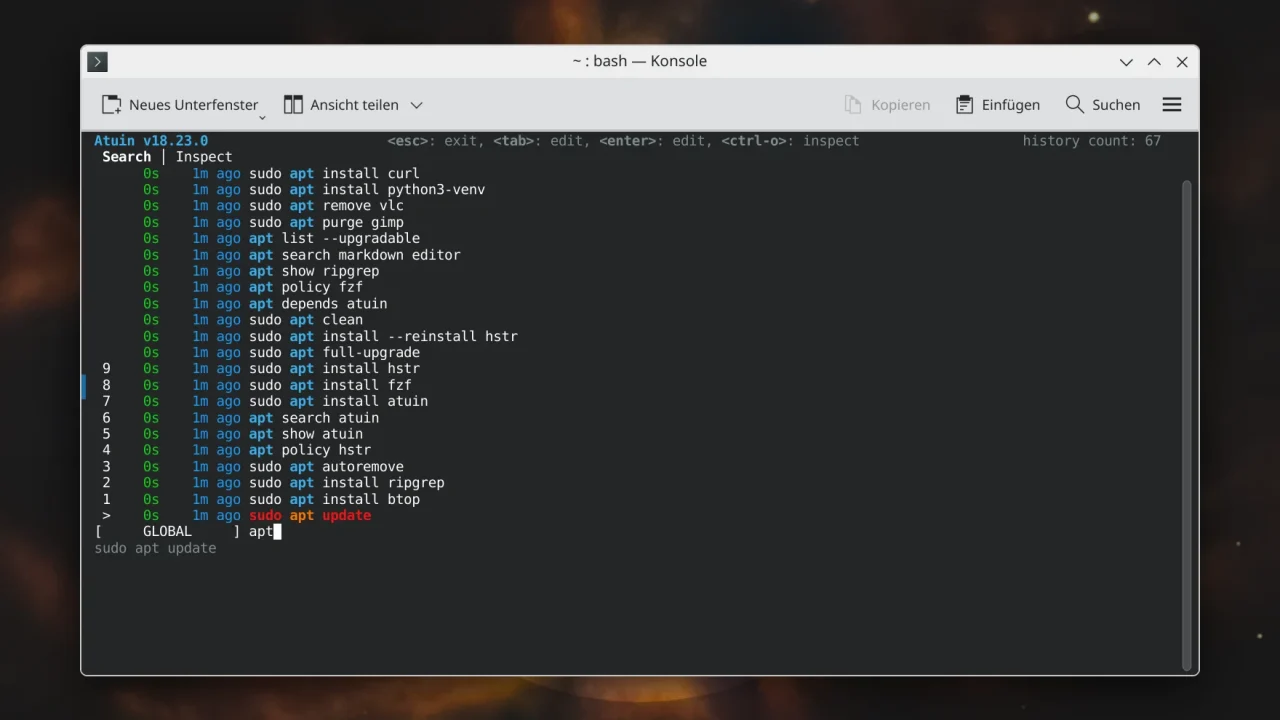
The strongest argument for Atuin is the sync. It can compare your history between machines, end-to-end encrypted, through the project’s service or through a server of your own. In my testing, a server of my own ran fine: the atuin-server package is enough, and SQLite is sufficient as the database. The server reads its settings from ~/.config/atuin/server.toml, and the clients get its address in their config.toml.
host = "0.0.0.0"
port = 8888
open_registration = true
db_uri = "sqlite:///home/user/atuin-server/atuin.db"sync_address = "http://server:8888"On the first machine, atuin register creates an account and atuin key shows the key. On the second one, atuin login signs in with that key, after which atuin sync does the comparison. In my testing, commands arrived in both directions, with the machine name in the list. In the server’s database, none of them showed up in plain text. Without TLS, the server belongs in your home network only; otherwise put it behind a reverse proxy.
Fedora 44 ships Atuin 18.12.1, while the server and the other machine ran 18.23. The older client could not read their entries (“unknown history version v2”) and stayed empty. Only the current release 18.24.6 from GitHub synced. All your machines should therefore run the same, preferably recent, version.
Atuin filters commands containing passwords through secrets_filter, but I would not rely on it. A space before the command is more reliable: according to the documentation, Atuin honors the ignorespace convention, and such commands do not end up in the database.
McFly: sorting by directory
McFly replaces Ctrl+R as well and, according to the project page, sorts the matches with a small neural network that takes into account, among other things, the current directory and the commands run most recently. On Arch Linux it is in extra. It is missing from the TUXEDO OS repositories, but in my testing the finished archive from GitHub did the job. The single file goes to ~/.local/bin, and you do not need root rights.
tar -xzf mcfly-v0.9.4-x86_64-unknown-linux-musl.tar.gz
cp mcfly ~/.local/bin/
echo 'eval "$(mcfly init bash)"' >> ~/.bashrc
On first start, McFly takes over your ~/.bash_history. A bar at the top lists the keys: Esc quits, Enter runs, Tab takes the match over for editing, F1 switches the sort order, F2 deletes an entry, F3 shows matches from all directories. The MCFLY_RESULTS variable controls how long the list is.
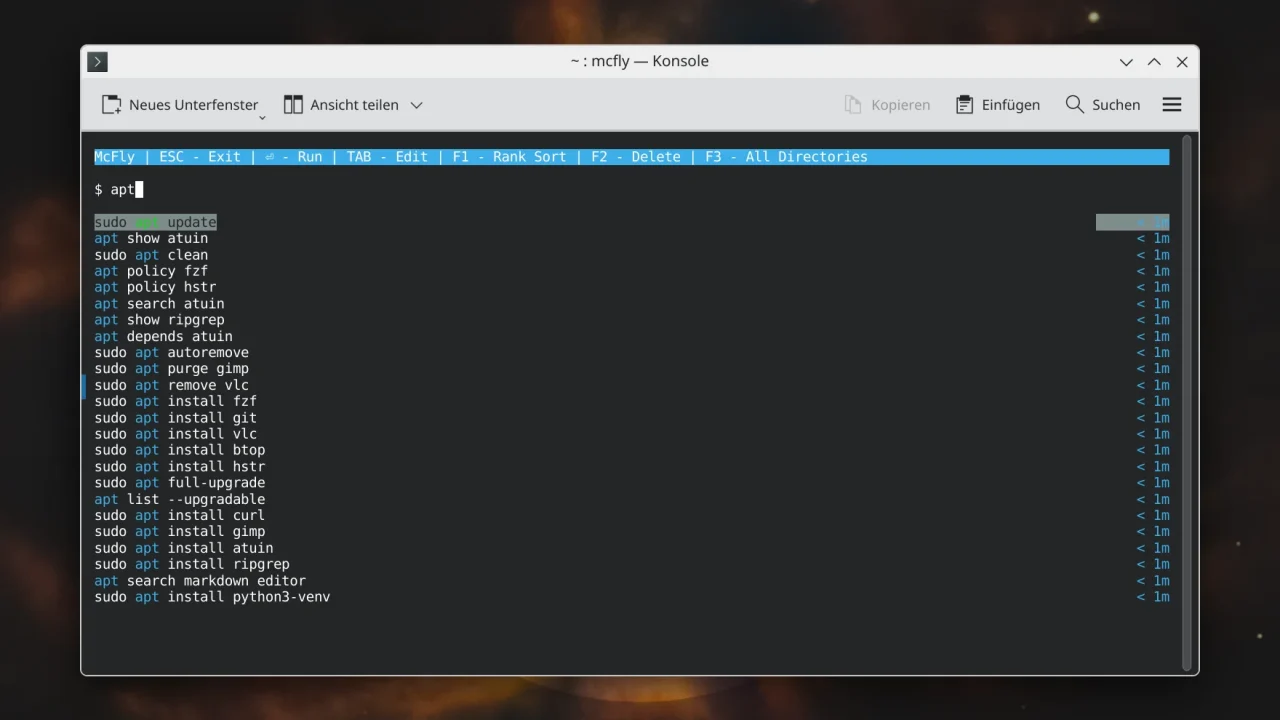
The interface is clearer than Atuin’s. How well the sorting by directory works cannot be judged with a demo history; the network needs real habits for that. Unlike Atuin, McFly does not come with a sync service, according to its developers.
Which tool for whom?
If the built-in tools with prefix search are enough for you, you do not have to install anything. hstr offers a simple list with a delete function and favorites, but its package versions differ between distributions (Debian 3.1, Arch 3.3). If you already use fzf, you get the history search along with it. McFly fits if you do not need sync and like sorting by directory.
In my opinion, Atuin is mainly worth it once you look after more than one machine or want to know afterwards where you ran a command. In return, it is also the most extensive of the four tools. Import your old history and see after a week whether you still fall back on Ctrl+R.
Which solution do you use for your Bash history? Is the search in Bash enough for you, or have you replaced hstr? Let me know in the comments.


Leave a Reply