
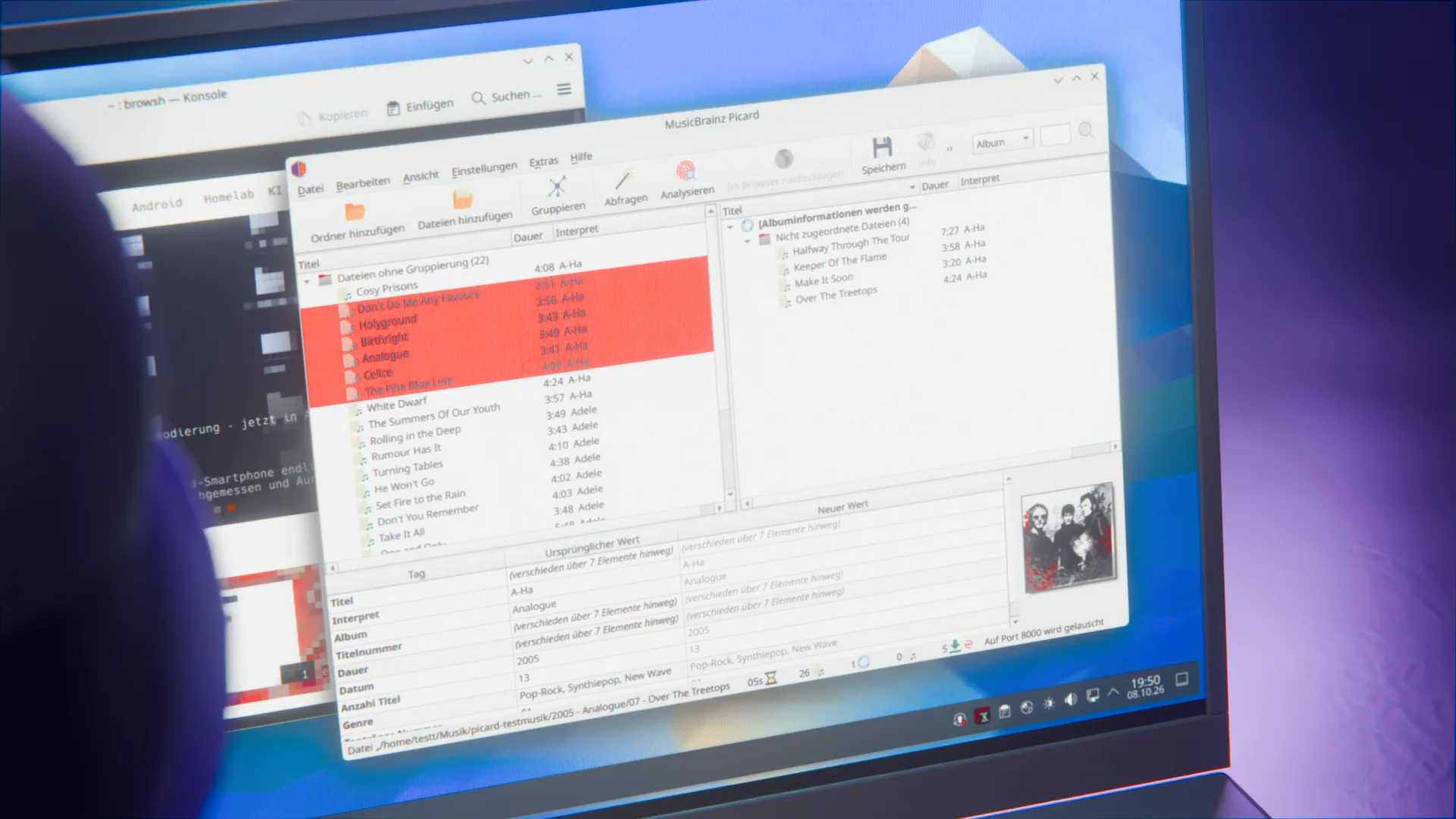
If you want your music collection tagged properly, you will hardly get around Picard. The tag editor from the MusicBrainz project matches your files against the database and writes artist, album, cover art and the rest back into the tags. On October 4, the developers released Picard 3.0. According to the announcement, it took almost three years of work, starting in late 2023 with the move to PyQt6: 687 merged pull requests, nearly 6,800 commits and contributions from more than 100 people.
Qt6 and a wizard for the first start
The biggest change under the hood: Picard 3 uses Qt6 instead of Qt5. That brings better scaling on high-resolution displays and a dark mode on all platforms, and switching between modes no longer needs a restart. On Linux, the project lists Qt 6.6 and Python 3.10 or newer as requirements. If you are on an older system, you stay with Picard 2, which is supposed to get at least one more maintenance release.
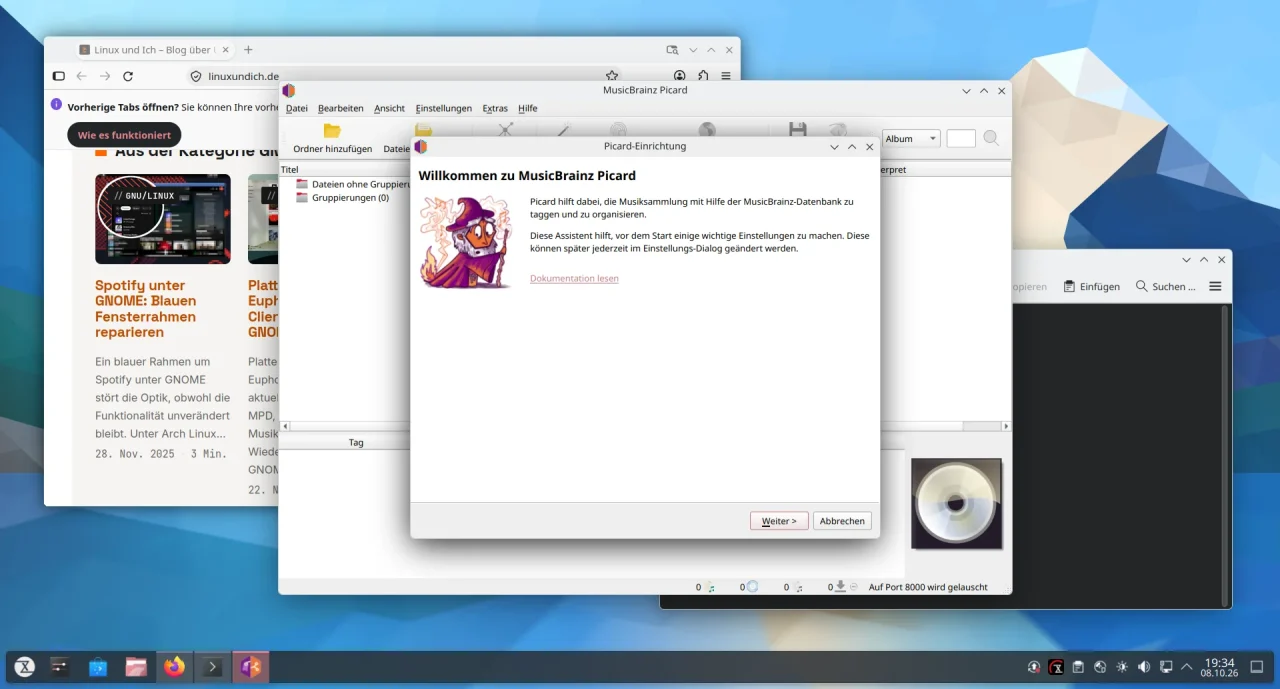
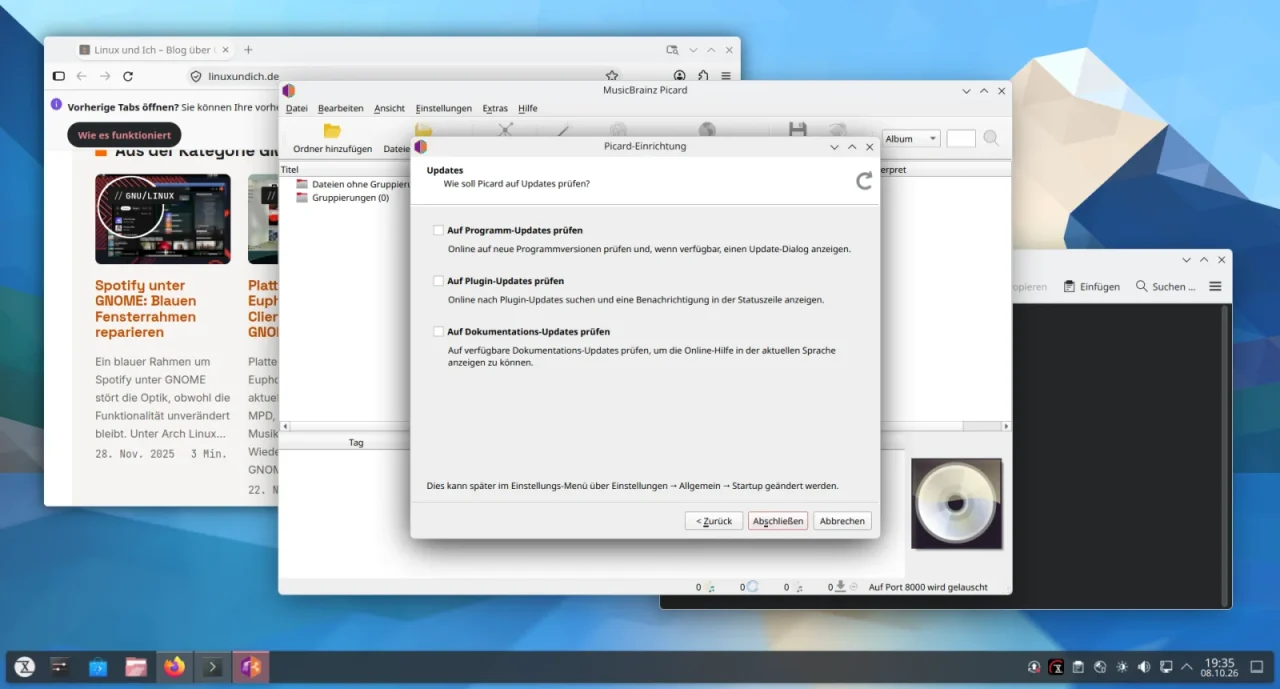
There is also a setup wizard on first launch. Among other things, it asks whether Picard should rename and move files when saving, and how it should handle update checks. On top of that, small tutorial hints pop up the first time you load files or cluster them. You can turn both off in the settings.
The new plugin system
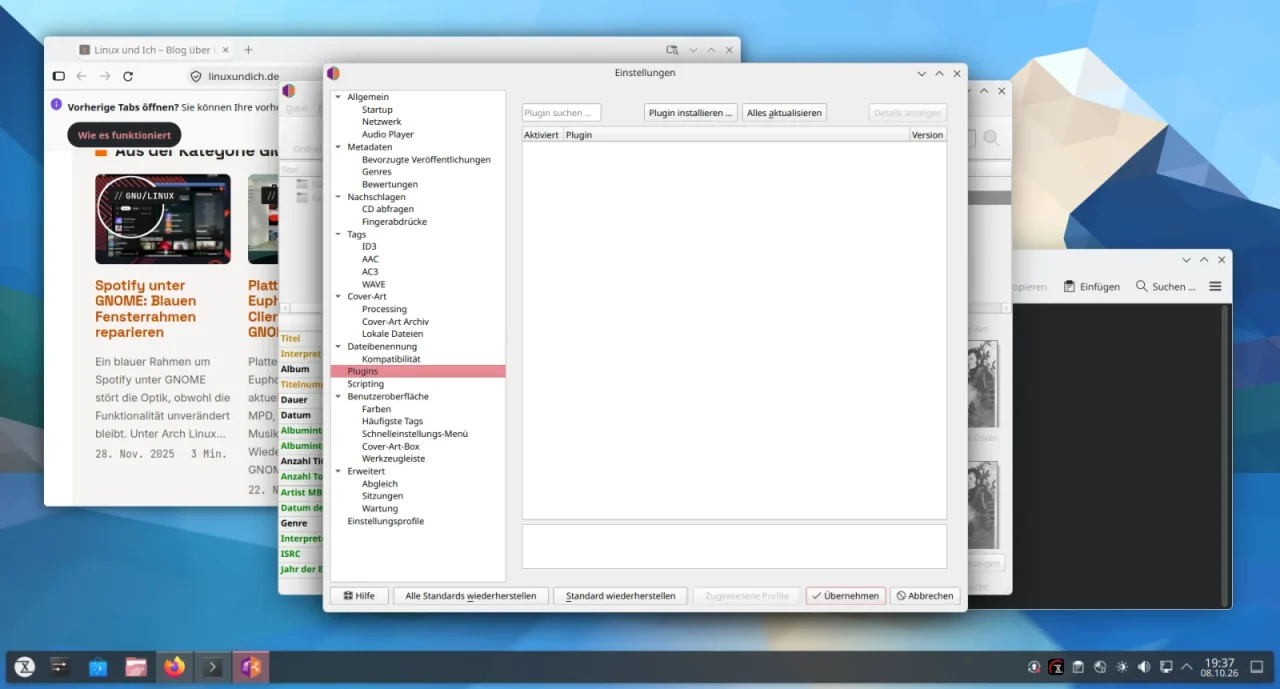
The most far-reaching change concerns extensions. Plugins now need a MANIFEST.toml, are versioned with Git and can be installed from a central registry, from third-party Git repositories or from a local folder. There are trust levels from official to untrusted, and plugins with security problems can be blocked centrally. About 30 plugins are supposed to be ready at launch, some ported, some new.
The catch: plugins from Picard 2 no longer work. Not all of them have been ported yet, so if you miss one, you can ask for it in the forum. By the way, the plugin list in the settings is empty at first. A click on “Install Plugin” gets you to the available extensions.
Sessions, profiles and cover art
You can save your workspace as a session and restore it later, including file assignments and manual edits. Option profiles can be exported and imported, with credentials left out. You can also define your own columns with scripts, filter lists and copy several tags at once.
For cover images, Picard can discard images below a minimum size, scale them automatically or convert them to a specific format. All of this goes back to a Google Summer of Code project from 2024.
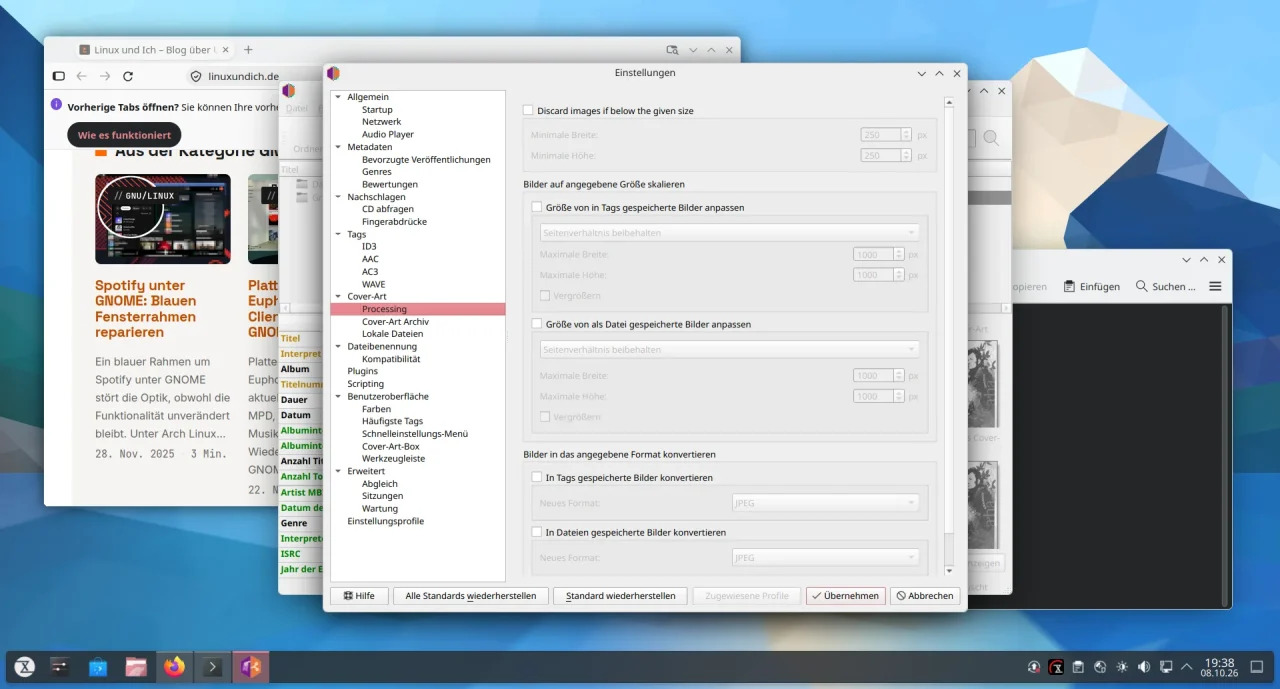
More new features according to the announcement:
- A reworked algorithm for matching releases, and a “Match” column that sorts by match quality.
- The built-in player supports MPRIS2 and can submit listens to ListenBrainz.
- Initial support for synchronized lyrics in LRC format via the
syncedlyricstag. - ISRCs can be read from CDs and submitted to MusicBrainz.
- The new command-line tool
picard-climanages plugins and profiles.
How does Picard 3 do in practice?
I tried Picard 3.0.1 in a TUXEDO OS VM, deliberately only on copies of two albums from my collection: “Analogue” by a-ha and “21” by Adele. I did not save anything, and the originals stayed untouched. Picard 3.0.1 is available on PyPI, while the Flathub package is not up to date yet and still ships Picard 2.13.3.
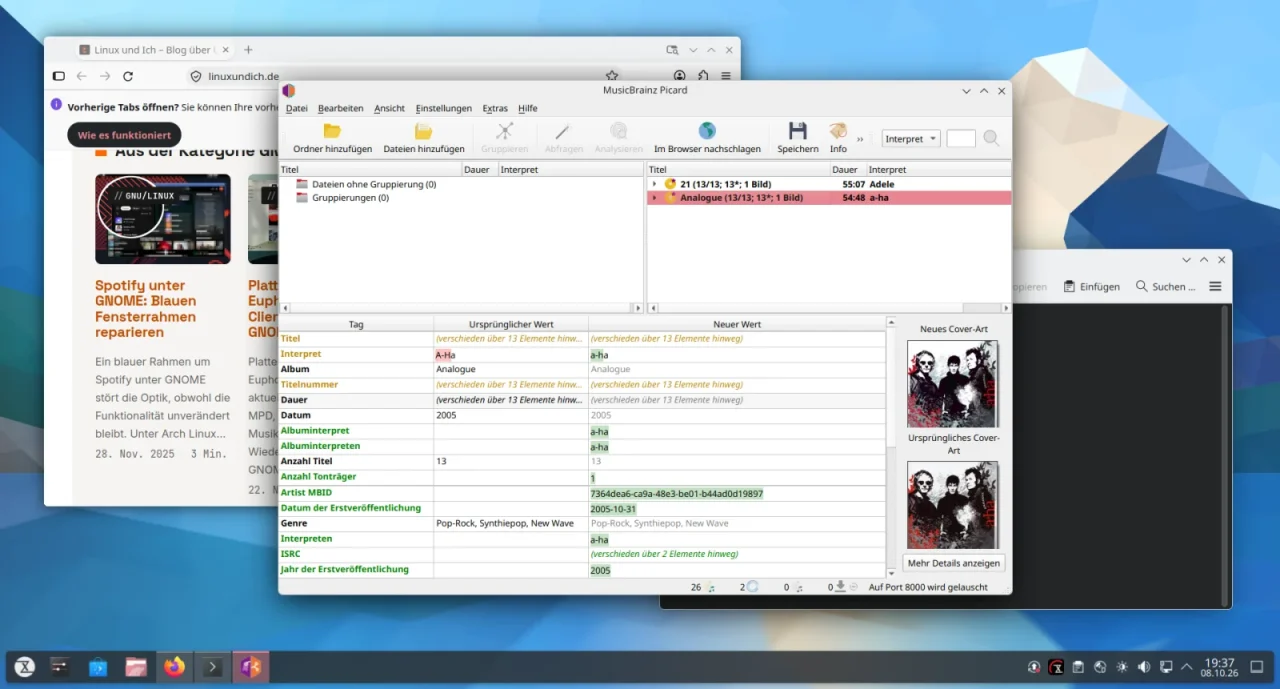
The workflow is familiar: add folder, Cluster, Lookup. Picard matched both albums right away with 13 out of 13 tracks and loaded the cover art. For a-ha, the editor suggests changing “A-Ha” to “a-ha”, which is how MusicBrainz spells the name. The new view with original and new values makes such differences easy to spot.
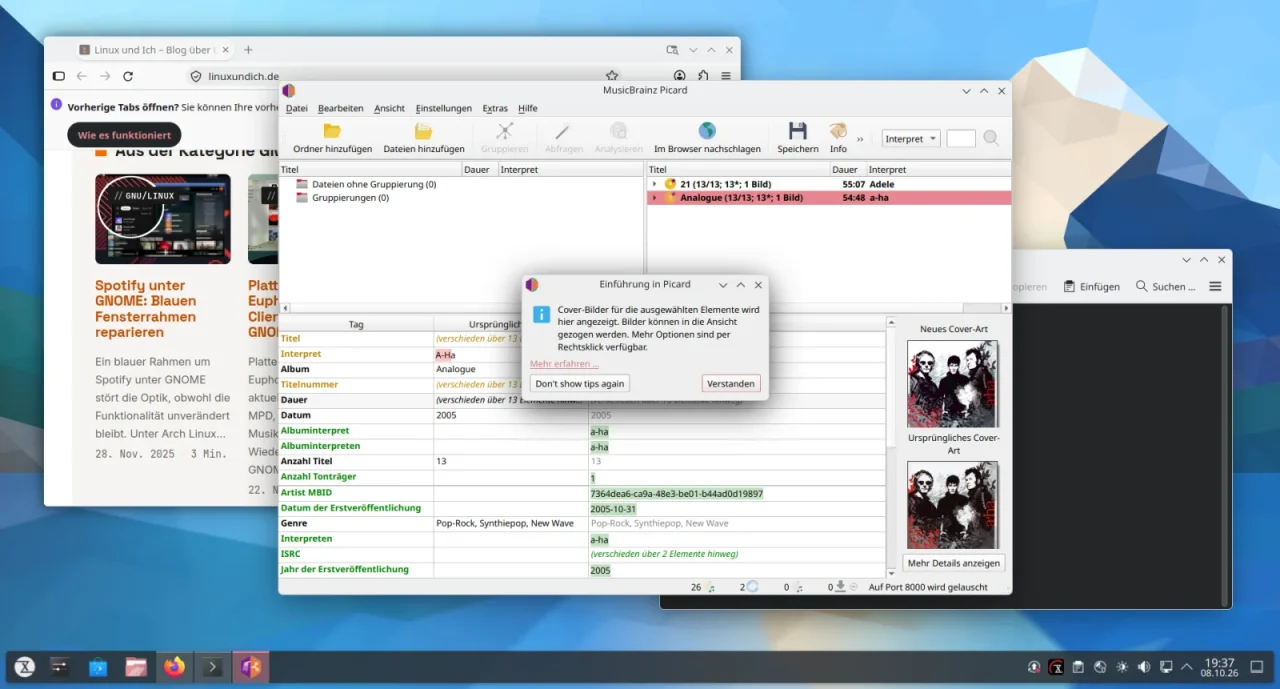
The tutorial hints popped up right away when I first loaded files. If you already know Picard, you will probably turn them off, but for beginners they are a nice help.
All in all, Picard 3 is above all a big foundation update for me. If you use plugins from Picard 2, check before switching whether they already exist in the new system. Everyone else gets a more modern interface and a few useful new features. Which Picard plugins are you still missing in version 3?

Leave a Reply