
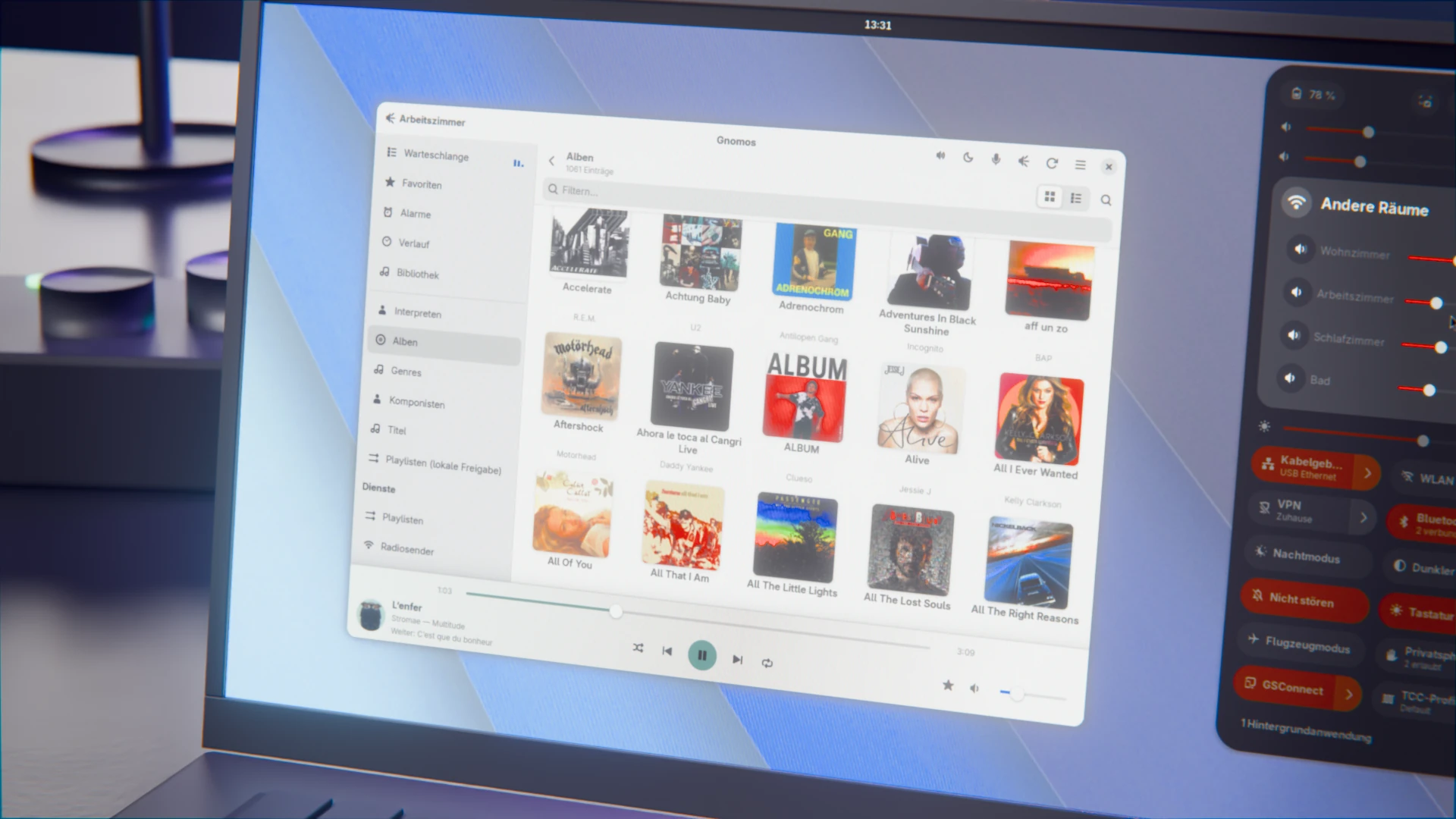
I have had Sonos speakers in my house for years, but on Linux I was missing a decent way to control them. With Noson-App there is a free Sonos client, sure. But I prefer apps that integrate properly into the GNOME desktop, and in my opinion there is still a lot of untapped potential in Noson. That is no criticism of the project, not every developer feels like wrestling with GTK and GNOME.
So I built a client myself: Gnomos is based on GTK4 and libadwaita and is meant to feel like a perfectly normal part of GNOME. You can download the current version 0.28.5 as a Flatpak bundle on GitHub and give it a try. It has been running on my machine for quite a while, so the nastiest bugs should be sorted out by now.
What got me started were my older devices. Sonos has discontinued (in German) support for first-generation products, including the ZonePlayers ZP80, ZP90, ZP100 and ZP120 as well as the CR100 remote. The speakers themselves keep working, it is only the current Android app that no longer plays along. Gnomos talks to these old boxes directly over your home network, so you need neither a Sonos account nor a cloud service.
The communication with the speakers is handled by noson, the library behind the Noson-App. On top of it sits a user interface of its own, one that follows the current GNOME design principles instead of copying the official Sonos apps or the Noson-App that inspired it. Disclaimer up front: AI took care of the heavy lifting during development. Architecture, technical decisions and testing are still down to me, though.
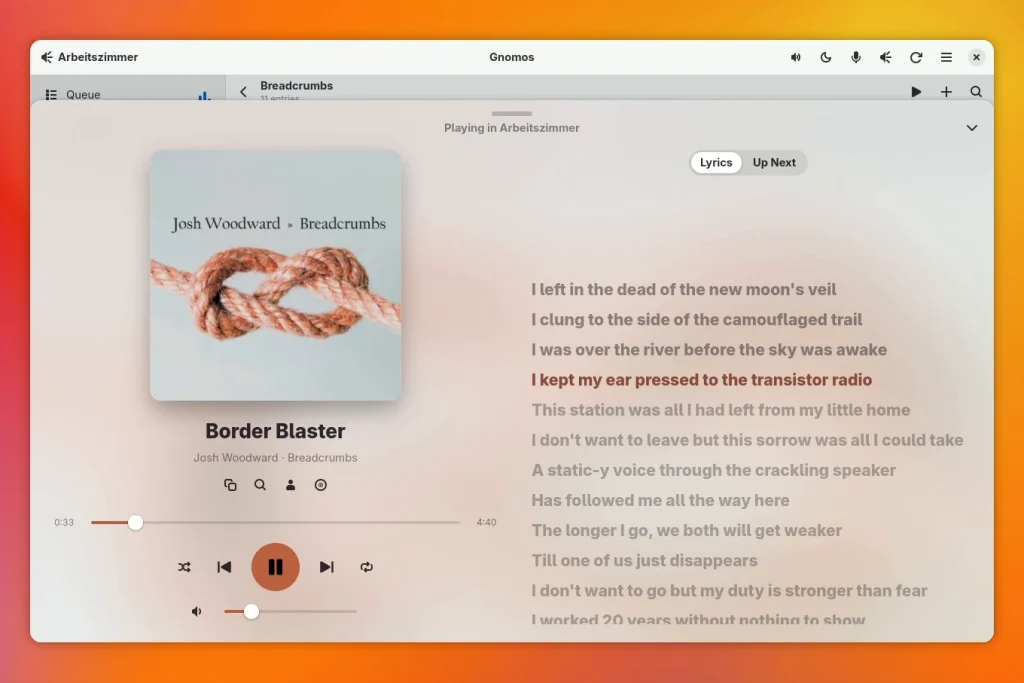
Now Playing, With Lyrics
Click the playback bar at the bottom edge of the window and the current track fills the whole window. The cover appears in large size on a background in its colors. Next to it you find the upcoming tracks of the queue and, if you switch it on, synced lyrics from LRCLIB. Click a line and the song jumps to the matching spot.
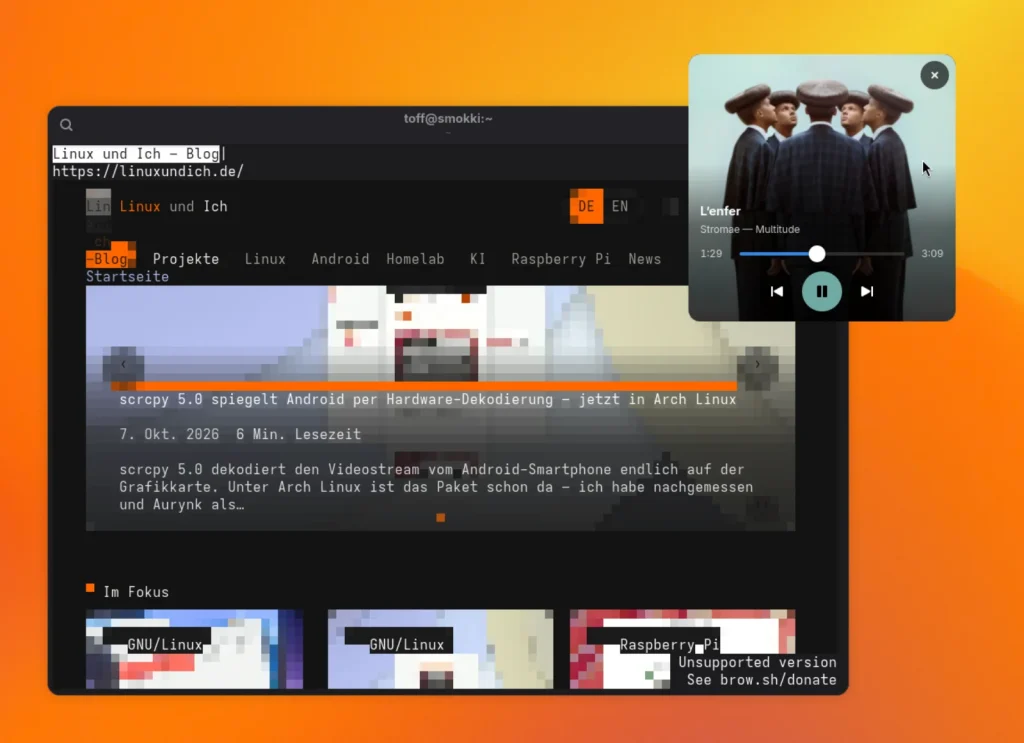
If you like it nostalgic, you can let the cover spin as a vinyl record. A gimmick, sure, but a nice detail. On top of that there is a poster-style mini player: the cover fills a small, square window. The controls only fade in when you move the mouse over it. That way the music stays in view without taking up much space on your desktop.
All Rooms in One Place
The room picker in the header bar shows what is currently playing in which room. Drag one room onto another and Gnomos groups the two, one click dissolves the group again. Inside a group you set the volume per room. On top of that you can start or pause each room with a single click, without having to break up the group.
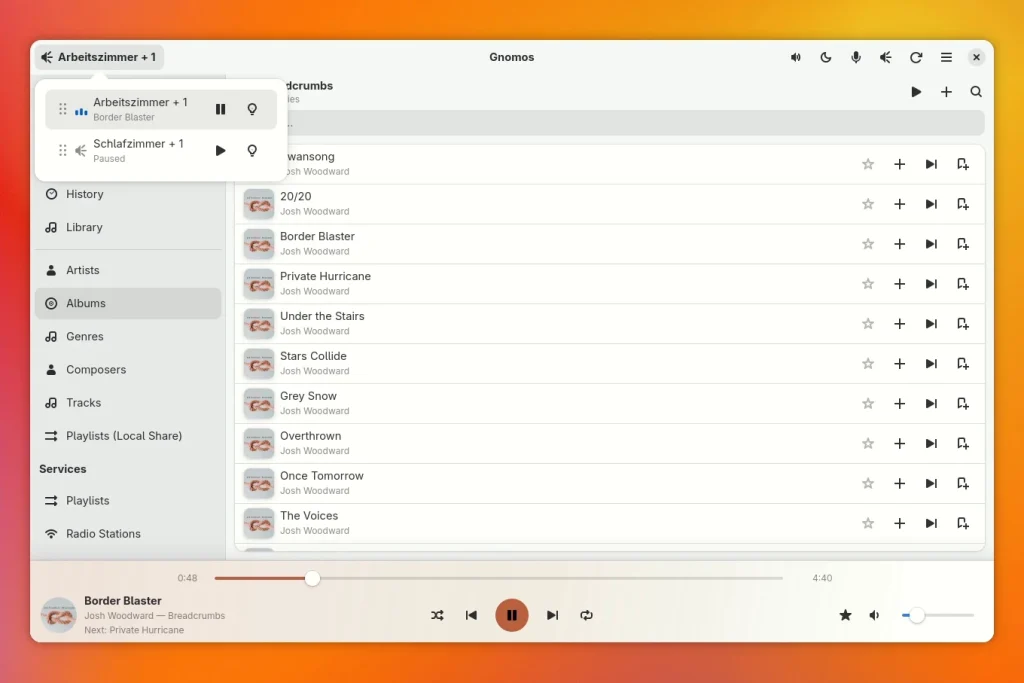
You edit the queue right in the app as well. You move or remove tracks, and a finished list can be saved as a Sonos playlist. Favorites and the Sonos alarms are on board too, and you can create, edit and duplicate the alarms. Sonos itself does not keep a playback history, so Gnomos records it locally. From each entry you can find the artist or album again later.
The Whole Music Collection
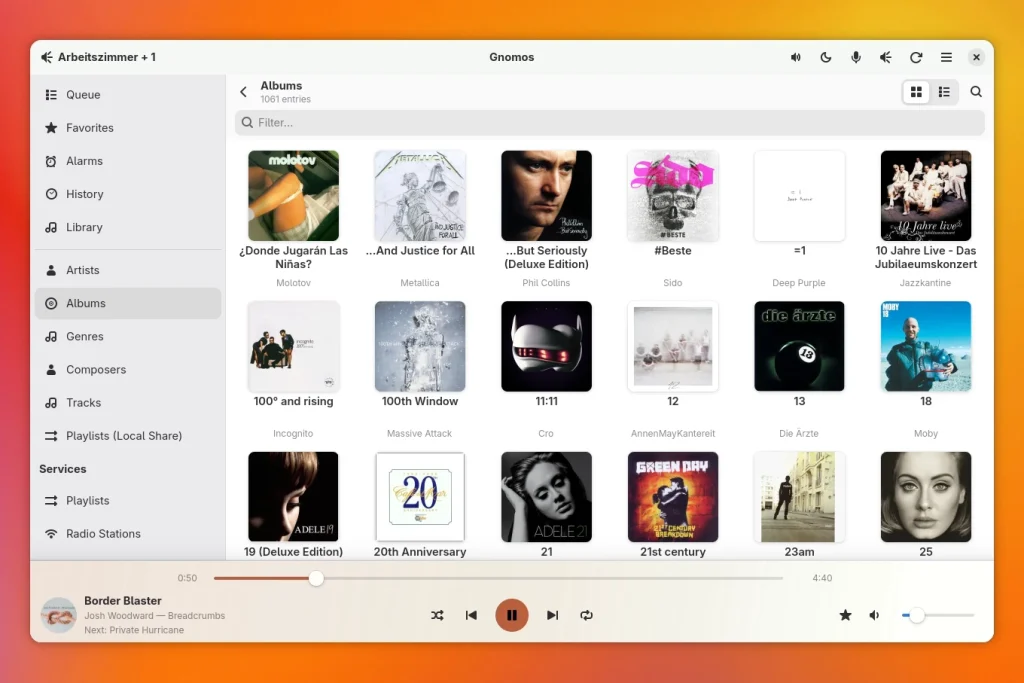
Gnomos searches the music share on your network, Sonos favorites and playlists, internet radio and the services you have linked in Sonos. Those include Spotify and, via bonob, also Navidrome or other Subsonic servers. Large libraries open quickly as a cover grid, or as a list if you prefer. A live filter helps with long lists, and you search for internet radio stations on radio-browser.info by name or country.
Part of the GNOME Desktop
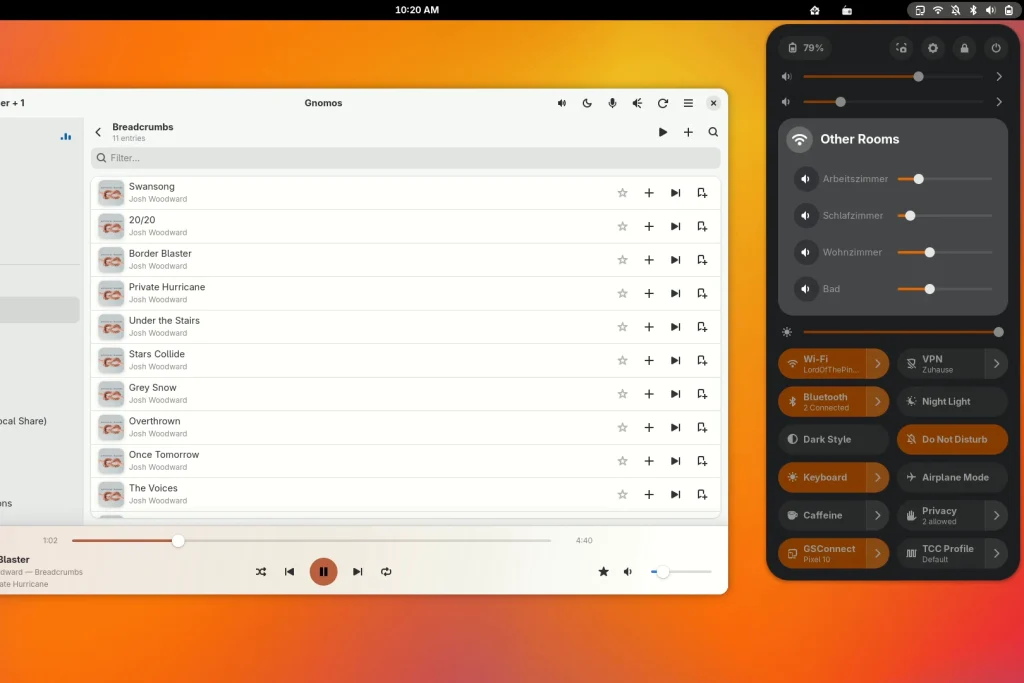
Gnomos supports MPRIS2. Media keys, the lock screen and the player in Quick Settings therefore work right away, including shuffle and repeat. Optionally there is a small Shell extension that puts a volume slider for each room into Quick Settings. It is not part of the Flatpak, you install it separately, and the instructions are in the repository. After that you control your rooms without opening the app at all.
There is also a dark mode, desktop notifications on track changes and keyboard shortcuts for playback, volume, search and the current track. On the speakers themselves you adjust bass, treble, loudness, night mode and subwoofer. A dialog for each room shows the model, IP and MAC address as well as the software version, handy when you have several devices on the network. First-generation devices get a badge of their own in the app.
A short video shows how it all works together. In it I use Gnomos and walk through the most important features.
Gnomos does not leave your home network for the actual control. The app only queries two things online: lyrics from LRCLIB and artist photos through the public Deezer API. Both are switched off by default, and you decide in the settings whether you want to use them. Everything else stays in your own network, no data goes to third parties, not even secretly.
Installation
So far Gnomos is only available as a Flatpak bundle. My plan is to get the app onto Flathub, but for that it needs a few more testers first. Until then you download gnomos-<Version>-x86_64.flatpak from the releases page and install the file with this command:
flatpak install --user gnomos-*.flatpakIf the GNOME 51 runtime is missing, Flatpak fetches it from Flathub. Bundles do not update themselves, so check the releases page for new versions now and then, because Gnomos gets regular fixes and new features. You find the build instructions, the translations (German and English are included) and the source code in the GitHub repository. Gnomos is licensed under the GPL-3.0.
Not Finished Yet
So far I only test Gnomos with my own Sonos household of first-generation devices. I cannot check other models, newer generations and unusual setups, so feedback is worth its weight in gold. Gnomos is still short of version 1.0, and there are surely a few rough edges left. You find more about the project on the project page (in German).
For me, though, Gnomos has long been good enough that I use it every day. Do you have Sonos speakers and a GNOME desktop? Then give the app a try and tell me in the comments what works for you and what does not, preferably with hardware other than mine. You can also report bugs and ideas as an issue on GitHub.
Leave a Reply